



Quick Share QR Code for iPhone Explained: Features, Limits, and Privacy
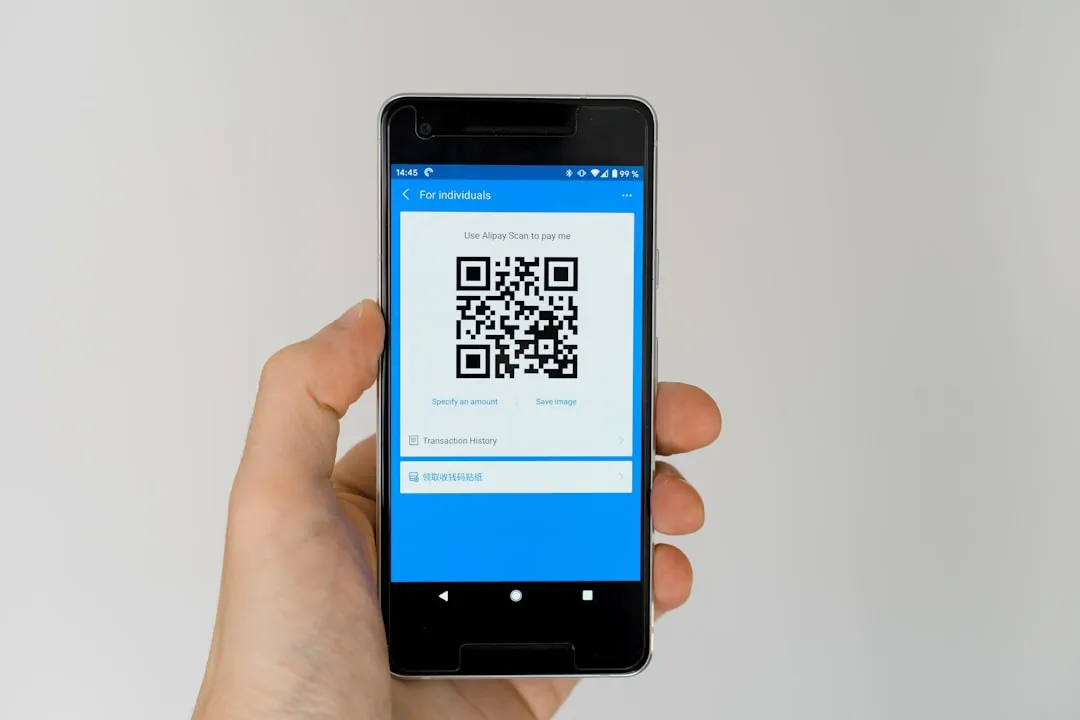
Google has rolled out a QR code-based transfer method for Quick Share that lets any Android phone send files to an iPhone without requiring the recipient to install anything. The Android device generates a Quick Share QR code, the iPhone user scans it with the default Camera app, and the file downloads via a cloud link, Digital Trends reported today. Full rollout across all Android devices is expected within roughly a month, per Digital Trends.
The update closes a long-standing gap. Quick Share already covers Android, ChromeOS, and Windows, per the Google Blog. iPhone was the one major platform it stopped at. That changes now but the QR method isn't the whole story, and it isn't the same as the direct peer-to-peer integration Google launched six months ago.
Both methods carry the Quick Share name and appear through the same interface. That shared branding obscures a real difference in how each works, which users get which version, and what each one actually does with your files.
Quick Share QR code iPhone: what changes and what doesn't
Google launched direct Quick Share-AirDrop interoperability with the Pixel 10 family last November, per the Google Blog. That version works phone-to-phone with no server in the path. Files are never logged, no extra data is exchanged, and the connection is fully peer-to-peer, Google confirmed in its Security Blog. On the iPhone side, the transfer looks like a standard AirDrop receive: the Android device appears in Quick Share's panel, the sender selects it, and the file moves directly across.
Not every Android device qualifies for this. Google has confirmed that a hardware requirement exists but has not explained what it involves or published a device compatibility list, per Digital Trends. What is confirmed: Pixel and Samsung Galaxy devices are in the first wave for direct support, with Honor, OnePlus, OPPO, Vivo, and Xiaomi following later in 2026, AppleInsider reported this week. That announcement confirmed a previously teased expansion, not a new launch.
The QR method exists precisely because most Android devices don't currently qualify for the direct route. It works differently at a fundamental level: cloud infrastructure sits between sender and recipient rather than a direct device connection, Digital Trends explained. Any Android device can use it, AppleInsider confirmed. The breadth is the point, and it's also where the tradeoffs begin.
For most users, the practical split is straightforward. If you own a current Pixel or Samsung Galaxy, you have or will have access to direct sharing later this year. If you own anything else, the QR method is what's available now. Either way, the iPhone user doesn't need to do anything except open their Camera app.
The privacy gap between the two methods
The direct method's security credentials are documented in unusual detail. Google ran internal threat modeling and red team testing before commissioning an independent assessment from penetration testing firm NetSPI. That assessment found the Quick Share-AirDrop integration "notably stronger" than comparable industry implementations and detected no information leakage, per the Google Security Blog. The peer-to-peer architecture is what makes that result possible: no server ever touches the file.
One setup step is required on the receiving iPhone: AirDrop must be set to "Everyone for 10 minutes" before a transfer can happen, AppleInsider noted, a requirement the Google Security Blog also confirms. It's easy to forget, but it's the only meaningful step the recipient has to take. Once set, the transfer itself is seamless.
The QR method's trust model is different in kind, not just degree. Files route through cloud infrastructure rather than traveling directly between devices, AppleInsider confirmed. Anyone who obtains the QR code can download the file without additional authentication, per Digital Trends. A code shown on a screen, photographed by a bystander, or captured in a screenshot grants the same access as the intended recipient.
The available reporting does not address how long QR links remain active, whether senders can revoke access after generating a code, or how files are handled on Google's infrastructure at rest and in transit. Those aren't hypothetical concerns. They're the basic access control questions any cloud-based sharing system needs to answer, and the direct method launched six months ago with independently audited answers to all of them. The QR fallback is rolling to every Android device without a comparable public accounting.
The decision rule for everyday use is fairly clean. The QR method works fine for low-stakes content: a photo, a restaurant link, a PDF someone needs today. Use the direct method when your hardware supports it and the content is something you'd regret an unintended person downloading. The friction of remembering to set AirDrop to "Everyone for 10 minutes" is a reasonable trade for a fully peer-to-peer transfer.
To check which method your device supports: open Quick Share and attempt to share a file with a nearby iPhone. If the iPhone appears as a named device in Quick Share's panel, you have direct support. If the interface offers a QR code instead, that's your current tier.
What Google still hasn't clarified, and where Quick Share is headed
Two questions remain unresolved in the available reporting. First: what does the direct method's hardware requirement actually involve? Google has confirmed the limitation exists but has not published criteria or a device list, per Digital Trends. The Pixel and Samsung first wave is confirmed for later this year, per AppleInsider, but which specific models qualify within those families remains unstated.
Second: what are the actual access controls on QR-generated cloud links? The unauthenticated download behavior reported by Digital Trends describes a permissive model. Link expiration, sender revocation, and file storage handling are all open in the available reporting.
Both gaps become more pressing given where Quick Share is headed. Google is planning to bring Quick Share into third-party apps including WhatsApp, per Digital Trends and AppleInsider. Once that happens, file transfers won't occur in a standalone sharing panel. They'll be embedded in messaging workflows where the distinction between a peer-to-peer transfer and a cloud-routed one is invisible to most users.
That context matters. Right now, the choice between the two methods is visible: you either see an iPhone in your Quick Share panel or you see a QR code. Embed Quick Share inside WhatsApp and that signal disappears. The trust tier of whichever method your device supports follows files into those conversations whether you're thinking about it or not. A published hardware compatibility list for direct interoperability, and clearer security documentation for the QR method, would do meaningful work before that integration arrives. So far, neither exists.
The QR update is a genuine improvement. Removing the install requirement eliminates the most common point of failure in cross-platform sharing, and reaching every Android device within a month is an ambitious target. The open question isn't whether the method is useful it clearly is but whether Google will document its security properties with the same rigor it applied to the direct version before Quick Share becomes the backbone of how Android users share files across platforms.















Comments
Be the first, drop a comment!