





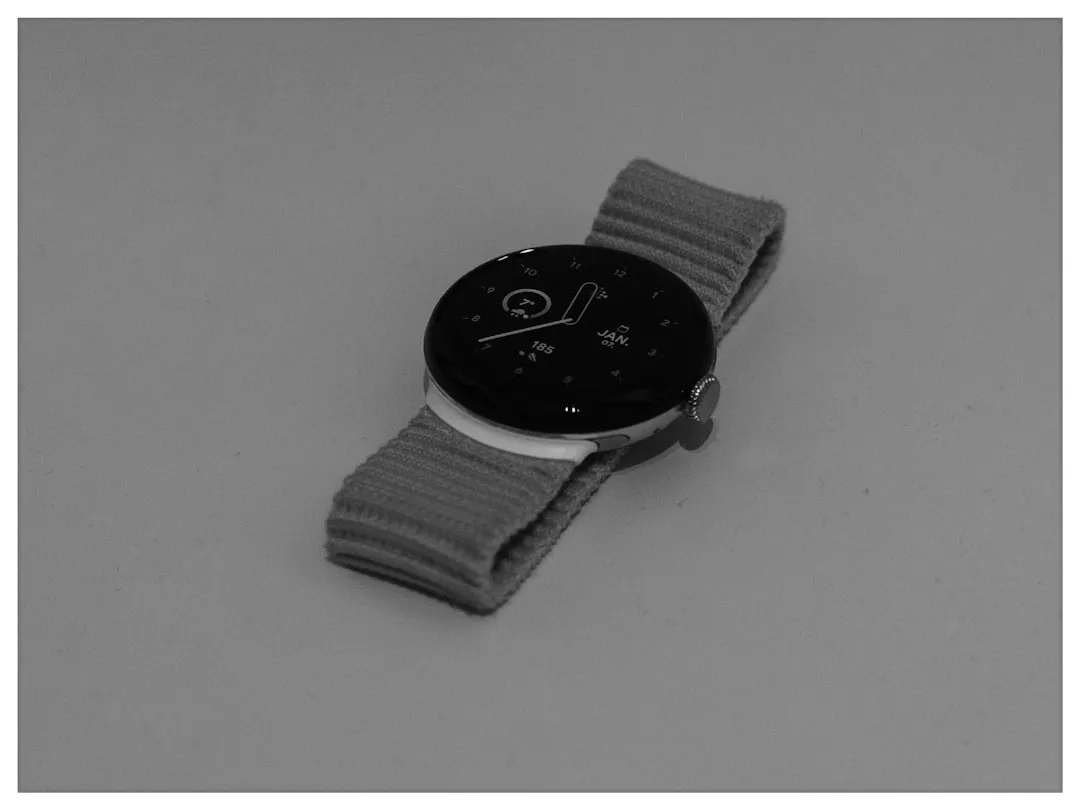
Pixel Watch Fall Detection and Google Account Sign-In Requirements Explained
Google has not officially announced such a change. Google has not said Fall Detection on Pixel Watch will require a Google account sign-in inside the Personal Safety app. What's documented is narrower: Car Crash Detection already works that way, and Fall Detection doesn't. That comparison is worth examining now, because if Google ever does extend the account-gated model to Fall Detection, the stakes are meaningfully different. Fall Detection isn't a notification preference. It's an automated emergency call system.
Car Crash Detection settings are tied to the Google account used to sign in to Personal Safety, and any change to that setting syncs instantly across every supported device on the same account, per Google's support documentation. Fall Detection currently operates without that requirement. The question worth asking is: what would change if that weren't true?
The emergency-call chain explains why the question matters. When the watch detects a hard fall, it waits about 30 seconds, then vibrates, sounds an alarm, and prompts the user to respond. No response triggers a second countdown of 60 seconds before the watch places an automated call to emergency services with a recorded message identifying the watch as the source. If location permission has been granted, the watch shares the user's location with responders, according to Google's emergency features documentation. Attaching an account dependency to that chain raises a question Google would need to answer plainly before any such change went live: is sign-in a one-time setup step, or an ongoing condition for the feature to function at all?
Why Pixel Watch fall detection sign-in requirements would matter more for some users
For someone who set up their own Pixel Watch with their own Google account, a hypothetical in-app sign-in step inside Personal Safety would be minor. The account is already present; the friction is minimal.
Two scenarios are where such a requirement would carry real consequences.
The first is caregiver setup. If a family member configured Fall Detection for an elderly parent using their own account, a mandatory Personal Safety sign-in could attach the feature to the wrong account entirely. In an emergency, the settings governing Fall Detection should belong to the person wearing the watch, or at minimum to an account their caregiver can reliably reach. Assigning Fall Detection to the wrong account in an emergency call system is a different category of problem than getting it wrong in a music streaming app.
The second is international travel. Fall Detection is already unavailable in all countries; it's restricted to Pixel-supported countries and explicitly excluded in Germany, per Google's support documentation. Google says Fall Detection is temporarily unavailable in unsupported regions, even if previously enabled. If account sign-in were also required to activate Fall Detection, verifying that sign-in before leaving would become part of responsible setup. Small gap, easy to miss.
Both of these scenarios are hypothetical. They describe what would follow from a change that hasn't been confirmed. The caregiver scenario in particular is worth flagging as a genuine concern if the change ever materializes, not as a current problem.
Fall detection is already conditional a sign-in would add one more dependency
Google's documentation is candid about the feature's limits. Fall Detection uses motion sensors to identify fall patterns but cannot detect every fall, and high-impact activities may trigger false positives, per Google's support page. Network connectivity is required, and the watch "may not be reliable for emergency communications." On Pixel Watch models without 4G LTE, placing an emergency call requires the paired phone to be within Bluetooth range, as Google's support documentation confirms.
None of that undercuts the feature. The 30-second alert window followed by a 60-second countdown before an automated emergency call is a meaningful response chain. It just only runs when detection works, connectivity holds, and the phone is reachable on non-LTE models. A hypothetical sign-in requirement wouldn't make those conditions worse. It would add one more to a list that's already longer than most users probably realize.
The Car Crash Detection precedent does point to a genuine benefit of the account model: settings sync automatically across every device signed into the same account, so swapping hardware doesn't reset the configuration, as Google's documentation confirms. For users who upgrade Pixel hardware regularly, that's a real convenience. The open question, if the same model were applied to Fall Detection, is whether an account disruption could temporarily take the feature offline. For an emergency call system, that's not a theoretical edge case worth brushing past.
What's worth confirming on your watch regardless of any future change
The Car Crash Detection model is already live. That alone is reason to audit Personal Safety app settings now, without waiting to see whether Fall Detection follows.
Check which Google account is signed into Personal Safety. It should be the account belonging to, or permanently accessible to, the person wearing the watch, not whoever helped set it up.
Confirm Fall Detection is enabled and location permission is granted inside the Personal Safety app. The watch being configured doesn't guarantee the feature is active, and location permission is required for the watch to share your position with emergency services, per Google's documentation.
Know your watch's connectivity. LTE models can call emergency services independently. Wi-Fi-only models must be within Bluetooth range of the paired phone to complete that call, per Android Police. That affects whether the emergency call chain can run to completion.
Confirm your region is supported. Germany and markets outside Google's Pixel-supported regions are excluded, and the feature deactivates automatically when traveling outside a supported area, per Google's documentation.
What to watch for
Extending the account sign-in model from Car Crash Detection to Fall Detection would be a logical step toward consistency inside Personal Safety. It would mean uniform account logic across both primary emergency features and cross-device settings sync that currently only Car Crash Detection gets. For most users, that would be an administrative change. For caregivers managing a watch on someone else's behalf, the account question is worth sorting out now rather than reactively.
Nothing here is confirmed. The most important unresolved question, if this change ever arrives, is whether sign-in functions as a setup step or a persistent dependency. Google's documentation doesn't answer that, and for a feature that calls emergency services, the distinction is material. Personal Safety app release notes are the likeliest place that answer would appear first, given how the Car Crash Detection account requirement was documented. Until then, what this piece describes is a documented comparison between two features on the same platform, not a change that's underway.











Comments
Be the first, drop a comment!