



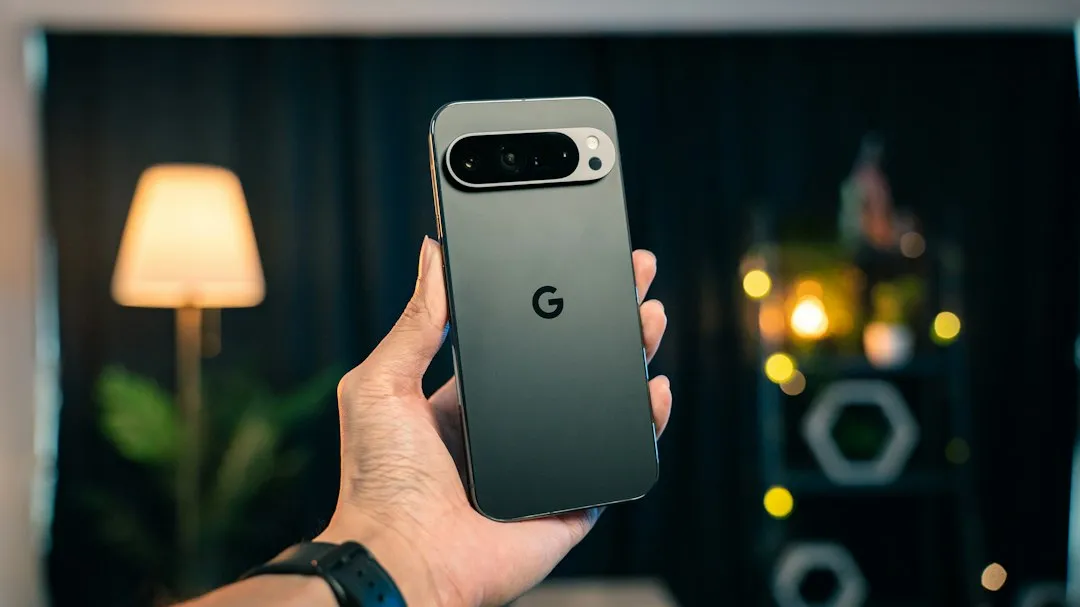
Google's November 2026 Pixel update: security patch and fixes explained
Google released its November 2026 Pixel update today, combining the monthly Android security patch with roughly 33 functional bug fixes spanning camera, battery, Bluetooth, and UI issues (9to5Google, today). The update is arriving in phases rather than hitting every eligible phone at once, so a delayed notification doesn't mean a device missed the cut.
Google's Pixel Update Bulletin confirms every supported Pixel device will reach the 2026-11-05 patch level, and the company recommends installing it (AOSP Pixel Update Bulletin, today). This Google Pixel November security update applies to Pixel 6a and newer, including the Pixel Tablet and four foldable models: the original Pixel Fold, Pixel 9 Pro Fold, Pixel 10 Pro Fold, and Pixel 11 Pro Fold (9to5Google, today).
What Google's November patch numbers actually mean
Google's Android Security Bulletin lists 135 resolved issues at the 2026-11-01 patch level and 97 at the 2026-11-05 level (9to5Google, today). Those two totals sit at different checkpoints within the same monthly bulletin, and Google's own guidance tells readers what to do with them: devices running 2026-11-05 or later address everything tied to both checkpoints (AOSP Pixel Update Bulletin, today).
A separate Pixel Update Bulletin adds 166 device-specific fixes covering vulnerabilities rated high to critical severity. That bulletin covers issues specific to Google hardware rather than extending the Android-wide tally (AOSP Pixel Update Bulletin, today; 9to5Google, today).
Checking your patch level beats trying to add up bulletin math. Google states that reaching 2026-11-05 covers every issue in both bulletins, so the patch-level number is what to verify, not the raw issue counts (AOSP Pixel Update Bulletin, today). The bulletin does not describe active exploitation of any of these vulnerabilities before the patch.
Android 17 QPR2 November update: what Pixel owners should check
Eligible devices run from the Pixel 6a through the Pixel 11 Pro Fold, covering the full current Pixel phone lineup, the Pixel Tablet, and all four foldables mentioned above (9to5Google, today).
Most devices receive build CP4A.261105.040.A1. Pixel 11-series phones get a different build depending on region: CP4A.261105.040.D1 in the US and CP4A.261105.040.B2 in Canada (9to5Google, today). Match your model to the right regional build before assuming something's wrong.
This release also marks Android 17 QPR2 arriving about a month ahead of its original schedule, bundled into this same update rather than shipping separately (9to5Google, today). The notes don't detail new QPR2-specific features in this release, so treat the early timing as scheduling context, not a reason to update on its own.
What to check before you assume you're protected
The update released today, but Google says the standard rollout proceeds in phases over the next week (Android Authority, today). A notification that hasn't shown up yet doesn't mean a device is excluded; it just hasn't reached that spot in the queue.
To confirm protection, check Settings > About phone > Android security update for the 2026-11-05 patch level. That's a different screen than Settings > System > Software update, which surfaces pending downloads rather than confirming what's already installed.
Matching OTA packages are already posted to Google's Pixel OTA repository for anyone who wants to sideload instead of waiting (9to5Google, today). Mismatched files, wrong model, wrong region, or wrong starting build, can cause installation problems, so this route fits readers already comfortable with manual Pixel installs rather than a shortcut around the standard notification.
What the changelog claims to fix, and what it doesn't confirm
Google's notes list fixes across Apps, Audio, Battery & Charging, Bluetooth, Camera, Connectivity, Display & Graphics, Framework, Performance, Sensors, System, Telephony, and User Interface (9to5Google, today). Among the more relatable entries: a virtual keyboard that occasionally failed to appear in search fields, a charging indicator that displayed with no charger connected, photos that occasionally didn't save properly, and background battery drain tied to sensor service management (9to5Google, today).
Telephony fixes address a Wi-Fi Calling status notification that failed to reappear after a restart under certain carrier conditions, while System-category changes target restart and startup performance (9to5Google, today).
UI repairs cover a notification shade that sometimes wouldn't expand on a swipe-down gesture, Overview thumbnails stuck in a locked state, notification text that became hard to read after certain system theme colors were applied, and a conflict between the Quick Switch navigation gesture and Circle to Search. Google also lists stability improvements for fingerprint recognition and unlock-screen transitions (9to5Google, today).
This batch of Pixel November update bug fixes is Google's own changelog claim, not independently verified repair work. Several entries carry footnote markers tied to specific models or conditions, and earlier Pixel Update threads have noted that some fixes are carrier- or region-specific, meaning a listed fix doesn't guarantee it reaches every supported device identically (Google Pixel Community, earlier this year).
There's also a specific gap worth flagging for anyone dealing with Wi-Fi trouble. One Pixel 9a owner reported last month that a recent update prevented the phone from connecting to WPA3 SAE and mixed-SAE Wi-Fi networks, describing a workaround of downgrading to the weaker WPA2 protocol (Google Pixel Community, last month). Nothing in today's release notes names this issue directly, so if that problem sounds familiar, don't assume it's fixed just because other connectivity items appear in the changelog.
What to do now
Treat the functional fixes as Google's claims rather than confirmed repairs, and watch the Pixel Community forum for follow-up reports if a specific camera, battery, or Bluetooth issue persists after updating.
The one step worth taking right now is opening Settings > About phone > Android security update and confirming it reads 2026-11-05. If it doesn't show up yet, give the phased rollout a few more days before reaching for the OTA file, and only sideload after matching the exact model, region, and current build.



Comments
Be the first, drop a comment!