





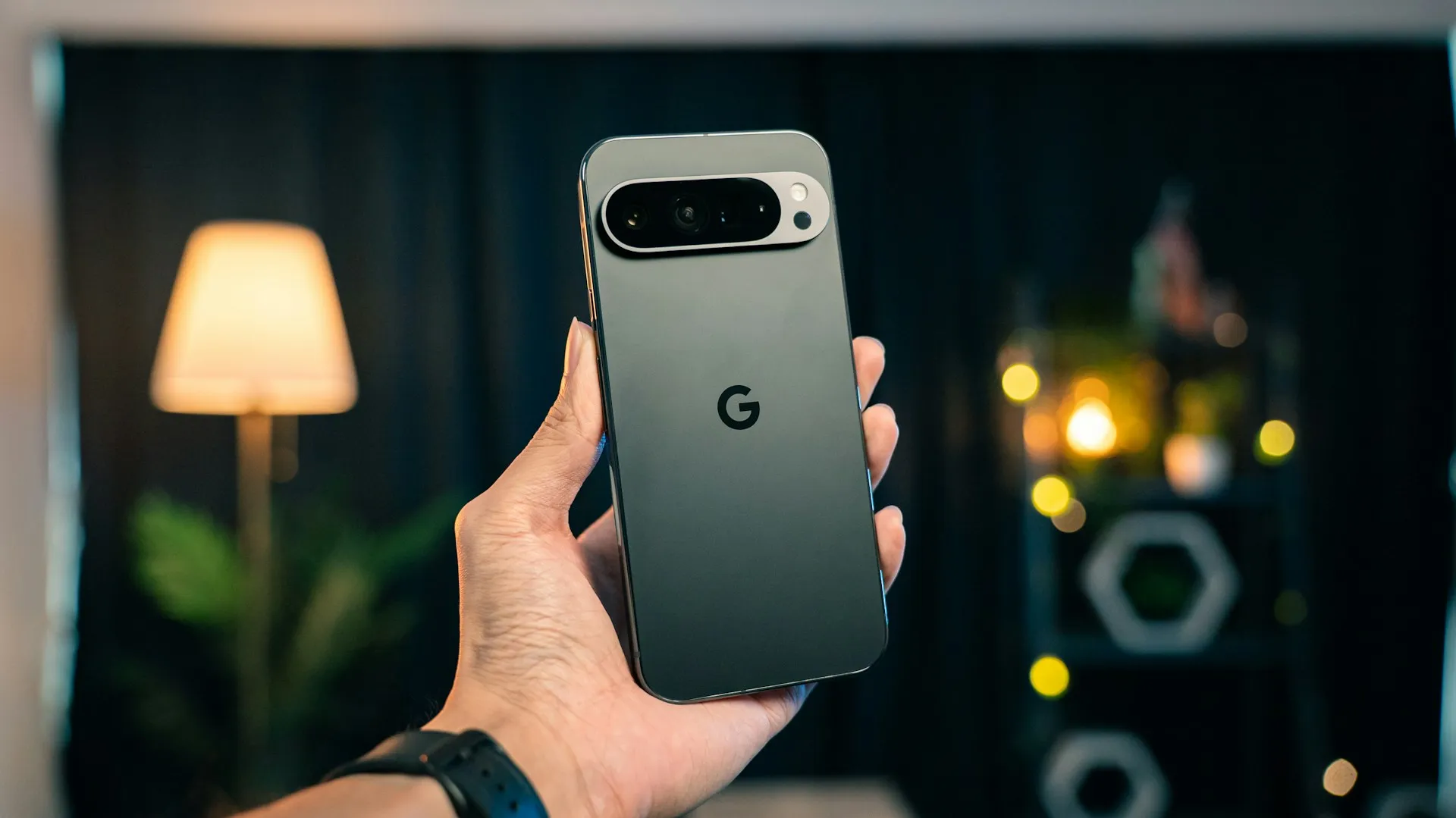
Google Pixel Connected Camera support is rolling out to 11 additional apps, including Google Meet, Zoom, Microsoft Teams, and Slack, through an update to Pixel Camera Services spotted by Android Authority.
The outlet's count puts the supported-app total at 16, up from five. Google's current support page still lists only the original five apps, however, so the expanded list is best treated as a reported rollout until Google's documentation catches up.
Android Authority ties the expansion to Pixel Camera Services version 4.1.977867365.00 and lists Google Meet, Gmail, Slack, Microsoft Teams, Zoom, Telegram, Skype for Business, WhatsApp, WhatsApp Business, Messenger, and Discord as the new additions.
The change moves Connected Cameras beyond its original social-media focus and into meetings, calls, and private messaging. What hasn't yet been independently tested in detail is how smoothly camera switching behaves inside a long Zoom or Teams call compared with the livestreaming apps the feature originally supported.
Which apps have Pixel Connected Camera support now
The 11 newly reported apps are:
Google Meet
Gmail
Slack
Microsoft Teams
Zoom
Telegram
Skype for Business
WhatsApp
WhatsApp Business
Messenger
Discord
Those join the original five apps Google documented when Connected Cameras launched:
Facebook
YouTube
Instagram
TikTok
Snapchat
Google's March 2025 Pixel Drop described Connected Cameras as a way to connect a Pixel to another Pixel or GoPro and switch between camera angles while streaming to those five social platforms.
Google's current help page still lists only those original five supported apps, even though Android Authority reports the newer Pixel Camera Services build has expanded compatibility to 16.
That documentation lag matters. The new app list appears to be live through the Play Store rollout, but Google has not yet published a first-party changelog confirming the additions.
Gmail is less unusual than it first appears. The Gmail mobile app includes Google Meet integration, letting users start and join video meetings from the Meet tab, which gives Connected Cameras an obvious camera use case inside the app.
What Connected Cameras actually does
Connected Cameras lets a compatible Pixel use one external camera at a time while working inside a supported app.
That external camera can be:
Another compatible Pixel
A GoPro
A compatible USB Video Class, or UVC, camera
Google's current documentation says users can apply whatever filters and effects the supported host app offers while using the external feed.
The feature does not create a simultaneous split-screen production layout. Instead, a floating Camera Picker lets you switch between the host Pixel and the connected external camera.
Google still documents a countdown when switching cameras. Once the countdown finishes, the app moves to the selected camera feed.
Android Authority's original 2025 hands-on found that the switch used a three-second countdown followed by an immediate hard cut with no black-screen pause.
That original test was performed in livestreaming apps. The same switching behavior is documented at the system level today, but detailed independent testing has not yet established how consistently it performs during calls in newly supported apps such as Zoom, Teams, or Slack.
Which Pixel phones support Connected Cameras now
The original launch was limited to Pixel 9-series phones acting as the host.
That restriction is no longer current.
Google's current Connected Cameras documentation says Pixel 6 and newer phones, with some exceptions, can now use the feature.
For Pixel 6 and newer models other than Pixel 10 and Pixel A-series devices, Google says the phone can connect to:
Another compatible Pixel
GoPro cameras
USB cameras
Pixel 10 models and Pixel A-series phones from Pixel 6a onward have a narrower setup. They can use:
GoPro cameras
USB cameras
They cannot currently use another Pixel as the connected external camera, according to Google's support page.
The external Pixel also has restrictions. Google says Pixel 10 and A-series devices cannot serve as the second Pixel camera in a Pixel-to-Pixel setup.
That resolves the compatibility conflict created by Google's 2025 launch announcement and later third-party reporting. The original Pixel Drop correctly described Connected Cameras as Pixel 9-only at launch, while Google's current support documentation reflects the later expansion to older hardware.
How Pixel-to-Pixel pairing works
Pixel-to-Pixel pairing uses Android's Cross-Device Services.
Google requires Cross-Device Services to be enabled on both Pixels. The devices must also be signed in with the user's Google Account before they can appear as available connected cameras.
Only one external camera can be connected at a time.
To use another Pixel:
Turn on Connected Cameras under Settings > Connected devices > Connection preferences > Connected Cameras.
Open a supported app.
Open the Camera Picker.
Tap Add Pixel.
Select the Pixel you want to use as the external camera.
Approve the required permissions on that device.
Once pairing finishes, the second Pixel appears in the Camera Picker.
You can then switch back and forth between the host phone and the connected Pixel.
GoPro and USB cameras work differently
GoPro support does not rely on Cross-Device Services.
Google's current instructions say to pair the camera over Bluetooth, open a supported app, and use the Camera Picker once the GoPro is ready.
Google's original 2025 announcement specifically named the GoPro HERO10 Black and newer models. Its current support page refers more generally to GoPro cameras without restating that model cutoff, so owners should check current compatibility for their particular GoPro rather than assume every generation works.
USB cameras use another path entirely.
Google now officially supports cameras that implement the USB Video Class specification. Connect the UVC camera by USB, open a supported app, allow camera access, and select it from the Camera Picker.
That support is broader than the original Pixel-to-Pixel and GoPro launch story and also explains why Pixel 10 and A-series models can still use Connected Cameras even though they cannot pair with another Pixel.
Pixel Tablet follows a different rule again: Google says it supports USB cameras only.
Audio no longer has to follow the active camera
One of the biggest limitations in the original 2025 version has already been fixed.
Android Authority's first hands-on found that audio automatically jumped to whichever camera was active. Switching video angles therefore changed microphones too, which could create noticeable differences in volume and sound quality.
Google changed that behavior later in 2025.
Pixel Camera Services added a Use connected camera audio toggle. Leaving it off lets the host Pixel remain the audio source even while the video switches to the connected camera. Turning it on makes audio follow the remote camera instead.
That change is particularly relevant to Zoom, Teams, and Meet because consistent audio matters more in a meeting than it might during a casual livestream.
Google's current help page still warns that using a Bluetooth audio source may reduce streaming quality.
What the 2025 testing does and doesn't prove
Android Authority's April 2025 hands-on remains useful for understanding the basic switching behavior.
It found the feature worked well once configured and documented the three-second countdown, instant feed changes, and original audio-switching behavior. It also criticized the setup process as confusing and noted that Connected Cameras worked only in supported livestreams at the time.
Some of those limitations have since changed.
Google expanded host compatibility beyond the Pixel 9 series. It added USB camera support. It added control over which camera supplies audio. And Android Authority now reports 11 additional supported apps.
The old hands-on therefore remains useful for understanding the core concept, but it should not be treated as a complete description of the feature in late 2026.
What still hasn't been independently established is how Connected Cameras performs over a full Zoom, Teams, Meet, or Slack session, particularly around latency, audio continuity, heat, battery consumption, and long-duration stability.
How to check whether the update has reached your Pixel
First, check whether Connected Cameras is available under:
Settings > Connected devices > Connection preferences > Connected Cameras
Turn Use Connected Cameras on.
Then update Pixel Camera Services through the Play Store if an update is available.
Android Authority identifies version 4.1.977867365.00 as the build introducing the 11 additional apps.
Open one of the newly supported apps and start a camera session or call. If the Camera Picker appears, that app has access to Connected Cameras on your device.
For Pixel-to-Pixel setups, make sure both phones support Pixel pairing, use the appropriate Google Account, and have Cross-Device Services enabled.
Pixel 10 and A-series owners should not expect Add Pixel to work. Use a compatible GoPro or USB UVC camera instead.
The expanded app list is still absent from Google's current support page, so seeing the Camera Picker in the app itself is the clearest confirmation that the rollout has reached your phone.
For an important meeting or presentation, test the setup before relying on it. Connected Cameras is now much more capable than the original 2025 version, but the newly added work apps have not yet received the same detailed independent testing as the original livestreaming setup.


















Comments
Be the first, drop a comment!