





Android Linux Terminal GPU Acceleration Lands on Pixel 10 With Major Limits
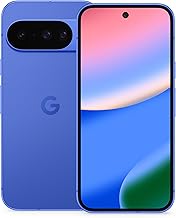
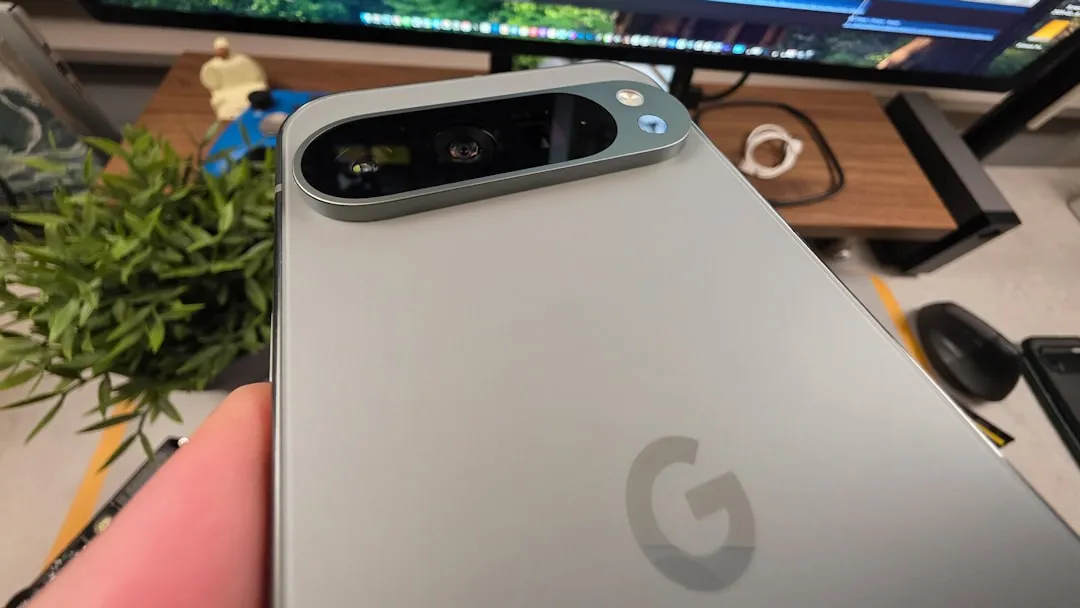
Android's Linux Terminal app now supports GPU-accelerated rendering for graphical Linux apps on the Pixel 10. The feature uses a library called Gfxstream to replace Lavapipe, the CPU-based software renderer that makes GUI apps run poorly. It's live in Android 16 QPR2 Beta 3, exclusive to the Pixel 10, still buggy, and not yet delivering reliable performance, according to Android Authority.
The Terminal app has been available since March 2025 as a developer-only feature on select Pixel devices. Unlike Termux, it runs a complete Debian 12 virtual machine with its own kernel rather than a shell layered on Android's existing Linux environment, per PlayfulSoul's technical breakdown. GPU support is what the feature always needed to make graphical apps workable in practice. What the Pixel 10 shows is that the mechanism runs on shipping hardware, and how incomplete the implementation currently is.
Android Linux Terminal GPU acceleration on the Pixel 10 still has major limits
Three constraints define what this upgrade actually delivers.
First, it runs on exactly one device. Second, Reddit user Unlucky_Drive6363, whose findings Android Authority reported this week, found that only 47 of the Pixel 10's 142 Vulkan extensions are exposed to the Linux virtual machine. The same user noted that some of those 47 don't function correctly, with certain apps performing worse under GPU acceleration than they did under the CPU-based fallback.
The third constraint sits below the rendering layer entirely: VM overhead. Running a full Debian 12 environment on top of Android introduces latency and resource contention that affects CPU-bound workloads regardless of how graphics are handled. A bug report filed in early 2025 on the Google Issue Tracker showed Geekbench 6 scores inside the Debian VM on a Pixel 8 Pro running noticeably below native Android results, with single-core performance taking the largest hit. That gap is a separate problem not evidence that GPU forwarding is slow, but proof that the VM boundary carries a compute cost no rendering upgrade removes.
The Terminal app itself is only available on Pixel 7 series and newer devices that support Android's Virtualization Framework, requires enabling Developer Options and toggling an experimental switch, and downloads a Debian image of 500MB or more before anything runs, as PlayfulSoul documented. Gfxstream support is a narrower slice within that already-limited group.
Why GPU access matters, and how Gfxstream provides it
Before this change, every graphical Linux app in the Terminal ran through Lavapipe. The software renderer uses the CPU for rasterization—converting vector shapes into pixels—which is precisely the kind of work a GPU handles far faster. For command-line tools, this makes no difference. For anything that draws a window, the result ranges from sluggish to unusable.
Android 16 QPR2 adds official support for graphical Linux apps on compatible Pixel devices, but Android Authority reported that most of those devices will still rely on Lavapipe. The practical gap between "GUI apps are supported" and "GUI apps are usable" comes down entirely to what renders them.
Gfxstream bridges that gap by intercepting graphics API calls from the Linux VM and forwarding them to the host Android device's GPU, which handles the actual rendering using its own drivers. The Linux guest behaves as though it has direct GPU access; the Android host does the work. This happens inside Android's Virtualization Framework, introduced in Android 13 and built around a lightweight hypervisor called pKVM that enforces strong isolation between the VM and the host in both directions, according to PlayfulSoul's analysis.
AVF was originally built as a secure environment for compiling security-sensitive code, Android Authority's earlier coverage reported, before Google expanded it significantly in Android 15 to support running full guest operating systems. Gfxstream is the next layer on that foundation, extending the architecture into graphics workloads without breaking the isolation model.
What the Pixel 10 actually gets
Reddit user Unlucky_Drive6363, running Android 16 QPR2 Beta 3 on a Pixel 10, discovered that a Linux program inside the Terminal VM could detect the phone's Vulkan graphics driver—a sign that real GPU rendering was active. A "Graphics Acceleration" settings menu also appeared inside the app. Android Authority confirmed both findings by examining the device's firmware, where a Pixel 10-specific configuration overlay enables Gfxstream. No equivalent overlay was present on other Pixel devices running the same beta.
That firmware difference explains the exclusivity mechanically. It doesn't explain the reasoning behind it. Whether the restriction reflects hardware-level driver requirements specific to the Pixel 10's GPU stack, a phased rollout decision, or something else entirely is not established by available evidence.
The Vulkan coverage gap is where the GPU win gets complicated. Of the 142 Vulkan extensions the Pixel 10 supports natively, only 47 reach the Linux VM, Unlucky_Drive6363 reported via Android Authority. The same user noted that some of those extensions don't work correctly and that certain apps perform worse with acceleration enabled than they did on Lavapipe. There's no reported pattern yet for predicting which apps fall into which category before trying them.
What comes next for graphical Linux apps on Android
Google has not explained publicly why Gfxstream support is limited to the Pixel 10, or when other devices might receive it. The firmware overlay approach means the extension could arrive through a configuration update rather than a platform overhaul, but whether that happens before Android 16 ships broadly, or later, or at all, is not established by current evidence. The incomplete Vulkan coverage and app regression issues suggest the implementation is still being stabilized even on the one device where it runs.
For users on earlier Pixel hardware or non-Pixel devices, nothing changes with this beta. The Terminal app remains a developer-focused feature on a narrow slice of hardware, and its most capable version now runs on exactly one phone in beta. For anyone tracking Android as a general computing platform, that's the state of play: GPU acceleration confirmed working on shipping hardware, Vulkan coverage at roughly a third of the device's native support, and the distance from here to something reliable across the Pixel lineup is still very much to be covered.















Comments
Be the first, drop a comment!