



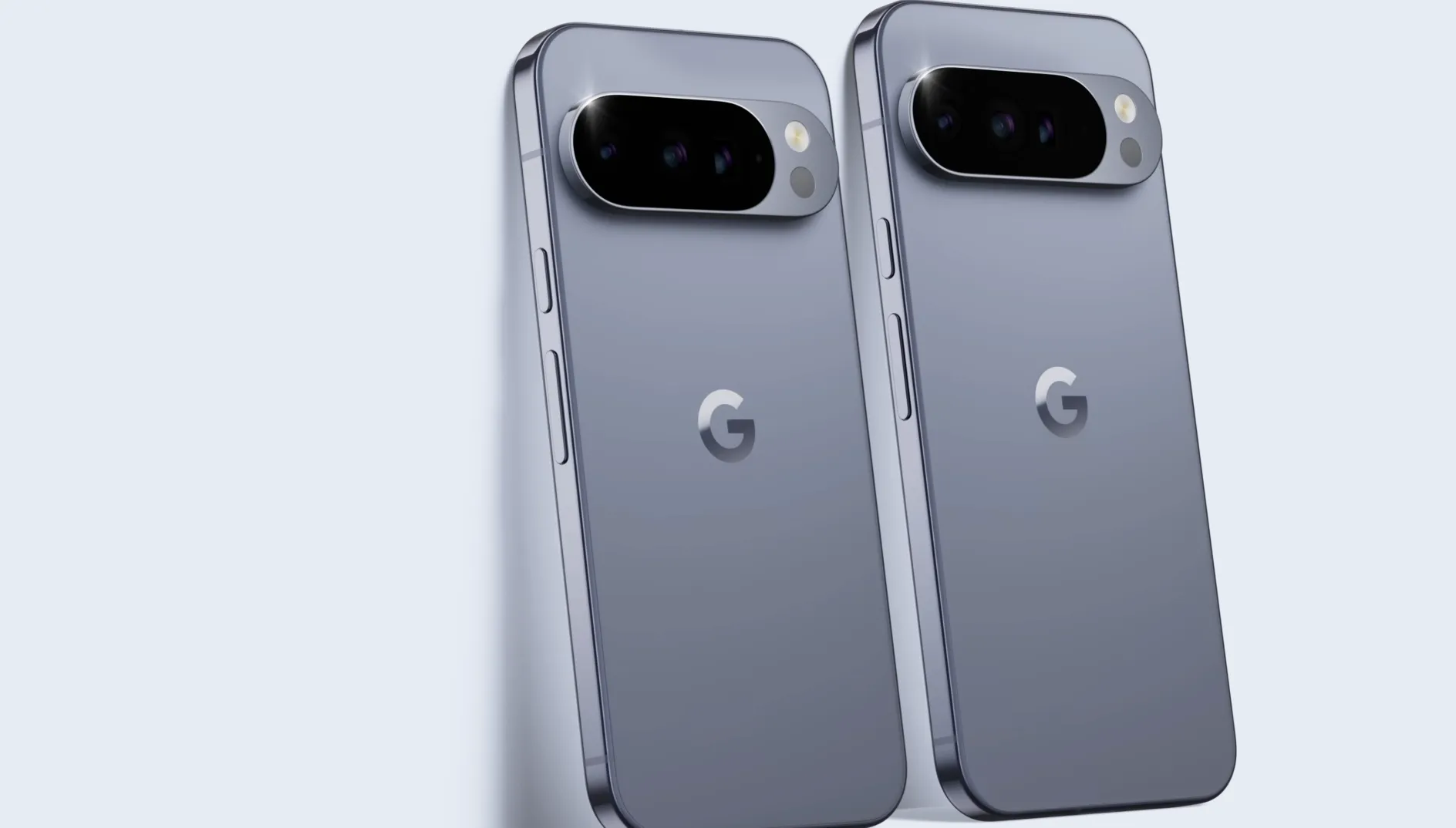
Google's Pixel Recorder app has a bug that causes audio files to vanish after recording, with no error message and no warning that anything went wrong. The problem: Pixel Recorder is not saving recordings while appearing to function normally. As of July 7's reporting, Google hadn't addressed the issue publicly.
The failure hits without any signal to the user. Recorder runs, the stop button works, and then nothing shows up. No file in the app library, no file visible through the phone's Files app, nothing recoverable through standard storage checks, 9to5Google reported.
A recording app that throws an error is frustrating. One that silently discards your audio is a different kind of problem, especially for anyone who used it for something they can't redo.
How widespread the problem appears to be
At least half a dozen users reported the failure within a single morning, Android Authority noted Tuesday. A post in the Google Pixel subreddit drew five replies from users describing the same experience: audio appeared to record, then left no trace anywhere on the device. 9to5Google documented corroboration from several commenters on their own coverage as well.
The bug isn't hitting everyone. 9to5Google tested the app on their own device and couldn't reproduce the issue. Android Authority writer reported Recorder working normally on a Pixel 9 Pro the same morning reports were coming in. Both outlets concluded the issue appears limited rather than universal, though Android Authority acknowledged it's still unclear how widely it may have spread.
What separates affected devices from unaffected ones remains unknown. Whether the trigger is tied to device model, app version, Android build, or backup configuration hasn't been established. Standard troubleshooting hasn't helped: clearing the app cache and restarting affected phones made no difference for users who tried, Android Authority confirmed.
There's also a more unsettling dimension to the reports. Some affected users aren't just missing new recordings. They're finding that older files, ones already saved in their Pixel Recorder libraries before the current problem emerged, have disappeared too, according to 9to5Google. That widens the potential impact beyond whatever triggered the bug in the first place, and it complicates any assumption that only recent sessions are at risk.
Why Pixel Recorder not saving recordings is hard to diagnose
The central question nobody can answer yet is whether these files were ever written to storage or whether they exist somewhere on the device and simply aren't being surfaced.
Two distinct failure modes are possible here, and they lead to very different recovery outlooks. The first: the recordings were never written to disk at all. The app accepted input, showed normal behavior, and then discarded everything at the point of saving. The second: the files were written, but something in Pixel Recorder's indexing or database layer is preventing them from appearing, either inside the app or through normal storage lookups.
9to5Google raised the possibility that recordings may be saved but not appear within the app, pointing to a potential indexing or database failure rather than a write failure. If that's what's happening, files could theoretically be found by looking outside the app. The problem is that Android Authority's reporting establishes that affected recordings weren't visible in internal storage either, not just absent from the Pixel Recorder interface. So whatever is happening runs deeper than a display glitch within the app itself.
That weakens the simplest recovery scenario. If files were simply mislabeled or hidden from the app's view, a file manager search of internal storage would find them. Affected users report it doesn't. That makes a write failure one plausible explanation, though neither outlet's reporting can confirm the root cause. The possibility of a deeper storage or permissions issue, one that writes files somewhere inaccessible to normal checks, can't be excluded either.
The honest read on recovery prospects: they aren't good, but they aren't definitively zero. A cloud-backup path exists in theory. If recordings were synced before the bug took effect, they may be retrievable through whatever backup service the user had configured. 9to5Google noted, though, that no user in the relevant discussion threads had reported success with that approach, and recovery through backup is contingent on backup being both active and current at the time of the failure. For anyone who recorded offline or without backup enabled, no confirmed recovery method exists at this point.
What affected users can do while waiting for Google to respond
As of Tuesday's reporting, Google hadn't addressed the bug publicly, which is notable given that the issue defeats the app's entire purpose, as 9to5Google observed. Until there's an official response, a few steps are worth taking.
Avoid relying on Pixel Recorder for irreplaceable recordings until this is resolved. Interviews, meetings, anything where there's no second take- those sessions should go through a different app for now. That's the one action that's guaranteed to prevent further loss.
For users trying to recover what's already gone, bypass the Pixel Recorder app entirely and browse internal storage directly through a file manager. If recordings show up in the filesystem but not in the app, that points to an indexing or display failure, which improves the odds of recovery. If nothing appears there either, that narrows the picture considerably.
It's also worth checking whether Pixel Recorder backup or sync was enabled before the problem appeared, and whether any app data was archived before files went missing. No one in the affected discussion threads has reported that backup recovery worked, but it's the only path that has any theoretical basis.
If you're affected and haven't reported it yet, doing so is worth the time. Note your Pixel model, Android version, and Pixel Recorder app version, then submit through the Google Pixel Community or the app's in-app feedback option. Consistent detail across multiple reports is what helps Google identify the common thread. Right now, the trigger conditions, which devices, which versions, and which configurations are vulnerable, remain publicly unknown. The more specific the reports, the faster the changes.
What to watch for next
The scope and cause of the problem are still open. Three developments would materially change the picture: a response from Google's support channels, a Pixel Recorder update pushed through the Play Store, or a pattern emerging across user reports that ties the bug to a specific app version or device configuration. A targeted version link would also clarify whether this is something introduced in a recent update, and whether rolling back the app is a viable option for users who haven't yet lost files.
Until one of those happens, treat Pixel Recorder as unreliable for any recording that matters. That's not a permanent verdict on the app, just the only position the current evidence supports.

















Comments
Be the first, drop a comment!