



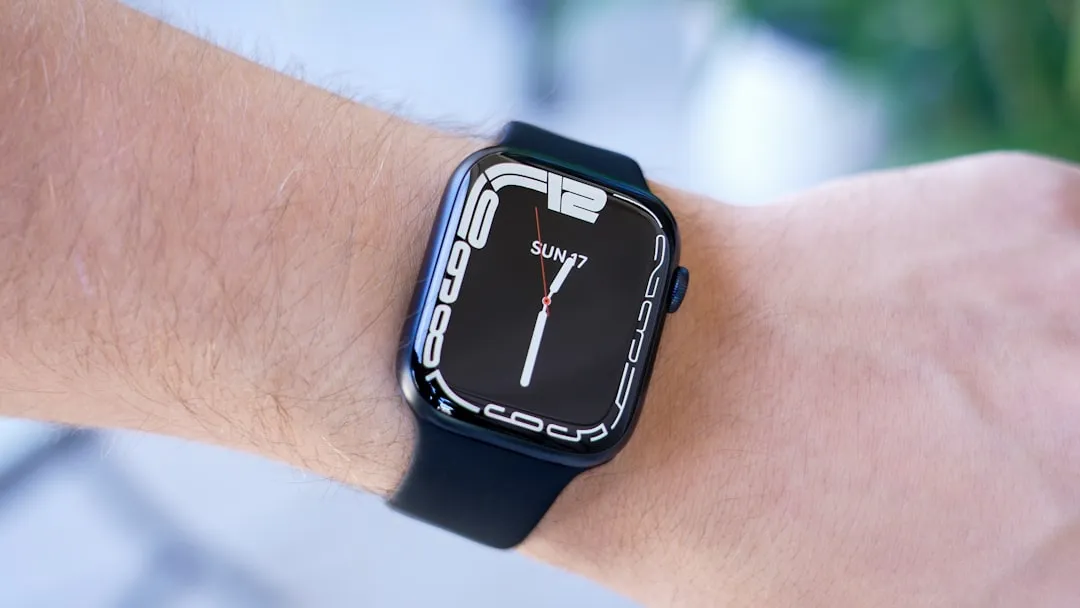
Google announced Wear OS 7 today. The headliners are familiar: better battery life, a redesigned interface, and AI assistance that can reach into third-party apps. None of that is surprising. What matters for anyone wearing a Wear OS watch right now is whether any of it arrives on their device, and when, and on those questions, the announcement is thin.
Consumer rollout is expected "later this year" on supported devices, with no specific month and no confirmed device list. Developers can start testing now via a Wear OS 7 Canary emulator released alongside today's announcement. Gemini Intelligence, a more deeply integrated AI layer with third-party app actions, is limited to "select watches" launching later this year; Google has not specified which existing or upcoming devices qualify.
Wear OS 7 features: widgets, Live Updates, and a more phone-like interface
The most visible change is the replacement of tiles with widgets. Tiles, the swipeable cards that show glanceable information in the current OS, are giving way to a widget system Google describes as "flexible and dynamic." The Android team says the developer migration path from tiles to widgets will be straightforward, though Google hasn't detailed whether tiles will be deprecated outright or what the transition timeline looks like for existing apps.
Widgets are a standard Android interaction model, familiar to anyone who uses their phone. Borrowing from that pattern is a direct response to the friction that has long made smartwatch interfaces feel like a different, worse category of product.
Live Updates surface real-time information from watch apps or a paired phone directly on the watch face and in expanded notification views. The example Google uses is food delivery status: time-sensitive, glanceable, the kind of thing you'd want without opening an app.
The broader design direction is explicit in today's announcement: Wear OS 7 is described as more closely aligned with the look and behavior of Android phones, continuing Google's Material 3 Expressive redesign direction for Wear OS, which optimized the UI specifically for circular displays. That redesign had a structural component: Google said Wear OS development is increasingly aligned with Android's shared platform foundations, The Verge previously reported, which Google said accelerated feature parity between the watch and phone platforms. Wear OS 7 continues building on that foundation.
What's still unclear is how widgets actually differ from tiles in daily use. They sound more capable on paper, but the specifics of the interaction model, what's genuinely new versus cosmetically renamed, haven't been spelled out.
Wear OS 7 battery life improvements, media controls, and the workout standardization push
Google claims up to 10% better battery life compared to Wear OS 6. The "up to" qualifier carries a lot of weight. A Wear OS engineer told The Verge during last year's Wear OS 6 announcement that battery improvement is "a game of inches" and that gains are not consistent across devices or usage patterns.
That caveat applies again. The Verge noted at the time that Wear OS 6 marked the third consecutive year Google promised a similar bump. The improvements appear real and incremental; no independent benchmark data accompanies today's announcement.
The media control changes are more concrete. A new Remote Output Switcher on the media controls page lets users choose where audio is routed directly from the watch, including Bluetooth devices and Google Cast destinations, without touching the phone. Per-app media auto-launch controls let users decide, on an app-by-app basis, whether the media player interface surfaces automatically when playback starts. Neither feature appears to carry the device restrictions attached to Gemini Intelligence.
Google also announced a standardized workout-tracking framework built into the platform. Exercise apps can choose to adopt Google's design language and tracking stack, including heart rate monitoring and in-workout media controls, rather than building their own from scratch, according to 9to5Google.
The workout standardization is meaningful if developers adopt it. It's the difference between fitness apps that feel like they belong on the same watch and apps that feel ported from three different platforms. "Can choose to use" is not the same as "will use," and no OEM or third-party developer has publicly confirmed adoption plans.
Wear OS 7 Gemini Intelligence: what's new versus what's already on your watch
This is where today's announcement requires the most careful reading. Google is framing Gemini Intelligence as a marquee Wear OS 7 feature, but Gemini itself began rolling out to Wear OS watches last July, covering devices from Pixel, Samsung, OPPO, OnePlus, and Xiaomi running Wear OS 4 or newer, according to a Google blog. What Wear OS 7 adds is a deeper integration layer, not the assistant itself.
The centerpiece of that deeper layer is the AppFunctions API. It lets third-party developers connect their apps to Gemini so users can complete tasks by voice or AI command across non-Google apps, with DoorDash ordering cited as a specific example. That's a meaningful extension: when Gemini launched on Wear OS last July, Google's blog noted it was focused on Google services like Gmail and Calendar. The AppFunctions API is how that reach expands to apps Google doesn't own.
Gemini Intelligence on Wear OS 7 is also described as proactive and personalized, with the implication that it can surface relevant information without being explicitly asked, Droid Life notes. The specifics of what distinguishes this from Gemini on Wear OS 4 and later haven't been spelled out.
One limitation carries over unchanged. Gemini still requires an active internet connection. The Wear OS engineer previously told The Verge that the team was exploring offline capability with no committed timeline. Nothing in today's announcement changes that.
If you already have Gemini on your Wear OS watch, the core assistant isn't new. What Wear OS 7 adds is the AppFunctions plumbing for third-party apps and, on "select watches," a more proactive version of that experience. Which devices fall into that select group versus which receive the base update without Gemini Intelligence is still unspecified.
What current owners should actually watch for
Today's announcement is clearest about direction and least specific about timing and device scope. Those happen to be the things that matter most to anyone already wearing a Wear OS device.
The device compatibility gap is the most pressing issue. No public beta schedule, OEM update commitments, or hardware launch dates have been announced alongside the developer Canary. "Select watches" for Gemini Intelligence has appeared in Google's language across both the Wear OS 6 and Wear OS 7 cycles without a definition attached to it, which means current owners can't assess their own situation from this announcement.
The features most likely to reach existing users at launch are the ones without apparent device restrictions: the Remote Output Switcher, per-app media auto-launch controls, and Live Updates. Those are also the most practical improvements in the release — the kind of changes you'd notice in daily use rather than in a spec sheet.
The AppFunctions API and Gemini Intelligence, by contrast, are worth watching but not counting on. Their value depends on developer adoption, device eligibility criteria Google hasn't published, and a rollout timeline that remains "later this year." That's a lot of variables still open.








Comments
Be the first, drop a comment!