






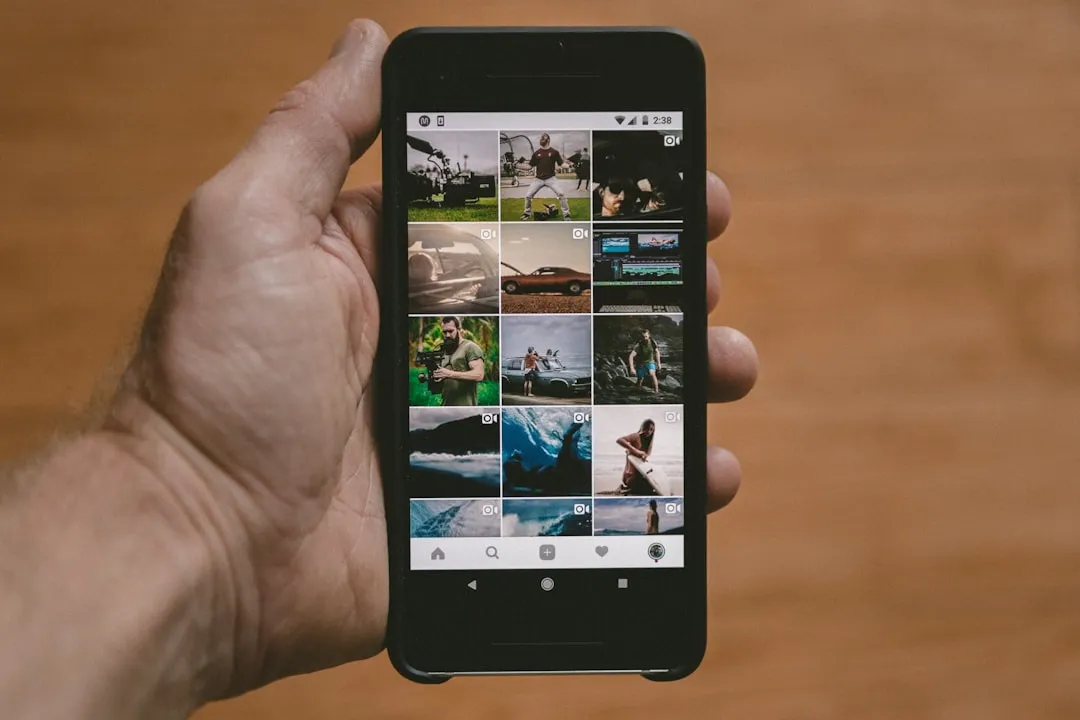
Google Photos Search in Pixel Launcher: What Fits and What's Missing
Google has spent the past several months quietly remaking the Pixel Launcher's home screen search bar, turning it from a device-native utility into a launchpad for Google app services. The change is already significant for Pixel owners. Whether Google Photos search in Pixel Launcher is next is a reasonable question, given the architecture now in place. But to be clear: Google has not announced it, and no beta feature or code reference in current reporting points to it.
Here is what actually happened, what it cost users, and why Photos belongs in that conversation.
The architecture shift: from device search to Google app surface
Until late 2025, the Pixel Launcher's home screen search bar did something the standard Google app widget on other Android phones did not: it surfaced apps, contacts, device settings, and web results in a single lightweight interface, without leaving the launcher. That distinction, which Android Police called out in December 2025, was a functional edge the Pixel had over generic Android.
Google erased it. The bar now opens the full Google app search experience, the same full-screen interface on every other Android device. Google confirmed the change was intentional, framing it as part of an "upgraded home screen search bar" tied to the November 2025 Feature Drop, with the explicit goal of bringing AI Mode to the home screen, according to 9to5Google.
The Pixel Launcher didn't develop this new structure from scratch. It inherited a shortcut slot system the Google app widget already offered: a customizable button giving users access to Google service verticals, as 9to5Google reported last June. The Pixel bar now uses the same menu.
The rollout was anything but linear. Android 16 QPR1 Beta 2 last June introduced a redesigned bar that matched the Google app widget visually and added a dedicated AI Mode button. At that stage, the shortcut could not be changed or removed, per 9to5Google's coverage. The customizable version came later, appearing first in Android 17 Beta 1, disappearing in Beta 2, then shipping in Android 16 QPR3 this past March. The feature surfaced, was pulled, and then landed in a stable release on a different branch a pattern that looks more like active course-correction than deliberate sequencing, 9to5Google noted.
Geographic scope added another layer of unevenness. The redesigned bar initially reached only US users on Android 16 QPR1 Beta 2 as a server-side update; users outside the US without AI Mode access continued seeing the older design. The platform is still being assembled.
What Pixel owners lost, and what Google has quietly patched
The practical cost of the December 2025 switch was concrete. The home screen bar no longer surfaces device settings and contacts the way the old Pixel Launcher search did, and it dropped app search shortcuts for Clock, Contacts, Pixel Tips, Play Store, Settings, and Wallet. The replacement was also slower than what it displaced, Android Police reported. You can still launch apps through the bar, but the tighter integration that made the Pixel launcher distinct is gone from that entry point.
The old Pixel Launcher search hasn't vanished entirely. It remains accessible via the bar at the top of the app drawer, or by enabling "Swipe up to start search," 9to5Google noted. But neither option is where muscle memory lives. Moving a feature users never had to think about is a different kind of friction than removing it outright.
Google has since patched one of the more glaring regressions. Keyboard-based app launching rolled out broadly in January 2026: type a letter, and the top app result gets highlighted with an "open" prompt; pressing Enter launches it directly, 9to5Google reported. This recovers one of the quickest actions the old search supported, though it does not restore settings or contacts search. The behavior has a long history: removed in December 2022 when Android 13 QPR1 merged web and on-device search, tested in 2023 without broad release, restored for some users in September 2025, then widely available in January 2026.
The pattern across all of this is a company trying to hold two positions simultaneously: expand the home screen bar as a Google services surface while selectively recovering the launcher-native speed it stripped out. Those goals pull against each other, and Google hasn't fully resolved the tension.
Why Google Photos search in Pixel Launcher makes sense as a future addition
The current long-press shortcut menu in Android 16 QPR3 includes: Live, Translate (text), Song Search, Weather, Translate (camera), Sports, Dictionary, Homework, Finance, Saved, and News. Each is a distinct Google service vertical, per 9to5Google. Google Photos, which already has a mature search function inside the app, is a first-party Google service that is absent from that list. Given the slot-based structure, it would fit the mechanism without requiring new infrastructure.
Two paths exist for any potential Photos integration, and they are meaningfully different. The simpler one is a shortcut on the long-press menu, consistent with how Google is currently expanding the launcher's service reach. The more significant version would be Photos results surfacing inside unified home screen search alongside apps and web results. The evidence points toward the shortcut mechanism as the more plausible near-term route, if Google moves in this direction at all.
What either version would actually mean depends on implementation questions Google has not addressed publicly. Would a Photos query from the home screen pull from on-device storage, a cloud index, or both? Would results open the Photos app or appear inline? The distinction matters beyond performance. A cloud query triggered from the home screen raises different questions about data handling than a local index lookup.
If Google ever connects launcher search to Photos, those questions would move from technical to trust-level concerns. The home screen bar is a surface where Google links user intent to its services. Photo libraries sit in a different category from web queries or app launches. How Google handles indexing, caching, and transparency around any such feature will shape whether it feels like a convenience or an overreach. That framing is conditional because the feature doesn't exist yet. But it is worth naming in advance, because the current direction of the platform makes it a genuine future consideration rather than a hypothetical one.
What to watch next
For Pixel owners today, the home screen bar does less local work than it did roughly eighteen months ago. The shortcut menu in Android 16 QPR3 is where Google is actively expanding its service footprint on the launcher. That is the list to watch. If Google adds Photos to the long-press menu, or if the option surfaces in a Google app widget update or Pixel Launcher beta, that would be the clearest signal that Photos integration is coming. Until then, the evidence supports a broader shift in how Pixel Launcher search works. A confirmed Photos rollout is not part of that picture yet.








Comments
Be the first, drop a comment!