





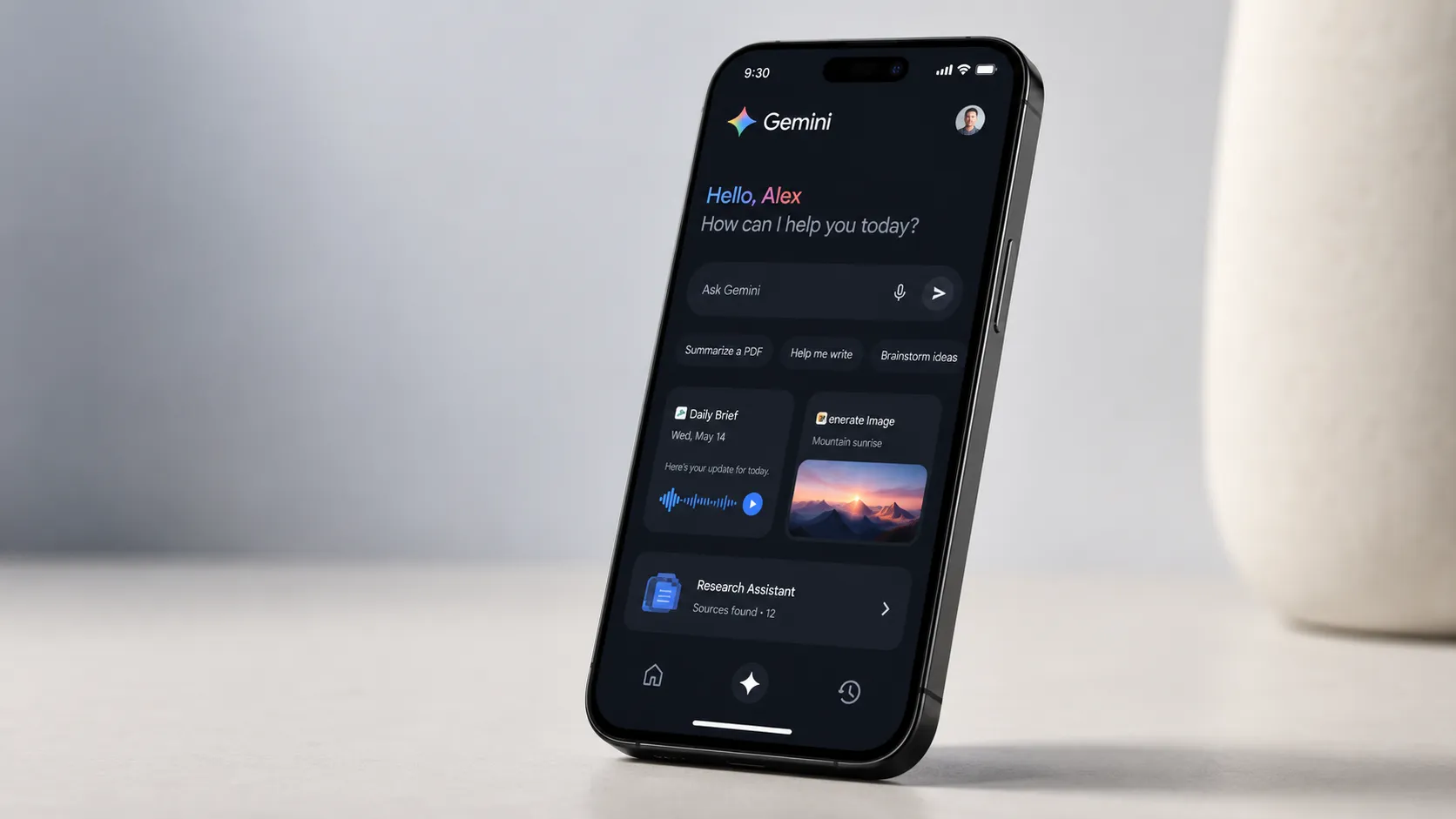
Google is testing a way to bring Gemini's Daily Brief to the Pixel lock screen, according to a teardown of the latest Android System Intelligence app.
The code shows early evidence of a Gemini Daily Brief Pixel lock screen integration built into At a Glance, though it isn't switched on for users and Google hasn't confirmed the feature publicly, Android Authority reported on August 20.
Daily Brief already runs inside the Gemini app on Android, iOS, and the web. Google said in its May announcement that the feature was beginning to roll out to Google AI Plus, Pro, and Ultra subscribers in the US, according to Google's announcement. Moving it onto At a Glance would change where people encounter it: rather than opening Gemini, they'd see the briefing on the same screen that already shows weather and calendar events.
Whether that's an improvement depends on what's actually inside the brief, and the record on that so far is mixed.
What is Gemini Daily Brief on Pixel phones?
Google describes Daily Brief as an agent that delivers a personalized morning briefing and organizes what a user needs to know to start the day. It's built to work across connected apps in the background, gathering urgent updates from Gmail and upcoming Calendar events, then prioritizing items and suggesting next steps.
The feature debuted alongside other AI tools at Google I/O in May. Today it lives inside the Gemini app, can deliver personalized notifications, and can also be accessed conversationally through Gemini Live. That's still an app-based experience: someone has to open Gemini or act on one of its notifications.
A lock-screen version, if Google ships one, would change that arrangement. Instead of opening Gemini, the briefing could become available directly through At a Glance.
Gemini Daily Brief Pixel lock screen: what the At a Glance code shows
The evidence here comes from an APK teardown, a process where researchers decompile an app's code to find features a company has built but not switched on. That method is good at revealing what Google is working on internally. It can't confirm whether, or when, a hidden feature actually ships, since work-in-progress code can change or disappear before release.
With that caveat in place, Android Authority reported finding a toggle for Daily Brief among At a Glance's list of settings, currently hidden from users. If it goes live, the toggle suggests Google is testing an integration that would bring Daily Brief into the At a Glance lock-screen experience.
The outlet wasn't able to make an actual Daily Brief appear there, so the teardown doesn't show what form the briefing would take. The full brief can be lengthy, making a condensed lock-screen version one possibility rather than something established by the code.
A separate teardown in July found something related but distinct: a disabled interface inside the Gemini app letting users type or speak preferences for their briefing, such as wanting more calendar events, updates from school, or more concise language, according to Android Authority. Tapping a suggestion sends that feedback to Gemini so the next brief adjusts accordingly.
The outlet's testing found the feature working as intended, even though the new interface remained switched off for users at the time. Daily Brief can already be steered through feedback, but this interface would make those preferences more explicit and easier to enter.
Taken together, the two teardowns point to Google developing placement and personalization on separate but parallel tracks. Neither is a confirmed shipping feature, and Google hasn't said when, or whether, either one reaches users generally.
What Daily Brief gets wrong, according to hands-on testing
In a multi-day hands-on test conducted in May, an Android Authority reviewer reported that Daily Brief repeatedly resurfaced sign-in emails they had intentionally ignored. Across two back-to-back days, the review said, it pushed suggestions to explore more Gemini features and the Motorola Razr Ultra the reviewer happened to be testing, rather than delivering a prioritized rundown of the day ahead.
The reviewer measured Daily Brief against a specific bar: the kind of nudge Google demoed onstage at I/O, like a reminder to return an item before a refund window closes, rather than a generic stream of information. By that reviewer's account, after several days of use, Daily Brief wasn't clearing it.
That review raises a separate question worth carrying into any lock-screen rollout. Does better placement compensate for weak prioritization, or does it just put a flawed digest somewhere even harder to ignore?
The same hands-on review noted that Google tried something similar when the Pixel 10 series launched, with a feature called Daily Hub that got pulled back for further work shortly after. The reviewer said they preferred Samsung's Now Brief despite calling it limited too.
None of this proves what's driving the issues inside Daily Brief specifically. It does establish that one publication's multi-day test, not a broader user study, found the briefing repetitive and poorly targeted in May. Whether Google has addressed those complaints since then hasn't been independently tested.
The same review flagged a trade-off that gets more pointed on a lock screen. The feature is designed to draw on email and calendar information to work, and the reviewer argued the results hadn't yet delivered enough value to justify that access. A briefing built from that data sitting on a screen visible before a phone is unlocked raises the stakes on how much information Google chooses to expose there.
Gemini Daily Brief availability and subscription requirements
Daily Brief requires a Google AI Plus, Pro, or Ultra subscription and remains limited to US residents, according to Android Authority and Google's launch materials. Google also requires users to be at least 18 and to opt in to connecting the Google apps Daily Brief needs.
It's unclear whether those restrictions would carry over unchanged if the feature reaches At a Glance, or whether Google would use lock-screen placement to widen access.
Google's broader Android strategy offers limited context here. The company has said its wider set of Gemini Intelligence features is rolling out in waves, starting with recent Samsung Galaxy and Pixel phones this summer before expanding across watches, cars, glasses, and laptops later this year, according to Google's blog post.
That post doesn't mention Daily Brief by name, so it's background on Google's AI ambitions rather than a signal about this feature's own timeline.
The same post notes that some Gemini integrations, such as the connection to Autofill with Google, are strictly opt-in and adjustable in settings. Whether a lock-screen Daily Brief would follow that model, and how much personal information it would display before a phone is unlocked, hasn't been addressed publicly.
What's still unresolved
The teardown found evidence of a Daily Brief toggle inside At a Glance's settings. It didn't establish how the feature would behave if it ships.
Nothing in the available teardown confirms whether the brief would expose its contents on a locked screen before authentication, how much detail it would show without unlocking the phone, or which Pixel models would get it first.
Google hasn't announced a release date, a device list, or the At a Glance feature itself. Everything reported so far about the lock-screen integration traces back to unreleased code found during an app teardown, not a company statement.
Two questions matter more than the mechanics of where Daily Brief sits on a screen. Does Google ship the At a Glance toggle at all, and does the version that ships fix the prioritization problems a hands-on reviewer documented in May?
The code suggests Google is testing the integration. Whether the result is worth seeing before someone even unlocks their phone is still an open question, and one only Google's finished product can answer.















Comments
Be the first, drop a comment!