



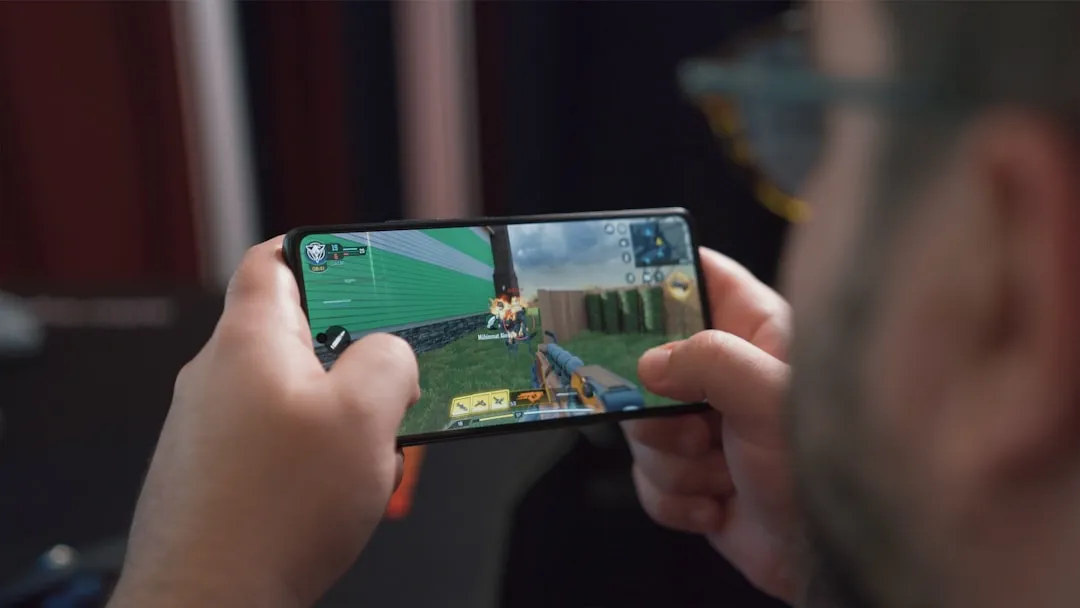
The Nintendo 3DS might be over a decade old, but its emulation story on Android just took a massive leap forward. When an emulator can make your smartphone deliver consistent 30fps on demanding titles like Monster Hunter 4 Ultimate – games that used to stutter constantly on previous solutions – something fundamental has changed in 3DS emulation. The latest Azahar update represents the culmination of merging two major emulation projects into what's arguably the most modern and actively supported 3DS emulator available.
What makes this merger particularly compelling is how it addresses the core challenge of mobile emulation: balancing performance with accuracy. For Android users, this means your device just became a legitimate Nintendo 3DS replacement – one that delivers higher resolution graphics, customizable controls, and save state functionality that the original hardware never offered.
What makes Azahar different from other 3DS emulators?
Here's where things get interesting from a technical standpoint. Azahar emerged from a merger of two major projects: PabloMK7's Citra fork and Lime3DS, combining the best performance optimizations with accuracy-focused engineering. Unlike other Android emulators that rely on performance hacks, Azahar prioritizes accuracy while delivering better performance. Some users (community reports) have observed consistent 30fps on demanding titles on capable hardware; results remain device- and configuration-dependent.
The technical foundation reveals why this approach matters. Azahar handles shader compilation better than old Citra, resulting in fewer stutters, while incorporating modern features like Vulkan support and active development. This superior shader handling directly enables the 30% smaller SPIR-V optimized shader files that reduce both load times and memory pressure on mobile devices.
The emulator also includes quality-of-life features like save states that were often missing in performance-focused forks, making it both powerful and user-friendly. The philosophical difference matters here – while other emulators might throw hacks at performance problems, Azahar's merger created a foundation where the Vulkan renderer improvements and shader optimization work together to deliver sustainable performance gains rather than quick fixes that break compatibility down the road.
The dual-screen breakthrough that changes everything
The biggest game-changer in recent updates is proper dual-screen support. Release 2123.3 introduced dual-screen emulation that can output to both screens simultaneously, with touch screen support on both. On Android, this means you can send the second screen to an external display like a TV via Chromecast or Miracast, or even use your phone as a gyro controller and secondary display.
This development comes at the perfect time, as dual-screen devices like the AYANEO Pocket DS and AYN Thor are set to begin shipping soon. The timing isn't coincidental – most of the dual-screen code comes from developer SapphireRhodonite, who received an early sample unit of the Pocket DS for testing in collaboration with AYANEO.
Here's why dual-screen support transforms the gaming experience: games like The Legend of Zelda: A Link Between Worlds use the bottom screen for maps and inventory management in ways that feel natural when you have two physical displays. The network latency considerations become crucial here because different game types have varying tolerance for delay. During testing, the dual-screen setup process took under 10 minutes with a Chromecast, though wireless latency varied from imperceptible to occasionally noticeable depending on network conditions. Turn-based RPGs handle slight delays fine, but action games like Monster Hunter benefit significantly from wired connections to secondary displays.
PRO TIP: The feature is disabled by default, so you'll need to dig into Settings > Layout > Secondary Display Screen Layout to activate it. The setup complexity is worth it – experiencing dual-screen games with proper spatial separation rather than cramped single-screen layouts fundamentally changes how these titles feel to play.
Performance optimizations that actually matter
Let's talk numbers, because performance is what makes or breaks mobile emulation. The recent version 2122 Alpha 1 introduced a new implementation of SIMD operations that allows processors to handle multiple pieces of data in parallel. The practical result is that games now run faster, with higher and more stable frame rates. This particularly benefits titles like Luigi's Mansion 2, Star Fox 64 3D, and The Binding of Isaac: Rebirth.
The SIMD improvements connect directly to the shader optimization benefits mentioned earlier. Android users get major Vulkan renderer stability improvements, plus SPIR-V optimization that creates shader files roughly 30% smaller than previous versions. When parallel processing handles multiple shader operations simultaneously, those smaller optimized files load faster and consume less memory – that technical upgrade reduces not just load times but memory pressure on devices with limited RAM.
What's fascinating about the SIMD implementation is how it showcases the evolution of mobile processors. Processors from 2011 or earlier lack certain instruction sets needed to run the code efficiently, which demonstrates how modern ARM processors in Android devices now include specialized parallel processing capabilities that were once reserved for desktop CPUs.
For hardware requirements, you'll want at least a Snapdragon 845+ or equivalent with 4GB+ RAM to get the full experience. However, if you've got a recent flagship Android device, you're probably already capable of performance that exceeds the original 3DS – particularly when taking advantage of the parallel processing improvements that benefit from those newer instruction sets.
Smart legal strategy in a post-Yuzu world
Here's where Azahar gets strategically conservative – and smart. The emulator won't support encrypted 3DS games by default, instead relying on CCI files for launching games. This isn't just legal paranoia – it's a calculated response to Nintendo's $2.4 million settlement against Yuzu and the subsequent shutdown of multiple emulation projects.
The developers have implemented multiple defensive strategies: dropping support for the .3ds file extension in favor of .cci, refusing to provide guidance for ripping game files, and even contacting game developers directly for permission. They've already received written authorization from at least one company – an unprecedented approach that demonstrates how these legal strategies create a sustainable development model.
This legal framework extends beyond individual project survival to influence the broader emulation ecosystem. The Yuzu situation created a chilling effect where developers had to choose between features and legal safety. While other emulators ignore Nintendo's technological protection measures, potentially violating DMCA Section 1201, Azahar's approach prioritizes legitimate use cases and long-term sustainability over convenience.
The trade-off is real – this conservative stance requires extra setup steps for users who have games in other formats. But it also positions the project to continue delivering performance improvements and dual-screen innovations without the constant threat of legal shutdown that has disrupted other major emulation projects.
Getting started: what you need to know
Setting up Azahar is surprisingly straightforward despite its legal caution. You can change file extensions from .3DS to .CCI for most games – essentially the same content with legally-safer packaging. Azahar (and forks such as AzaharPlus) provide tools and guidance to obtain required system files and — where Nintendo still permits redownloads for titles you previously purchased — to re-acquire those files; Azahar does not provide account credentials or bypass publisher access controls.
Performance optimization builds on the SIMD improvements discussed earlier. The current build includes smart optimizations like disabling right-eye rendering for a 50% performance boost – essentially turning off the 3D stereoscopic effect that most players disabled anyway. This optimization works particularly well with the parallel processing improvements, allowing the freed-up rendering resources to boost frame rates in demanding scenes.
You also get playtime tracking that finally works reliably and an Android overlay button to swap screens, though you'll need to enable it manually in the overlay options. These quality-of-life features demonstrate the merger's success – combining the stability improvements with user-friendly features that were often missing in performance-focused forks.
The newest version is available through the project's official GitHub page and is still in its alpha stage. Azahar builds are available on the official GitHub releases and via the Google Play listing (and APK variants such as AzaharPlus provide alternate features); check the project's download page or Google Play for the latest channel (stable/beta/alpha) for your device.
Where mobile 3DS emulation goes from here
The broader context shows how far Android gaming has evolved. With Android devices using overclocked Snapdragon 8 Gen 3 now capable of emulating PS3, Xbox 360, and Wii U, the Nintendo 3DS feels almost quaint by comparison – a handheld that smartphones can not just emulate, but potentially improve upon through higher resolution displays, customizable controls, and the SIMD-enhanced performance optimizations that exceed original hardware capabilities.
This hardware convergence creates interesting implications for emulation development. The rise of multi-screen handhelds is expanding into the retro gaming space, suggesting that Azahar's dual-screen innovations could influence how future emulation projects approach hardware-specific features rather than simply replicating them.
The legal approach Azahar is pioneering – prioritizing legitimate use cases, working directly with developers, and avoiding Nintendo's legal triggers – could become the template for emulation projects in the post-Yuzu landscape. This template extends beyond survival tactics to create sustainable development practices that could reshape the entire emulation landscape. When projects can continue development without legal uncertainty, they can focus on long-term improvements like the performance optimizations and dual-screen support that make Azahar genuinely superior to alternatives.
The timing couldn't be better for this approach. As Nintendo moves further away from the 3DS ecosystem (the eShop closed in 2023), there's a growing preservation argument for emulation that aligns with Azahar's legitimate-use-case strategy. Games that were once easily accessible through official channels are becoming harder to find, making projects that can legally access Nintendo's servers increasingly important for gaming history.
Bottom line: Your Android device just became a legitimate Nintendo 3DS replacement – one that might actually be better than the original. Whether you're revisiting classic titles or exploring the 3DS library for the first time, Azahar represents the most mature, legally-conscious approach to mobile 3DS emulation we've seen yet. The combination of merger-driven performance improvements, innovative dual-screen support, and legally sustainable development practices creates an emulator that doesn't just replicate the 3DS experience – it enhances it with modern mobile hardware capabilities while building a foundation for long-term development success.








Comments
Be the first, drop a comment!