





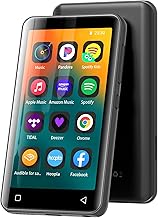
Android Auto 18.2 sidebar: why your car may not show it
The Android Auto 18.2 sidebar replaces the top navigation strip in several apps with a vertical layout built for wide car displays, but availability looks limited so far, even for drivers who've already updated (9to5Google, 2 days ago).
The redesign has turned up in build 18.2.664604 across Spotify, YouTube Music, Amazon Music, and the system Phone app. Android Authority first documented the change 3 days ago, and How-To Geek confirmed the same build 2 days ago.
Google hasn't published a supported-car list, an app list, or a rollout timeline. The feature appears to depend on display and layout conditions rather than simply which app version is installed on a phone (How-To Geek, 2 days ago).
For anyone wondering if they're missing out, checking the Android Auto app version is a reasonable first step. Testing the layout inside Spotify or YouTube Music also beats opening Google Maps and expecting to see it there. Google hasn't confirmed which displays, head units, or apps qualify, so a missing sidebar right now doesn't necessarily mean anything is broken.
What is the new Android Auto 18.2 sidebar?
The update moves in-app navigation, things like Home, Recents, Browse, and Library in Spotify, from a horizontal strip at the top of the screen to a vertical list along the left edge (9to5Google, 2 days ago; How-To Geek, 2 days ago).
Android Authority also documented a larger now-playing bar with album art and playback controls appearing alongside the new layout, a detail not mentioned elsewhere (Android Authority, 3 days ago).
The same layout shows up in unrelated apps, from Spotify to the Phone dialer, which points to a platform-level rendering change rather than something each developer builds on its own (9to5Google, 2 days ago). That distinction matters for troubleshooting: a system-level change depends on screen geometry and app window sizing the user doesn't directly control, which helps explain why results vary so much from car to car.
Which apps support the Android Auto sidebar right now?
Confirmed sightings are limited to Spotify, YouTube Music, Amazon Music, and the system dialer. No broader app list has been confirmed by Google (Android Authority, 3 days ago; How-To Geek, 2 days ago).
The layout was first flagged in build 18.2.664604, after Android Auto 18.2 began rolling out to beta users two weeks ago, about a week after version 18.1 reached the stable release track (9to5Google, 2 weeks ago).
That timing matters. When 9to5Google tore down the 18.2 build shortly after it reached beta, the only notable change was more than 100 updated visual assets tied to a still-unreleased light mode, with no sidebar in sight (9to5Google, 2 weeks ago). The layout only became visible later, in the specific 664604 build, which suggests it arrived through a follow-up update rather than shipping with 18.2 at launch.
Compatibility is worth checking too. Google has set Android 11 as the new minimum OS requirement for Android Auto 18.2, though the app still supports phones running as far back as Android 9 for now (9to5Google, 2 weeks ago). Drivers on an older phone should confirm their Android version meets that baseline before troubleshooting anything else.
Having the right app installed matters, but app choice alone won't confirm whether a car can display the sidebar. That depends on screen conditions that have nothing to do with which app happens to be open.
Why is the Android Auto sidebar not showing in my car?
9to5Google's own test vehicle had a wide display, yet Google Maps occupied enough of the screen that no other app could expand wide enough to trigger the sidebar layout (9to5Google, 2 days ago). That's the clearest evidence so far that a wide screen alone doesn't guarantee the new layout will show up.
How-To Geek confirms Google hasn't announced which cars, head units, or screen sizes qualify, so visibility currently looks inconsistent even among vehicles that technically have wide displays (How-To Geek, 2 days ago).
Android Police notes that Android Auto's split-screen "Coolwalk" behavior remains in place while Google works through a broader Material 3 Expressive redesign expected to continue into early 2027 (Android Police, 9 days ago). Whether Coolwalk's window-sizing rules directly control the sidebar hasn't been confirmed by Google, but the overlap lines up with what 9to5Google observed: when Maps claims most of the display, other apps may not get enough room to switch layouts.
There's no confirmed display-width threshold, resolution setting, or toggle that guarantees the sidebar appears. The developer-settings tweaks covered below improve resolution sharpness on compatible head units, but that solves a different problem and shouldn't be mistaken for a way to unlock the sidebar (Android Police, 9 days ago).
What to check before assuming it's a bug
Before contacting a car manufacturer or filing a bug report, a few things are worth ruling out first.
Start with the app version. Android Auto's settings menu lists the installed version number, and tapping that line repeatedly also unlocks developer settings, the same steps Android Police used to test resolution and battery fixes (Android Police, 9 days ago):
- Open the Android Auto app settings menu.
- Scroll down and tap the Version line to see version and permission details.
- Tap that line ten times, then confirm the "Allow development settings?" prompt.
- Use the three-dot menu in the upper-right corner to select Developer settings.
Those developer settings are useful for other issues, like disabling wireless Android Auto to force a wired connection and cut down on battery drain and heat, or manually raising resolution to sharpen a blurry display on a head unit that supports it (Android Police, 9 days ago). None of that is documented to affect whether the sidebar shows up, so treat it as separate troubleshooting rather than a fix for this layout.
Next, test the sidebar somewhere it's actually been reported. Spotify, YouTube Music, and Amazon Music are the confirmed sightings so far; Google Maps is not, and based on 9to5Google's test, Maps may be part of the reason the sidebar doesn't appear even on a wide display (9to5Google, 2 days ago).
Finally, rule out version mismatches. Confirm the phone meets Android 11, or at least falls within Android Auto 18.2's still-supported range back to Android 9, and check whether the installed build matches or follows 18.2.664604 (9to5Google, 2 weeks ago; How-To Geek, 2 days ago). If all of that checks out and the sidebar still isn't showing, the most likely explanation right now is an unannounced rollout limit, not a problem with the setup.
Is the wide-screen layout actually better, or just different?
How-To Geek argues the sidebar reduces finger travel since controls sit closer to the driver's reach instead of spanning a wide top bar (How-To Geek, 2 days ago). Android Authority reaches a similar conclusion, expecting the layout to be easier to access with less reaching across the screen than the old top-menu design (Android Authority, 3 days ago).
There's a trade-off, though. Drivers may see fewer navigation items on screen at once compared with the old horizontal bar (How-To Geek, 2 days ago).
These are hands-on impressions from reporters using the layout, not controlled driver-distraction or usability testing. The safety framing should be treated as a design intention until independent testing backs it up.
What to do now
None of this points to a broken update. Install Android Auto 18.2 if it's available, then test the sidebar in Spotify or YouTube Music rather than Google Maps, since Maps is the app most likely to block the layout from appearing on an otherwise wide display.
If the sidebar still doesn't show up after that, treat it as an unconfirmed rollout or compatibility limit rather than a bug on the setup. Skip the developer-settings resolution tweaks since they address a different problem, and keep an eye on Google's official release notes for word on which displays and apps actually qualify.



Comments
Be the first, drop a comment!