



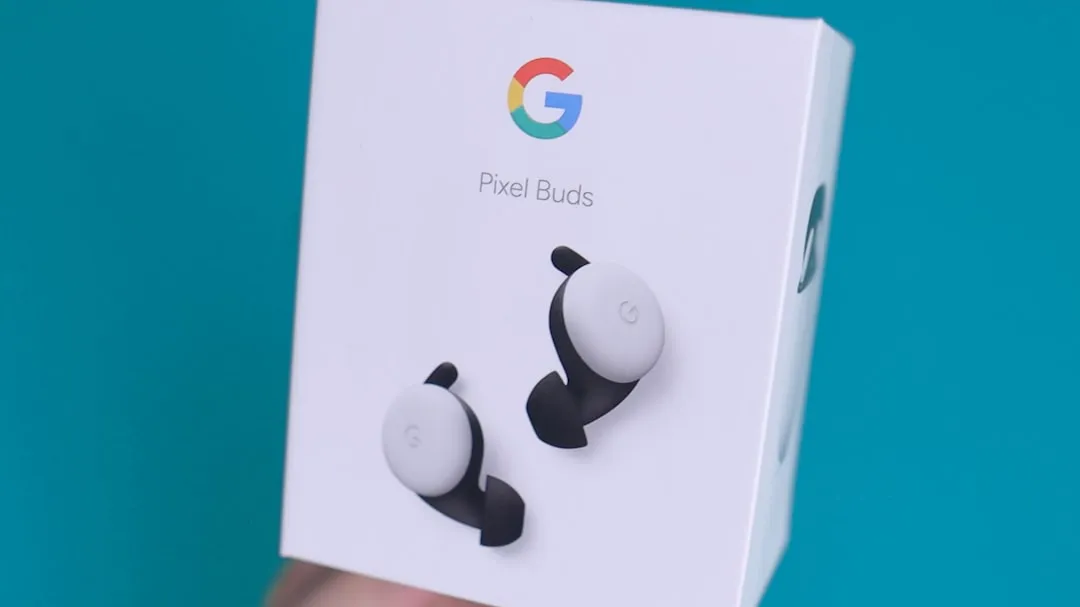
Reports of Pixel Buds ANC and transparency toggles missing from the Pixel Buds Pro 2 interface have been circulating since last fall. The most straightforward explanation isn't a bug. Google added a fourth noise-control option in last September's Feature Drop, restructuring a control bar most users had never seen change. Separately, the rollout confirmed that not every feature tied to a firmware update arrives on the device at the same time. Neither of those facts proves that missing toggles are always a UI misread, but they're the right starting point before concluding something is broken.
What Google added to the noise-control bar
The Pixel Buds Pro 2 Feature Drop began rolling out last September via firmware version 4.467. The core change to noise controls: Adaptive Audio was added as a new option in the Active Noise Control bar, sitting alongside Noise Cancellation, Transparency, and Off. The original options weren't removed. A fourth was added.
Adaptive Audio works differently from the other active modes. Rather than blocking outside sound completely or passing it through at full volume, it adjusts in real time, keeping the listener aware of their surroundings while dynamically reducing unwanted noise. When the mode is active, Loud Noise Protection is designed to enable automatically if sirens, construction sounds, or other sudden loud noises are detected. Google does note the mode is "not suitable to safeguard against sharp, sudden impulse sounds, such as gunshots, explosions, or fireworks," which is a meaningful scope limitation.
For users who had the bar memorized as three stops, finding four is a real change. Someone cycling through and landing on an unfamiliar option first could read that as a missing control. That's a genuine UX shift, even if nothing has technically disappeared.
Why Pixel Buds ANC and transparency toggles may appear missing after the update
The rollout adds another layer of complication. Google didn't deliver all Feature Drop capabilities at once. Head gesture controls were reported as not immediately available after the firmware update installed, with reports last September indicating they would roll out separately over the following weeks.
That's a documented split between firmware delivery and feature availability, confirmed with a named example. Having firmware 4.467 installed didn't guarantee every interface element tied to that firmware was active on the device.
Whether the noise-control bar followed the same delayed enablement pattern as head gestures is an inference, not a confirmed fact. Available public documentation does not confirm this. But the precedent is documented, and it's specific: Google has split firmware from feature enablement before on this exact update. A device that received the firmware but hadn't fully resolved all server-side states could show an incomplete or unexpected interface without anything being defective. That's a plausible reading of some reports. It isn't a diagnosis.
What user reports do and don't establish
No publicly available Google changelog or support documentation currently documents disappearing ANC or transparency toggles as a verified defect on the Pixel Buds Pro 2. That absence matters.
One issue that keeps surfacing in discussions is worth naming clearly: a thread in the Google Pixel Buds Community documents the original Pixel Buds Pro switching from Noise Cancellation to Transparency automatically when only the right earbud is in use. That's a mode drift problem on older hardware, and it predates the Feature Drop entirely. Different device, different behavior, different timeline. It isn't evidence that a toggle-disappearance bug exists on the Pro 2.
What the available record establishes: Google added Adaptive Audio to the bar last September, the rollout was staged, and at least one feature from that update was explicitly held back until after the firmware was installed. What it doesn't establish: whether missing toggle reports reflect a discrete, reproducible software defect, which devices are affected, or whether Google is aware of it as a distinct problem. Those questions are still open.
What to do if your controls are genuinely gone
First, confirm whether all four options are actually present in the bar. Noise Cancellation, Transparency, Off, and Adaptive Audio should all be selectable. If Adaptive Audio appears and the navigation just feels different than before, the interface was redesigned. If confirmed options are absent entirely, that's a different situation and worth pursuing.
Beyond that, the available evidence doesn't support prescribing specific troubleshooting steps as verified fixes for a bug that hasn't been confirmed to exist. Factory resets and app updates are standard post-firmware procedures, but presenting them as solutions here would go further than the sources allow.
If options remain missing after the firmware has had time to settle, filing a report in the Google Pixel Buds Community with device model, firmware version, app version, and a precise description of which options appear and which don't is the most useful next step. That kind of specificity is what lets Google determine whether isolated reports point to a broader pattern.
Google hasn't acknowledged missing ANC or transparency toggles as a known issue. Until that changes, or until a credible, reproducible pattern of defect reports emerges across devices with confirmed current firmware, both explanations remain technically open. The interface change is real and documented. A software defect may also exist. They aren't the same thing, and conflating them makes it harder, not easier, to figure out what's actually happening on any given device.









Comments
Be the first, drop a comment!