





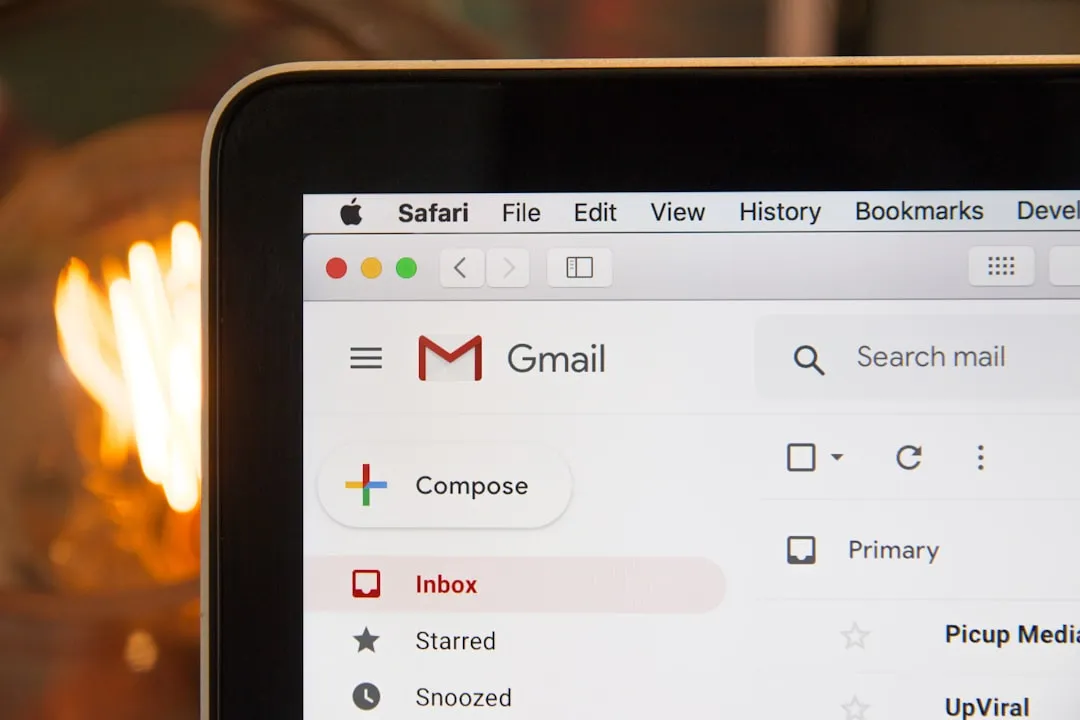
How to Change Gmail Address Without Losing Data or Emails
For the first time in Gmail's history, personal account holders can change their Gmail address without losing data, emails, or account access. No second account, no migration, no lost history. Google began rolling out this capability in late 2025 and has been expanding access since, 9to5Google reported in January 2026.
The core mechanic: the old address doesn't vanish. It converts into an alias on the same account, mail sent to both addresses lands in the same inbox, and no account data, including emails, Photos, Drive files, or subscriptions, is affected by the switch, per Google's support documentation (updated October 2025).
A few scope notes up front. The rollout is still gradual, and not every eligible account has the option yet. The feature also applies only to personal @gmail.com accounts. Google Workspace and school accounts are not part of this consumer rollout, Phandroid confirmed in January 2026.
What follows covers what actually changes when you rename your Gmail address, what the firm limits are, what you'll still need to handle manually, and what to think through before acting.
What changes and what stays the same
The rename uses an alias model. Once the switch is made, the previous @gmail.com address becomes an alternate email on the same account, and messages sent to it continue arriving in the same Gmail inbox alongside mail sent to the new address. To see which address any given message was directed to, check the "To" field, Google's support documentation confirms (updated October 2025).
Sign-in continuity holds across Google's full consumer product suite. Gmail, Google Maps, YouTube, Google Play, and Google Drive all accept either the old or the new address as valid credentials, according to the same documentation. There is no forced cutover to the new address.
The old address is also permanently locked to the original account. Nobody else can claim it, not even if the account is later deleted, which removes any risk of someone registering the prior identity, Google's FAQ states (updated October 2025). That same permanence carries a tradeoff: the old address cannot be used to start a new Google Account in the future.
This approach resembles Google's long-standing Workspace alias model, where old addresses convert into aliases to keep mail flowing without disruption, per Workspace admin documentation (updated June 2024). The consumer rollout applies that same setup to personal accounts.
Where the alias model stops is Google's own ecosystem. Everything within Google's products stays intact. What doesn't update automatically is everything outside them, which is where most of the actual work falls.
The limits Google put in place and what the feature doesn't handle
Changes are capped at once every 12 months and three times over the life of the account, for a maximum of four total @gmail.com addresses including the original. Reverting to a previous address is permitted at any time, but doing so consumes that year's change allowance. No new address can be created for the following 12 months, Google's support documentation specifies (updated October 2025).
Any new address created through this process cannot be deleted afterward. Combined with the 12-month cooldown, a hasty choice has real staying power.
The feature is limited strictly to personal @gmail.com accounts. Users on Google Workspace plans, or accounts issued by schools or institutions, are not eligible under this consumer rollout, Phandroid confirmed in January 2026.
One edge case worth flagging: Google's Workspace documentation notes that after an address change, users can sometimes encounter a "From address is invalid" error until they sign out and sign back in with the new address, per Workspace admin documentation (updated April 2025). That specific behavior hasn't been confirmed for consumer accounts, but signing out and back in is worth trying if unexpected interface quirks appear after the switch.
The caps are deliberate. Three lifetime changes is a generous ceiling, but the structure makes clear this is a correction mechanism for users who outgrew an address, not a tool for casual experimentation.
What you'll still need to update manually after changing your Gmail address
Receiving mail at both addresses within Gmail is not the same as every third-party service recognizing the new one. Banks, streaming platforms, password managers, app logins, and any account where a Gmail address serves as the login credential will still have the old address on file. That's the user's responsibility to fix, and it falls entirely outside what Google's alias model handles.
Run through this list before and after making the switch:
- Banking and financial apps update the contact email on every account, not just the login
- Subscription services streaming platforms, software licenses, newsletters, and any recurring billing
- Password managers update saved logins that use the Gmail address as the username
- Two-factor authentication any service where the old address receives OTP codes or backup links
- Retailer and e-commerce accounts order history and receipts will still go to the old address otherwise
- Job portals and professional platforms LinkedIn, job boards, HR systems used by current or past employers
- Recovery email fields check other accounts where the old Gmail address is listed as a recovery option
The alias means nothing sent to the old Gmail address gets lost. But services that ask for credentials, not just an inbox, need manual updates. That gap is where most users will spend the majority of their post-switch time.
How to check if the Gmail address change feature is available for your account
To see whether the feature has reached a given account, go to Google Account settings, then Personal info, then Email. If the option to change the Gmail address isn't visible there, the feature hasn't rolled out to that account yet. A separate Google help page states plainly that if the option doesn't appear, it's not currently available, per Google's own support pages (updated August 2025).
Google describes the rollout as ongoing and notes availability may not be consistent across accounts, per the official support documentation (updated October 2025). "Gradually rolling out to all users" is more accurately read as "most users, soon."
Before acting, run through these points:
- Confirm the option is live in your account settings before assuming it is
- Choose the new address carefully. It cannot be deleted, and a 12-month waiting period begins after any change
- Update third-party services manually; the alias only handles mail routing within Gmail
- The old address stays permanently tied to the account. It cannot be claimed by others, and it cannot be used to start a fresh Google Account
- If sign-in issues appear after the switch, sign out and back in with the new address to clear any cached identity state
The alias model makes the switch technically safe. Whether the address being chosen is worth a year's commitment is the judgment call the feature's limits are designed to force.
What this means for Gmail users
Google has resolved one of the longer-standing frustrations in consumer identity management. A Gmail address that once required abandoning an account entirely can now be replaced from within it, with all data, sign-ins, and incoming mail from the old address preserved, as Google's documentation confirms (updated October 2025).
The limits, once per year, three changes maximum, no deletions, signal that this is built for deliberate corrections. 9to5Google noted in January 2026 that the caps make each change worth treating as a considered decision rather than a casual tweak.
Rollout is still in progress. Users who don't see the option under Personal info should check back periodically. When it does appear, the mechanics inside Google's products are straightforward. The real work is the manual sweep of every external service that doesn't know the address changed.













Comments
Be the first, drop a comment!