



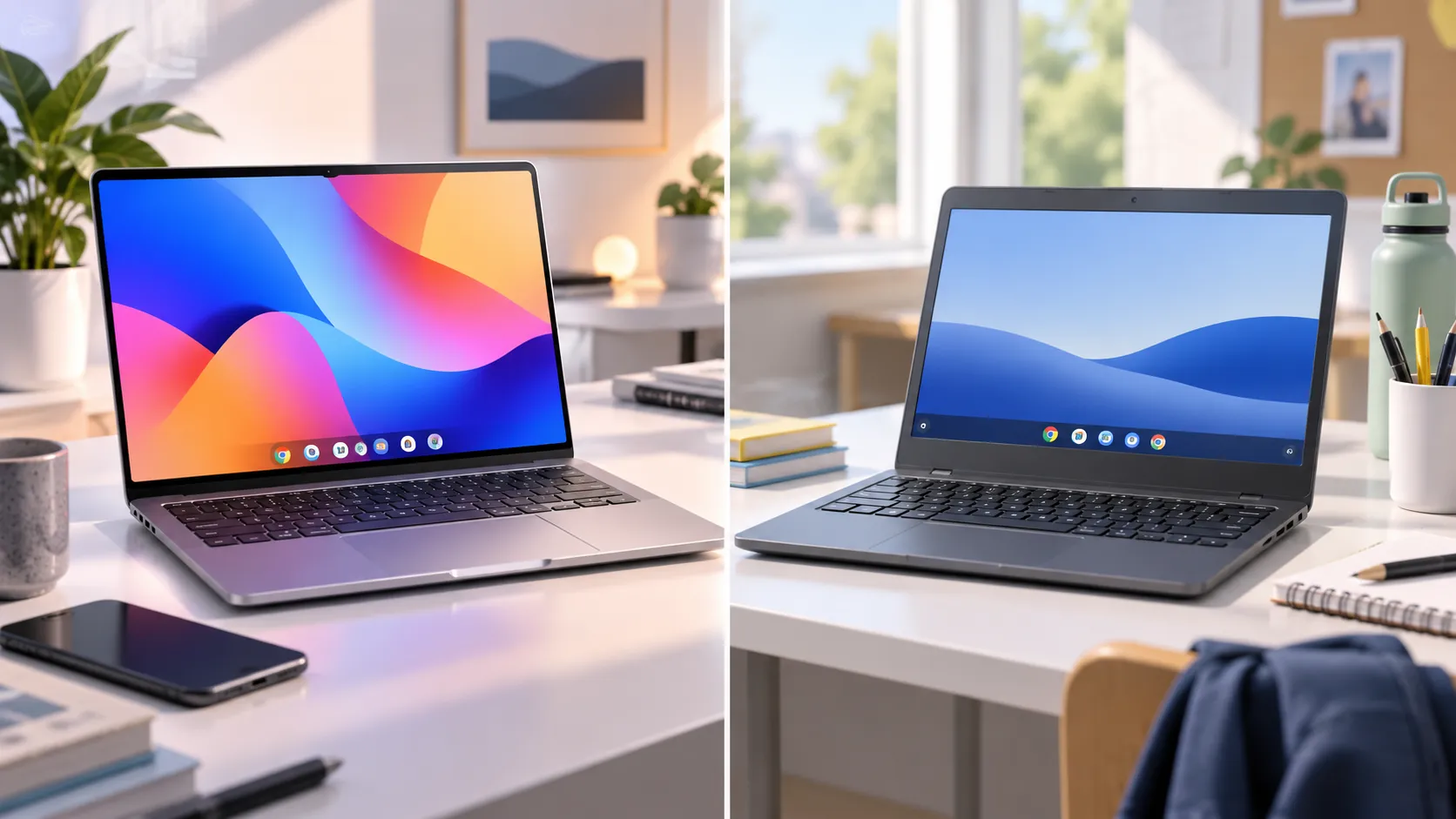
Google opens Googlebook preorders today, September 21, pushing its new flagship laptop line a step closer to actual store shelves. Pricing and hardware specs surfaced alongside preorders, with the first Googlebooks starting at $899 and U.S. availability beginning October 4, so the real Googlebook vs Chromebook question isn't which is better on paper. It's whether you own the one phone that makes Googlebook's headline pitch work at all.
That's because the phone-integration features driving Google's marketing require a device running Android 17. Everything else Google is touting, Android app support and Gemini access, already exists on current Chromebook Plus machines, so none of it is exclusive to the new category. Here's what's confirmed, what's still roadmap talk, and what to check before handing over a preorder.
Googlebook preorder date: what's confirmed and what's missing
Google's Googlebook site lists September 21 as the day preorders open. Googlebook pricing is now public. Google Store lists the Acer Googlebook at $899, while launch models reported by Android Authority range up to $1,299.
For comparison, Google's current Chromebook store starts at the $179 Acer Chromebook 315. Chromebook Plus models start at $369, and premium Chromebook configurations top out at $799. That puts the cheapest announced Googlebook well above the entry price for Chromebook Plus.
Hardware details are now available for the launch lineup. Google calls Googlebook its flagship laptop line and promises more powerful hardware across the lineup without saying what that hardware actually is. When Google introduced the category earlier this year, it described only "premium materials," a mix of sizes, and a signature glowbar design, with no spec sheet attached. Android Authority made the same observation at the time, noting four months ago that Google had given no details about the hardware inside the first Googlebooks.
The first Googlebooks are scheduled to become available in the U.S. on October 4, after preorders opened September 21. Google's original announcement said Googlebooks would reach the market this fall, and Android Authority reported the same window four months ago. Exact ship dates for individual OEM models haven't been published yet.
The first Googlebooks are coming from five PC makers Google named as launch partners: Acer, ASUS, Dell, HP, and Lenovo, the same brands that already build Chromebooks.
Googlebook vs Chromebook: what Android 17 phone integration unlocks
The feature Google leads with is Cast My Apps, which opens an app straight from a paired Android phone onto the laptop without installing a second copy. Google's own examples are ordering food delivery or picking up a Duolingo lesson without switching devices.
Quick Access does the same thing for files. It lets a Googlebook's file browser show, search, and insert photos, downloads, and documents stored on the paired phone, with no manual transfer step.
Both features share one hard requirement: a phone running Android 17 or later. TechRepublic confirmed that gate applies to Cast My Apps and Quick Access alike, ruling out iPhone owners and anyone still on an older Android build from the feature Google is putting front and center. Googlebook's Android phone integration only reaches buyers who clear that bar, full stop.
Android Authority reported four months ago that Cast My Apps works much like iPhone Mirroring on a Mac. Google's own disclosures add one more detail worth checking: setup is required on top of the Android 17 minimum, so pairing a phone takes more than plugging it in.
Googlebook Gemini features: what's live now and what's still rolling out
Gemini assistance itself isn't new to Google's laptops. It already runs on current Chromebooks, particularly Chromebook Plus models, so the AI baseline overlaps heavily with what existing Chromebook Plus owners already have.
What Google has announced specifically for Googlebook is Magic Pointer, built with the Google DeepMind team, which turns the cursor into a Gemini trigger that reacts to whatever's on screen, like pointing at a date in an email to set up a meeting. Magic Pointer is now being demonstrated on launch hardware and appears prominently on Google's preorder product pages.
Create Your Widget works differently. It builds a desktop dashboard from a text prompt, pulling in web results, Gmail, and Calendar data, so a trip to Berlin can surface flights, hotel bookings, and a countdown in one spot. Google's May German announcement originally attached an expected spring 2027 window to its footnoted Gemini Intelligence features. Launch-day U.S. materials no longer repeat that timing, and Magic Pointer was demonstrated on working Googlebooks September 21.
Google's materials also caution that Gemini's answers should be checked and that image-matching results "may vary," a reminder that these are AI suggestions rather than guaranteed outcomes.
A separate report adds an unconfirmed wrinkle. Android Police reported two months ago that Googlebook runs on "Aluminium OS," described as a rebuilt version of Android 17 that runs Play Store apps natively rather than through an emulation layer. That's independent reporting Google hasn't verified, and it goes further than Google's own framing of ChromeOS and Android simply moving closer together.
Android apps versus Android integration: the real difference
Android apps already run on Chromebooks today, so that part of the pitch isn't exclusive to Googlebook. What Google says is different is the depth of the integration. Rather than bolting Android apps onto ChromeOS, Google describes Googlebook as bringing the two platforms closer together, with developer documentation citing support for laptop-style multitasking and inputs like keyboards, mice, trackpads, styluses, and game controllers.
That distinction separates three things buyers tend to lump together: apps that already run locally on a Chromebook, Cast My Apps streaming a phone's version of an app instead, and Quick Access exposing phone files with no transfer step. Gemini splits the same way, broadly available on Chromebook Plus today versus wired directly into the cursor and desktop on Googlebook through Magic Pointer and Create Your Widget, once those features finish rolling out.
Chromebook Plus or Googlebook: who actually gains what
Chromebook Plus owners already get Gemini access and Android app support today at a known price, $369 to $799, without any of the Android-17-specific phone features Google is building into Googlebook.
Buyers with an Android 17 phone stand to gain Cast My Apps and Quick Access as announced features, plus Magic Pointer and Create Your Widget once those finish rolling out. The remaining question is whether the new phone and AI features justify launch prices starting at $899." Also replace the final sentence's "once both are public.
Buyers with an iPhone or an older Android phone lose the core phone-continuity pitch entirely. Cast My Apps and Quick Access both require Android 17, so the main documented overlap left is the Android app support current Chromebooks already provide.
None of this forces a decision for people who already own a Chromebook. Android Authority reported four months ago that Google reaffirmed continued Chromebook support throughout its 10-year lifespan, so Googlebook's arrival doesn't retire existing hardware overnight.
Buyers who care about phone continuity should confirm their phone runs Android 17 before ordering; that single requirement decides whether Cast My Apps and Quick Access apply at all. Anyone without Android 17, or without a real use for those two features, should hold off and compare the final Googlebook price and specs against Chromebook Plus once both are public, rather than assuming the new category is automatically the better buy.


















Comments
Be the first, drop a comment!