



Android Play Protect Turned Off Reminder: What's New
Play Store version 53.9 now includes an Android Play Protect turned off reminder, a prompt that appears after Google Play Protect has been turned off for an extended stretch, according to a changelog spotted by heise online this week. The notification shipped in an update released earlier this week that also touched device connectivity, account management, and other security features, according to heise.
What's confirmed is narrow: the reminder exists, and it's tied to this version number. What isn't confirmed is almost everything else. Heise's reporting doesn't say how long Play Protect has to sit off before the prompt fires, whether it reappears after being dismissed once, or whether it's limited to specific Android versions, carriers, or regions. Until Google documents those details directly, those gaps stay open questions rather than assumptions.
Because nobody has confirmed who receives the Android Play Protect turned off reminder or when, checking the setting manually today is the only way to know your status for certain, rather than waiting on a notification that may not reach your phone at all.
How to turn on Play Protect: check your status right now
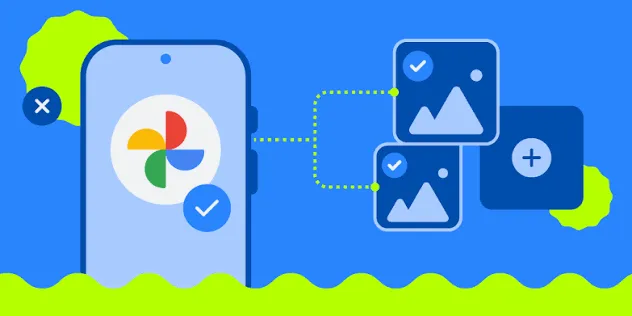
Play Protect's toggle lives inside the Play Store app, typically reached through the account or profile icon and then a Play Protect or security settings screen. Exact wording and menu depth vary by phone manufacturer, Android skin, and Play Store build, so treat this as a starting point and confirm the live screen on your own device rather than assuming every phone matches.
This check works whether or not the new 53.9 reminder has shown up on your phone, since it verifies the underlying setting rather than hunting for a notification. If scanning shows as off, switch it back on from that same screen.
Worth noting: the version number tied to the reminder, 53.9, applies specifically to the notification itself. Google hasn't said whether checking or toggling Play Protect requires that same build, so checking the setting directly is the safer bet no matter which Play Store version happens to be installed.
Heise's changelog also mentions a separate Family Hub settings page that appears to have rolled out server-side a few days before Google formally documented the broader update. That's evidence about Family Hub's rollout specifically, not proof the Play Protect reminder works the same way, but it does confirm Google doesn't always wait for a visible app update to push changes.
What Play Store 53.9's Play Protect reminder confirms, and what it doesn't
Play Store 53.9 includes a prompt for extended Play Protect downtime, and it arrived alongside other changes such as Quick Share photo and video backups for Windows and a consolidated family account section in system settings, according to heise online.
What the changelog doesn't establish is the trigger threshold for the warning, whether it's a one-time nudge or a recurring one, and whether the rollout is complete or still staged by region. Those remain open questions.
This isn't the first version of this nudge on Android, either. Chrome on Android has shown a similar reminder to re-enable Play Protect since early 2025, according to Google. Google has also built a more aggressive safeguard that blocks users from disabling Play Protect mid-phone-call, aimed at stopping scammers from talking victims into shutting off protections while on the line, Google says.
The real risk behind the Android Play Protect security warning
Play Protect scans apps from both the Play Store and outside sources. Google says its real-time scanning identified more than 27 million new malicious apps from outside Google Play in 2025, warning users or blocking installation to neutralize the threat, according to Google's security blog.
A feature called enhanced fraud protection does much of that work. Google describes it as analyzing and automatically blocking installation of apps that may abuse sensitive permissions to commit financial fraud, triggered when someone tries to install an app from an "internet-sideloading source," such as a browser, messaging app, or file manager, that requests a sensitive permission. That protection now covers 185 markets and more than 2.8 billion Android devices, and Google reports it blocked 266 million risky install attempts in 2025, per Google.
Google's research found that more than 95% of installations from major malware families associated with financial fraud came through these sideloading sources rather than the Play Store itself, according to Google. That pattern, sideloaded apps requesting sensitive permissions after Play Protect gets switched off, is the behavior Google's reminders and fraud protections are built around, including the mid-call block mentioned above.
Play Protect isn't foolproof, and Advanced Protection can lock the toggle
None of this makes Play Protect flawless. Independent testing by AV-Comparatives found an intermittent bug last year where failed cloud requests kept Play Protect from blocking the installation of some malicious apps. AV-Comparatives says its testing helped Google narrow down the cause, but the research doesn't confirm whether the bug has since been fixed or could resurface under similar conditions. Treat it as a documented limitation from last year's testing, not a closed case.
There are also non-malicious reasons someone might switch Play Protect off temporarily. A developer might disable it briefly to test a build before resubmitting an app, for instance. Google's own guidance still recommends keeping the feature on otherwise, according to its security blog, and re-enabling it immediately afterward is the safer habit than leaving it off by default.
For users who'd rather take that decision out of their own hands, Google's Advanced Protection mode offers a stricter option. It launched on Android 16 and can prevent Play Protect and Scam Detection from being disabled at all through a single toggle, per Google. Newer capabilities added last month target Android 17 devices, though USB Protection and Failed Authentication Lock are limited to select Android 17 hardware rather than every Android 17 phone. Most readers just rechecking a toggle that got flipped off don't need that level of lockdown, though it's a reasonable option for high-risk users, like journalists or past attack targets, who want the setting locked permanently.
What to do now
Open the Play Store app and confirm Play Protect's status today, regardless of whether a notification has shown up. Version 53.9's reminder is real, but its trigger timing, repeat behavior, and rollout scope are still unconfirmed, so don't assume you'll see it even if you qualify.
If scanning shows as off, turn it back on. If you disabled it temporarily for sideloading or testing, re-enable it right after rather than leaving it off between uses. Consider Advanced Protection only if you're on a supported Android 16 or newer device and specifically want Play Protect locked against future changes, accidental or otherwise.









Comments
Be the first, drop a comment!