



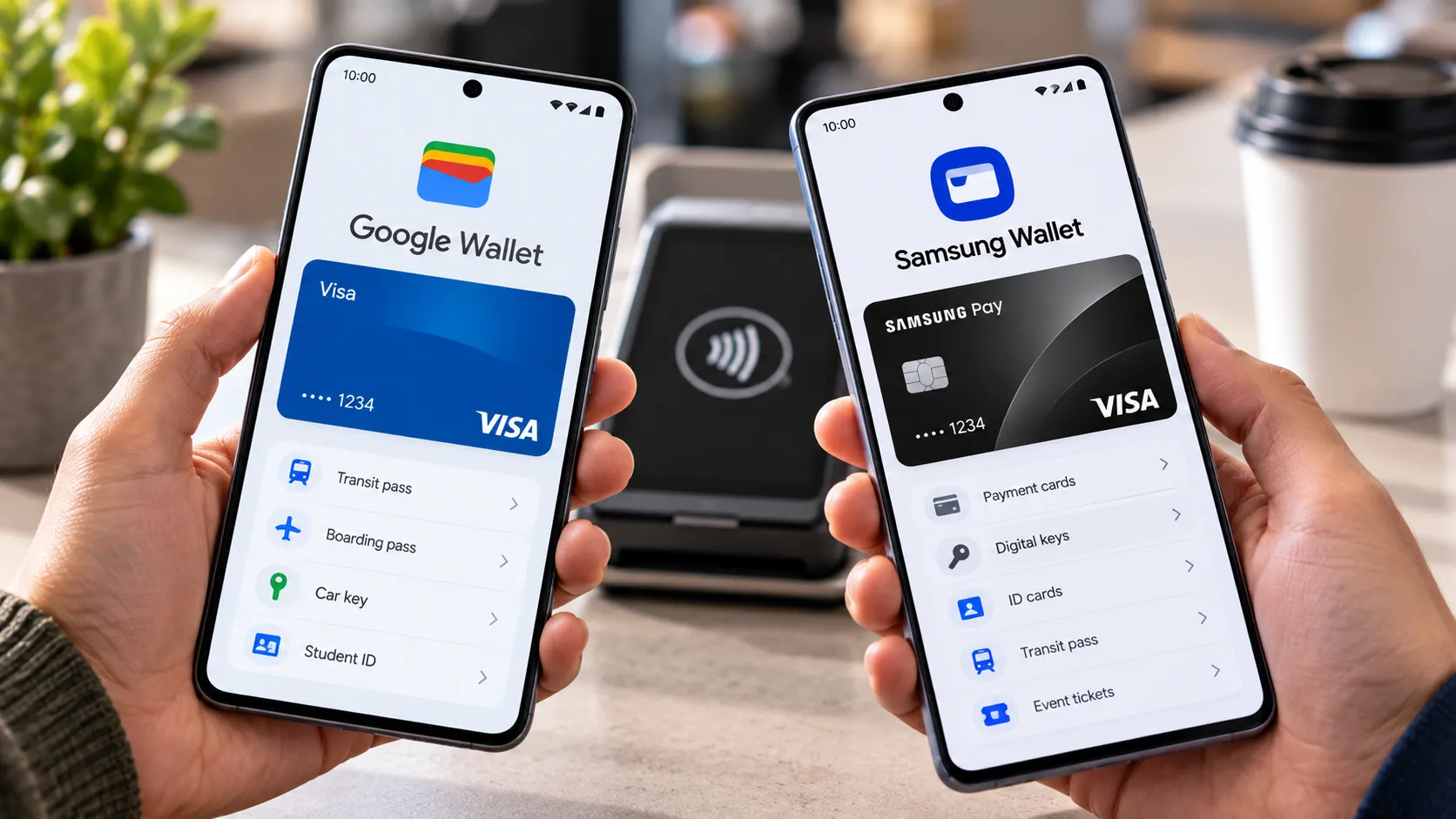
Every Google Wallet vs Samsung Wallet comparison eventually turns into a feature checklist: cards, passes, keys, IDs. That's the wrong place to start.
The more useful question is whether either app will function as advertised on the phone currently in a reader's pocket, in the country they live in. Eligibility, not feature count, is the first filter, and it eliminates one of the two options for a lot of people before any comparison of passes or keys is worth having.
A few baseline facts frame this. Samsung folded its old Samsung Pay and Samsung Pass apps into a single platform called Samsung Wallet, covering payment cards, IDs, tickets, boarding passes, digital keys, and Samsung Pass. Samsung's current developer documentation lists Samsung Pay support across 31 markets, while Google says Wallet is available in more than 50 countries and regions. Samsung Wallet's phone app is limited to supported Galaxy devices, while Google Wallet runs on qualifying Android phones regardless of brand.
This article walks through what each wallet does for everyday use, which extras are genuinely Galaxy-specific, and where the two platforms now overlap more than older comparisons suggest. It closes with situation-based guidance instead of a single winner, because for this comparison, there isn't one.
Google Wallet vs Samsung Wallet: check phone and country eligibility first
If a phone isn't a supported Galaxy device, Samsung Wallet's phone-based payment function isn't an option. Samsung's current setup guidance requires a compatible Samsung phone or watch, an active Samsung account, supported payment hardware, and an eligible payment card.
Google Wallet has a broader hardware base. The app requires Android 9 or later, an eligible Google Account, current Google Play Services, and a device that meets Google's security requirements. Tap-to-pay additionally requires NFC, a screen lock, a supported payment method, and Google Pay set as the default NFC payment service.
There's a separate requirement worth not confusing with ordinary payment eligibility. Google documents Android 9 or later, NFC, Bluetooth, and a screen lock for creating and using its passport-based ID pass. Those aren't a separate higher bar for every Google Wallet feature.
Country availability matters just as much as hardware.
One older comparison put Google Wallet's availability above 80 countries versus 29 for Samsung Wallet. Current first-party documentation gives a cleaner comparison without relying on those old figures: Google describes Wallet as available in more than 50 countries and regions, while Samsung's developer page currently lists 31 Samsung Pay markets.
The feature mix also changes by country.
India is a useful example. Google Wallet is available there for items such as tickets, transit passes, retail cards, access cards, IDs, and health cards, but Google's current country page says Google Wallet tap-to-pay is not available in India. Contactless card payments there run through the separate Google Pay app.
Google's current India support documentation also says those card-based Tap & Pay transactions do not require an internet connection, correcting an older description that treated connectivity as an extra dependency.
With phone and country sorted out, the next question is what each wallet actually stores once it's running.
Everyday cards and passes: what each wallet supports
Samsung Wallet supports payment cards, membership cards, gift cards, boarding passes, event tickets, health passes, digital keys, and other items, though availability varies by country and partner.
Samsung's UK documentation also lists transit cards and travel tickets, while its US documentation covers payment cards, IDs, memberships, boarding passes, digital assets, and digital keys. Regional feature lists differ enough that readers should verify the specific card, transit agency, airline, or issuer they actually use.
Google Wallet covers much of the same territory. Google's current documentation lists:
Debit and credit cards
Boarding passes and event tickets
Transit passes
Loyalty and gift cards
Digital car keys
Hotel keys
Corporate badges
Student IDs
Driver's licenses and ID passes
Insurance and vaccine cards
That makes the two wallets much closer on everyday storage than a shorter Samsung-versus-Google checklist might suggest.
Peer-to-peer transfers remain a more meaningful difference in the US.
Google discontinued person-to-person payments through the US version of Google Pay in June 2024, and Google Wallet does not replace that feature.
Samsung moved the other direction with Tap to Transfer. Samsung Wallet users in the US can send money from an eligible Mastercard debit card to another person's qualifying debit card through NFC. The recipient can use Samsung Wallet, Google Wallet, Apple Wallet, or even a compatible physical contactless debit card.
Current Samsung support documentation narrows the sending requirement further than the original launch announcement did: the sender currently needs a registered Mastercard debit card. Remote transfers are available when the recipient also uses Samsung Wallet.
Samsung Pay Cash is a separate optional product rather than the same feature as Tap to Transfer. It creates a stored-value debit account inside Samsung Wallet and carries its own eligibility rules, fees, and limits.
Digital keys, watches, and Samsung Pass
This is where the two wallets now overlap considerably more than older comparisons imply.
Samsung Wallet supports digital car keys for compatible vehicles. Depending on the vehicle and phone, those can use NFC for tap-based access or UWB for passive entry. Samsung expanded compatibility to select Mercedes-Benz vehicles in 2025, alongside existing support from other manufacturers.
Samsung also now has a much clearer home-key story. Its Digital Home Key began rolling out in March 2026 for compatible smart locks, using the Aliro standard. Depending on the lock and Galaxy device, access can work through NFC, UWB proximity, or the app.
Samsung says partners include Aqara, Nuki, Schlage, and Xthings, with exact lock and regional compatibility still dependent on each manufacturer.
Samsung Pass remains a more distinct Galaxy feature. Built into Samsung Wallet, it lets users authenticate to supported apps, accounts, and websites with registered biometrics while keeping login credentials within Samsung's ecosystem.
Galaxy Watch payments are also supported through Samsung Wallet on compatible watches.
Google Wallet, however, is not missing car keys or smartwatch payments.
Google officially supports digital car keys for select vehicles on Pixel 6 and later, Galaxy S21 and later, and certain other Android 12+ devices. Supported keys can lock, unlock, and start a vehicle, with availability depending on the car, phone, and market.
Google Wallet also supports tap-to-pay from compatible Wear OS watches with NFC. Cards added to the watch can be used even when the phone isn't present, subject to country, bank, and device support.
Google's current Wallet catalog also includes hotel keys and corporate badges.
So the practical ecosystem split is narrower than it once was. Samsung's clearer differentiators are Samsung Pass and its new Digital Home Key integration, while both platforms now support car keys and smartwatch payments.
Digital ID and payment authentication: the gap has narrowed
Digital ID is another area where the comparison changed substantially in 2026.
Google Wallet can create a passport-based ID pass using passports from five supported regions:
Brazil
Singapore
Taiwan
UK
US
The ID pass is not a replacement for a physical passport or official identification in every context.
In the US, eligible Google Wallet digital IDs can be presented at supported TSA checkpoints for domestic travel. Google also supports TSA PreCheck Touchless ID at participating locations for eligible travelers.
Google Wallet can separately store supported US driver's licenses and state IDs, with acceptance varying by state, airport, and service.
Samsung now offers a competing passport-based option in the US.
In May 2026, Samsung introduced Samsung ID with CLEAR, which creates a digital ID using information from a US passport and stores it in Samsung Wallet. Samsung says it can be used at more than 250 TSA checkpoints for domestic travel, along with some other participating venues.
That means Google Wallet no longer has the clear passport-based TSA advantage the original comparison suggested. Both now offer versions of the feature, but their enrollment systems, supported devices, and acceptance networks differ.
Payment authentication also needs more nuance than an older side-by-side test provides.
Samsung Wallet requires users to authorize payment access using a Samsung Wallet PIN or supported biometric authentication such as a fingerprint.
Google Wallet also requires device verification. Google says users must have a screen lock and verify their identity using a PIN, pattern, password, or supported Class 3 biometric. After that verification times out, another verification is required before the next payment.
The exact interaction at the terminal differs between devices and configurations, but it's no longer accurate to frame Samsung as requiring authentication while Google Wallet generally does not.
For both services, once payment credentials reach the terminal, the underlying card issuer and payment network still handle authorization and fraud controls tied to the card account.
Choose based on your situation
Non-Galaxy Android owners: Google Wallet is the straightforward phone-based choice. Samsung Wallet's phone app requires supported Galaxy hardware.
Galaxy owners who mainly want tap-to-pay: either wallet can work if the bank, card, and country are supported. Check the issuer before deciding.
Galaxy owners using Samsung Pass or compatible smart-home locks: Samsung Wallet has deeper Galaxy-specific integration, particularly with Samsung Pass and Digital Home Key.
Drivers with a compatible digital-key vehicle: don't assume Samsung automatically wins. Both Samsung Wallet and Google Wallet support digital car keys, so check the automaker's current compatibility list for the specific phone and vehicle.
Smartwatch users: Samsung Wallet works on compatible Galaxy Watches, while Google Wallet supports qualifying Wear OS watches. The watch itself no longer decides the comparison as cleanly as it once did.
US users who send money to friends or family: Samsung's Tap to Transfer provides a feature Google Wallet currently lacks, but its debit-card, network, and transaction limits matter.
US travelers considering a passport-based digital ID: both platforms now have options. Google offers its own ID pass, while Samsung offers Samsung ID with CLEAR.
What to verify before you commit
Before switching or committing to either app, run through this in order:
Confirm the phone model and country are supported on the company's current eligibility page.
Check the card issuer's supported-wallet list for the cards you'll actually use.
Check whether the transit agency, airline, retailer, or venue supports the passes you need.
If a car is part of the decision, verify the exact model, model year, phone, and region with the automaker.
If a smart lock matters, check whether it supports Samsung's Digital Home Key or another wallet standard on your particular device.
If you're relying on a smartwatch, confirm that the watch model, country, and card issuer support Wallet payments.
If digital ID matters, check the current TSA or venue acceptance list rather than assuming every checkpoint accepts it.
Device and country eligibility still settle whether either wallet works at all for a given reader.
From there, Samsung's most distinctive current features are Samsung Pass, Digital Home Key, and Tap to Transfer. Google Wallet's advantages are its broader Android hardware reach, wider reported geographic availability, and a large cross-brand ecosystem of cards, passes, car keys, Wear OS payments, IDs, and access credentials.
Anyone on a non-Galaxy Android phone should start with Google Wallet and confirm that the bank and transit services they use are supported. Anyone with a Galaxy phone should check both, because Samsung's ecosystem extras may justify keeping Samsung Wallet even when Google Wallet handles the same core payment card.


















Comments
Be the first, drop a comment!