





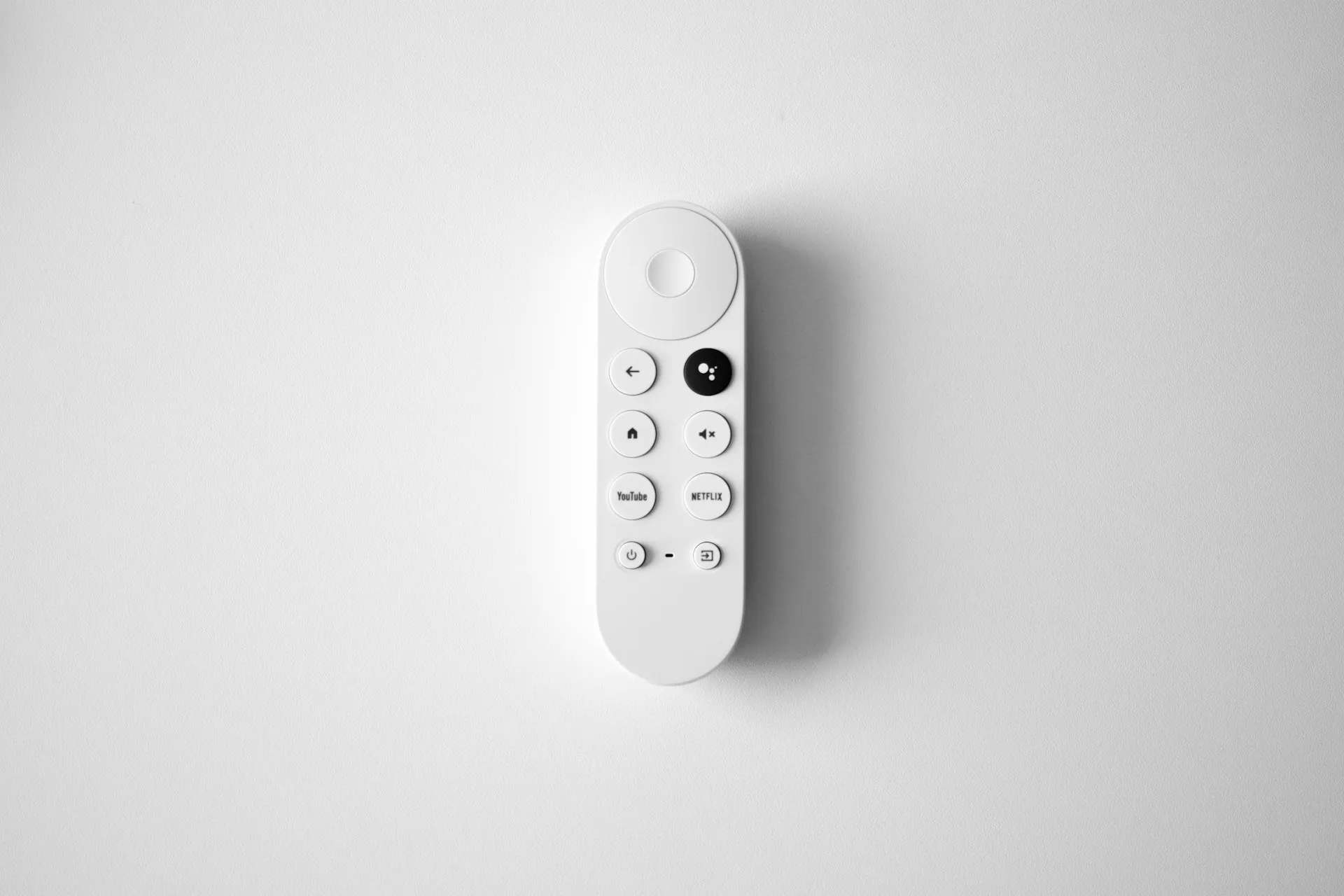
If you've updated your Google TV Streamer recently and suddenly found yourself trapped in an endless search loop, you're not alone—and Gemini might be to blame. Google's newest AI assistant is now rolling out to replace the familiar Google Assistant on the company's streaming hardware, but early reports suggest the transition hasn't been entirely smooth.
Users across forums and social media are describing a frustrating scenario: initiate a voice search, watch Gemini process the request, then get kicked right back to the search prompt without ever seeing results. It's the kind of bug that transforms a quick "find me a comedy" into a test of patience, and it's happening just as Google pushes its most ambitious AI integration into the living room yet.
This individual frustration points to a larger strategic gamble Google is taking. The Google TV Streamer is now receiving an update that swaps out Assistant for Gemini, with the deployment happening gradually over the next few weeks.
This change mirrors recent moves across Google's product lineup—Gemini has already started appearing in Android Auto, and the company recently removed the toggle that let users switch between Assistant and Gemini on mobile devices, as reported by Android Authority.
The timing matters: Android TV OS powers millions of active devices worldwide, making this one of the largest-scale deployments of conversational AI in consumer hardware—dwarfing similar voice integrations on competing platforms and putting Google in direct competition with Amazon's Alexa TV experiences. But scale means little if the experience breaks down at the most basic interaction—search.
What's causing the infinite search loop?
Here's where things get technical. When the update lands on your Google TV Streamer, pressing the microphone button on your remote is supposed to activate Gemini instead of the old Assistant, according to Android Authority. In theory, this enables more natural, conversational queries—think "I like dramas, but my wife likes comedies.
What's a movie we can watch together?" rather than rigid keyword commands, per Google's official announcement. The problem? For some users, Gemini appears to process the voice input, displays a thinking animation, then simply resets to the search screen without delivering any results or recommendations.
While Google hasn't officially confirmed the root cause, the pattern suggests a backend integration issue between Gemini's cloud-based reasoning and Google TV's content discovery layer.
Gemini relies on server-side processing to handle complex, multi-intent requests, as noted by Find Articles, which means your query travels to Google's cloud, gets analyzed, and should return with tailored suggestions pulled from your installed streaming services.
When that pipeline breaks—whether due to API timeouts, incomplete metadata handoffs, or account-level permission conflicts—the system defaults back to square one: the search prompt.
Early adopters checking Settings > Accounts & Profiles > Voice Assistant have confirmed that Gemini for TV now appears as an option, according to Android Police, but selecting it doesn't guarantee a working experience if the backend sync hasn't completed properly for your device or region.
How Gemini integrates into Google TV search
So what's actually happening when you press that mic button? To understand why this loop is happening, it helps to know what Gemini is supposed to do. Unlike the old Assistant, which relied on keyword matching and predefined command structures, Gemini uses large language models with extended context windows to interpret conversational, multi-part queries.
You can ask vague questions like "What's the new hospital drama everyone's talking about?" and Gemini will parse intent, cross-reference trending metadata, and suggest options like "The Pitt," per Google's blog. You can follow up with "What are the reviews for 'The Pitt'?" and Gemini maintains conversational context without requiring you to restate the show title.
This requires tight integration between Gemini's cloud reasoning engine, Google's content metadata aggregation layer, and the local TV interface—a three-way handshake that's particularly vulnerable to latency issues on the TV's typically constrained network stack and limited processing power compared to phones or computers.
When you press the mic button, your voice input is captured, sent to Google's servers, processed by Gemini, matched against available streaming services and content feeds, then returned as a visual interface with recommendations and supporting information.
If any step in that chain fails—say, Gemini processes your query, but the response payload doesn't map correctly to the TV's UI renderer—you get the loop. The system knows it didn't deliver a valid result, so it defaults back to the search prompt, waiting for you to try again.
Gemini also expands beyond entertainment. You can ask for educational content like "Explain why volcanoes erupt to my third grader," and Gemini will provide an answer along with relevant YouTube videos displayed directly on your TV, per Google's announcement.
You can request DIY guidance, recipe suggestions, or even display smart home camera feeds with commands like "Show me the backyard cameras," according to Android Police. All of this relies on the same backend pipeline—which means if search is broken, these extended features are likely experiencing failures too.
More concerning for Google: users experiencing failures on educational queries or smart home commands may lose trust in Gemini's reliability across all their devices, not just TV.
Which devices and firmware versions are affected?
Right now, the issue appears concentrated on the Google TV Streamer hardware itself. Google announced that the Gemini update is rolling out specifically to this device first, with expansion to other models like the Walmart onn.
4K Pro, 2025 Hisense U7, U8, and UX series, and 2025 TCL QM7K, QM8K, and X11K models, scheduled for later this year, per Google's blog post. The TCL QM9K series already received Gemini support starting in September, but those early deployments were more controlled. The broader Google TV Streamer rollout—which targets the company's own flagship streaming hardware—appears to be where the loop bug is surfacing most frequently.
Firmware version details remain murky, but the update is tied to later Android TV OS—a requirement that intersects with geographic availability, since OS 14 adoption varies significantly by region and device manufacturer update schedules. Users who manually check for system updates or who have auto-updates enabled are the most likely to encounter the issue first.
Geographic availability also plays a role: Gemini for TV launched initially in the U.S. and Canada with English and French language support, per Google's announcement, and the staggered rollout means not everyone will see the update simultaneously.
If you're outside those regions or running older firmware, you might be spared the loop—at least for now. But once the update hits your device, there's no official way to revert back to Google Assistant, since the company has been systematically removing that toggle across its ecosystem, as noted by Android Authority—a decision that's drawn criticism from power users who value having a fallback option during unstable rollouts.
Interim workarounds and troubleshooting steps
Until Google pushes a server-side fix or a follow-up firmware patch, here are some practical steps to try if you're stuck in the search loop:
Restart your Google TV Streamer. It's basic, but power-cycling the device can force a fresh handshake with Google's backend services. Unplug the streamer, wait 30 seconds, then plug it back in and test voice search again.
Pro tip: Before trying more advanced troubleshooting, restart twice. Some users report the first restart triggers a background sync process that completes by the second reboot, resolving the loop without any additional steps.
Check your Google account sync. Navigate to Settings > Accounts & Profiles and confirm that your Google account is properly linked and synced. Gemini relies on cloud-based activity and personalization data, according to Find Articles, so a stale or partially synced account could interrupt the query-response pipeline.
Clear cache for Google TV and Google app. Go to Settings > Apps > See all apps, then locate the Google app and Google TV app. Clear cache (not data) for both. This won't erase your preferences, but it can resolve temporary glitches in how Gemini communicates with the TV interface.
Try manual text search instead of voice. If you need to find content immediately, use the on-screen keyboard to type your query. It's slower, but it bypasses the Gemini voice loop entirely and relies on the older search backend, which remains functional.
Disable Gemini temporarily (if possible). Some users report that navigating to Settings > Accounts & Profiles > Voice Assistant and attempting to switch back to Assistant—if the option still appears—can restore basic functionality. However, Google has been removing this toggle, as reported by Android Authority, so this workaround may not be available on all devices.
Wait for the full rollout. The update is deploying in waves over several weeks, according to Android Authority, which suggests server-side configuration changes are still in progress. If your device received the update early, you might be hitting an incomplete backend deployment. Checking back in a few days could resolve the issue without any action on your part.
DON'T MISS: If you're experiencing the loop, note which types of queries fail versus succeed. Entertainment searches may fail while smart home commands work, helping you identify workarounds for your specific use case until Google resolves the broader issue.
Implications for AI reliability in consumer OS updates
Let's zoom out for a second. This isn't just a bug—it's a case study in what happens when AI features get pushed to mass-market hardware before the infrastructure is fully stress-tested. A proper stress test would involve simulated peak loads across all supported regions, edge-case query patterns, and controlled rollouts with user feedback loops—none of which appear to have caught this issue before it reached consumers.
Google has been aggressive about replacing Assistant with Gemini across its ecosystem, from smartphones to cars to TVs, as noted by Android Authority. The strategic rationale makes sense: consolidate around a single, more capable AI platform rather than maintaining two parallel assistants, according to Find Articles. But the execution reveals a tension between ambition and readiness.
Consumer operating systems—especially those running on constrained hardware like streaming devices—demand rock-solid reliability. A phone can tolerate an occasional AI hiccup because you have fallback options: type instead of speak, use a different app, restart quickly. A TV, on the other hand, is a shared, stationary device in the living room—which amplifies the pipeline failures we discussed earlier.
When voice search breaks, the entire household feels it, and unlike a phone, there's no easy workaround of just typing faster or switching to another input method. The friction is higher, the frustration more visible, and the likelihood of users simply abandoning the feature increases dramatically.
And unlike a phone, where users might be running different OS versions or have varied app configurations, the Google TV Streamer is a controlled, first-party device. If the loop is happening here, it suggests the issue lies in Google's backend orchestration, not user-specific edge cases.
The broader lesson? AI-powered features need more than impressive demos—they need resilient, fault-tolerant pipelines that degrade gracefully when things go wrong. Instead of looping infinitely, Gemini could display a fallback message: "I'm having trouble right now.
Try typing your search or check back later." Instead of removing the Assistant toggle entirely before Gemini proved stable, Google could have left a temporary escape hatch for users who hit critical bugs during the transition. These aren't revolutionary ideas—they're basic UX principles that apply even more urgently when you're replacing a working feature with an experimental one at scale.
What this means for Google TV users moving forward
Bottom line: if you're a Google TV Streamer owner, expect some turbulence over the next few weeks as Google works out the kinks in this rollout. The infinite search loop is frustrating, but it's likely a transient issue tied to incomplete backend deployment rather than a fundamental flaw in Gemini's architecture.
Keep your device updated, bookmark the Google TV subreddit (r/GoogleTV) and Android TV support forum—both have dedicated threads tracking the rollout and confirmed fixes by region. Lean on manual text search or direct app launches as workarounds in the meantime.
Looking ahead, Gemini's potential on TV is genuinely compelling because of the problem Nielsen data reveals: streaming dominates total TV time, yet viewers struggle with what to watch. Nielsen has consistently found that streaming holds the largest share of total time spent with television content, yet viewers continue to be riddled with indecision over what to watch.
If Gemini can reliably surface the right content through natural language—cutting that decision time and reducing the frustration of browsing through fragmented libraries—it's a meaningful upgrade. The promise of conversational, context-aware content discovery could solve one of streaming's biggest pain points: decision fatigue across fragmented libraries, as noted by Find Articles. But "if" is doing a lot of work in that sentence right now.
For content providers and app developers, this rollout underscores the importance of metadata quality—and creates a competitive advantage. Services that invest in rich, structured metadata (detailed genre tags, mood descriptors, thematic elements) will surface more frequently in Gemini recommendations than those relying on basic title and description fields.
Gemini's recommendations are only as good as the tags, descriptions, and deep links that streaming services provide. As Gemini expands to more devices—Google plans broader rollouts in 2026 with additional languages and countries—expect continued refinement of how AI surfaces and prioritizes content across the platform. This isn't just about fixing a search loop; it's about redefining how hundreds of millions of users interact with their TVs. Let's hope Google gets it right.







Comments
Be the first, drop a comment!