



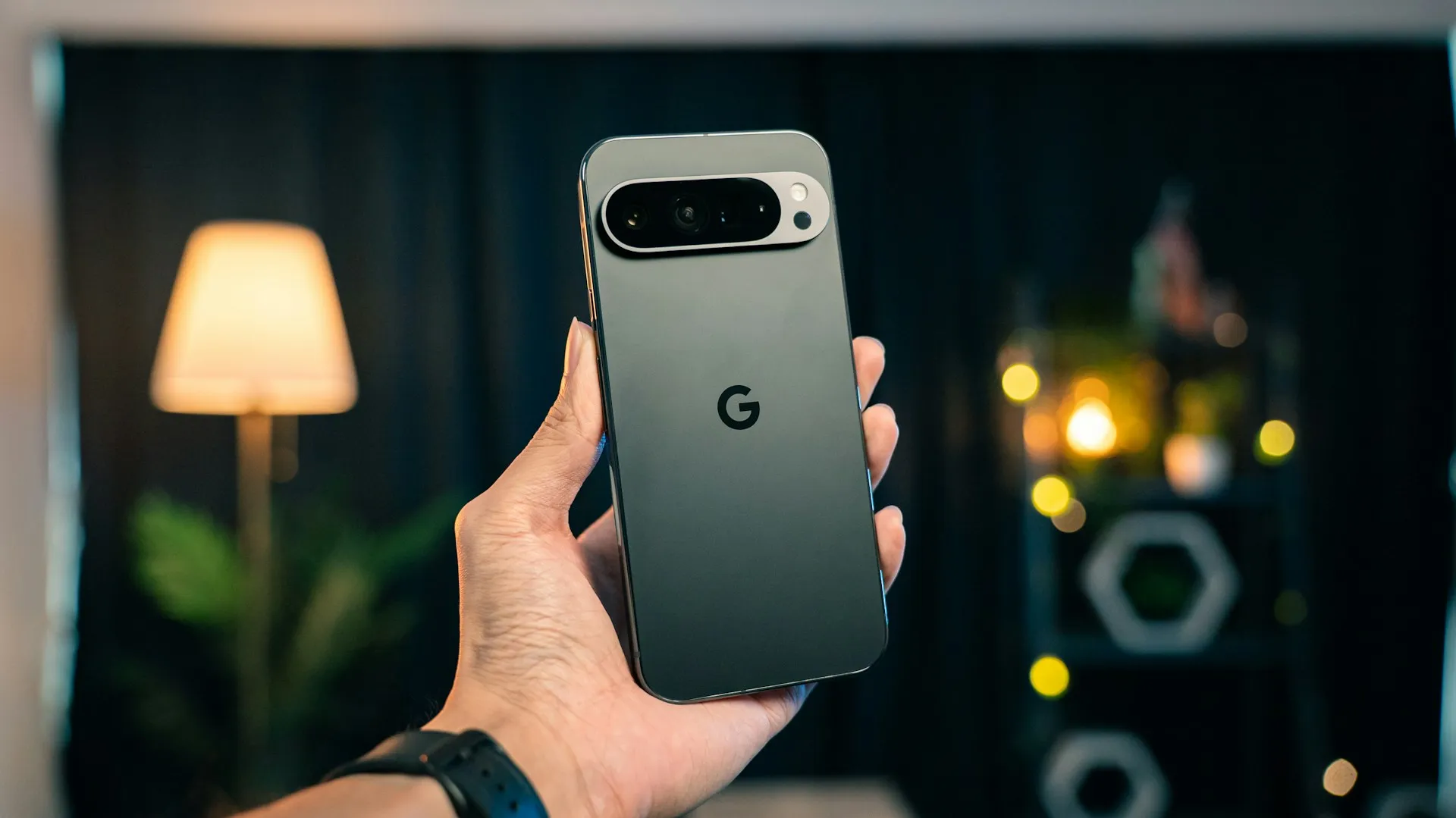
A Google employee confirmed this week that the company has been investigating a Google Pixel bootloop issue tied to its March, April, and May 2026 software updates, with devices freezing on the G logo or crashing immediately after PIN entry. The acknowledgement covers the Pixel 6 through Pixel 10 series, and the public issue tracker has accumulated close to 800 entries since March, according to heise. Google says updated guidance is now available.
The current fix is not a fix in any unified sense. It is a patchwork: support calls routed to the right team, a beta recovery tool distributed to select users, and in some cases a factory reset that wipes everything. What follows is the state of each option, who it applies to, and what Google is telling affected owners to do.
Is your Pixel affected? What the failure looks like
The symptoms vary. Some devices freeze on the G logo. Others crash immediately after PIN entry. In some severe cases, users reported Fastboot access did not lead to a usable boot path.
Reports on Google's Issue Tracker and Reddit span the Pixel 6, 7, 7a, 7 Pro, 8 Pro, 10, and 10 Pro XL. The spread across multiple generations suggests this is unlikely to be limited to one device generation. Not every Pixel is affected, and the problem is not universal even within the same model.
Google's own statement tied the issue explicitly to the March, April, and May 2026 monthly updates rather than user error or isolated hardware faults. The March 2026 Pixel update appears to be where reports originated. Subsequent monthly updates did not resolve the problem and may have introduced new cases. What specifically in those builds triggers the failure has not been identified publicly.
Three months to a partial fix: how the response unfolded
Reports started accumulating in March, shortly after the Pixel Drop. By early April, Google posted on its Issue Tracker that teams were "actively investigating and working on a resolution," 9to5Google noted at the time. That was the clearest early acknowledgement on the tracker, though it offered no timeline and no explanation. Factory resets were already being recommended in some support interactions by that point.
In late April, Google went further, announcing it was working on a solution that could restore affected devices without wiping user data. That commitment mattered, given that a data-destructive path was already the default for some users.
By early June, roughly three months after the problem first surfaced, Google began distributing a beta web-based recovery tool to a subset of affected users. This week's public statement from a Google employee, directing all affected users to Pixel Customer Support for individualized next steps, represents the broadest acknowledgement to date. No stable, universal fix has been announced. No technical explanation of what caused the failures has been offered.
Google Pixel reboot loop after update: three paths and their real tradeoffs
The support triage path (Google's current official guidance)
Google is directing all affected users to contact Pixel Customer Support directly and specify "reboot loop issue after recent software update" to reach the correct team. The company states that "the best path forward depends on your device's specific state," which means there is no single procedure. This is the recommended starting point.
The beta web recovery tool (limited rollout, data-safe in theory)
Starting in early June, Google reportedly began distributing a browser-based recovery tool to select users. The device must be connected to a computer with at least 7 GB of free space, placed into Fastboot mode, and then Rescue Mode. The tool covers Pixel 3 and newer devices running Android 10 or above, excludes tablets and ChromeOS devices, and remains labeled beta. Its interface states: "Don't worry this specific recovery process is designed to fix the bootloop without wiping your personal data."
That promise has limits. Some users report their devices were not recognized during the process, making recovery through this route impossible. Access currently appears to come through support rather than as a public download.
Factory reset and device repair (last resort, data-destructive)
Some users who contacted support have been told to perform a factory reset via Fastboot. Others have been directed to send their devices in for repair. Both paths result in a full wipe, 9to5Google reported. These appear to be fallback outcomes rather than a coordinated first response, but they are what a meaningful share of users are receiving.
User-discovered workarounds (anecdotal, unverified)
Outside of Google's guidance, individual users have posted their own recovery attempts. One account describes booting into safe mode, enabling location services, disabling Wi-Fi, and clearing saved networks, after which the device reportedly restarted normally. Another user reportedly resolved the issue by flashing an Android 17 beta build. These are forum reports, not confirmed fixes, and they carry their own risks. One user who was directed to try Android 17 QPR1 Beta 3 found it did not resolve the bootloop and was then unable to return to a stable release without resetting.
What Google is telling affected Pixel owners to do now
Google's guidance is to contact Pixel Customer Support before attempting any self-repair steps, specifying "reboot loop issue after recent software update" so the request is routed to the correct team.
Data preservation is possible but not guaranteed. Google's late-April commitment to a non-destructive fix, and the recovery tool's own language, indicate that the outcome exists. But reports of users being directed to factory resets and device repairs make clear it is not universal. Given that, users who need their data intact may want to ask explicitly about the beta recovery tool before accepting a reset instruction from support.
For Pixel owners not currently experiencing symptoms, the implicated updates are the March through May 2026 builds. Do not skip critical security guidance, but check Google's Issue Tracker and Pixel support channels before manually forcing optional updates.
Where things stand
Three months in, Google's response amounts to a public acknowledgement, a case-by-case support process, and a beta tool that works for some users and fails for others. The issue tracker entry sits at close to 800 entries, with over 400 users officially logged as affected, and no self-service fix has been made public. Google declined to provide an official statement when asked in early June.
That trajectory is worth placing in context. In January 2026, a separate Pixel update triggered widespread Wi-Fi and Bluetooth failures across multiple models, with Google initially directing users to support rather than issuing a public fix, 9to5Google reported. Pixel is Google's own flagship software platform, the product line where its engineering standards are most visible. Two significant update failures within the same year, both addressed primarily through support triage, is a pattern worth tracking, though the full shape of that story depends on what comes next.
What would resolution look like here? A stable, publicly available recovery tool. A software patch that prevents recurrence. A technical explanation of what went wrong. None of those exist yet. The beta tool is still in beta, a stable release has not been announced, and the issue tracker remains active. That is where this stands today.









Comments
Be the first, drop a comment!