



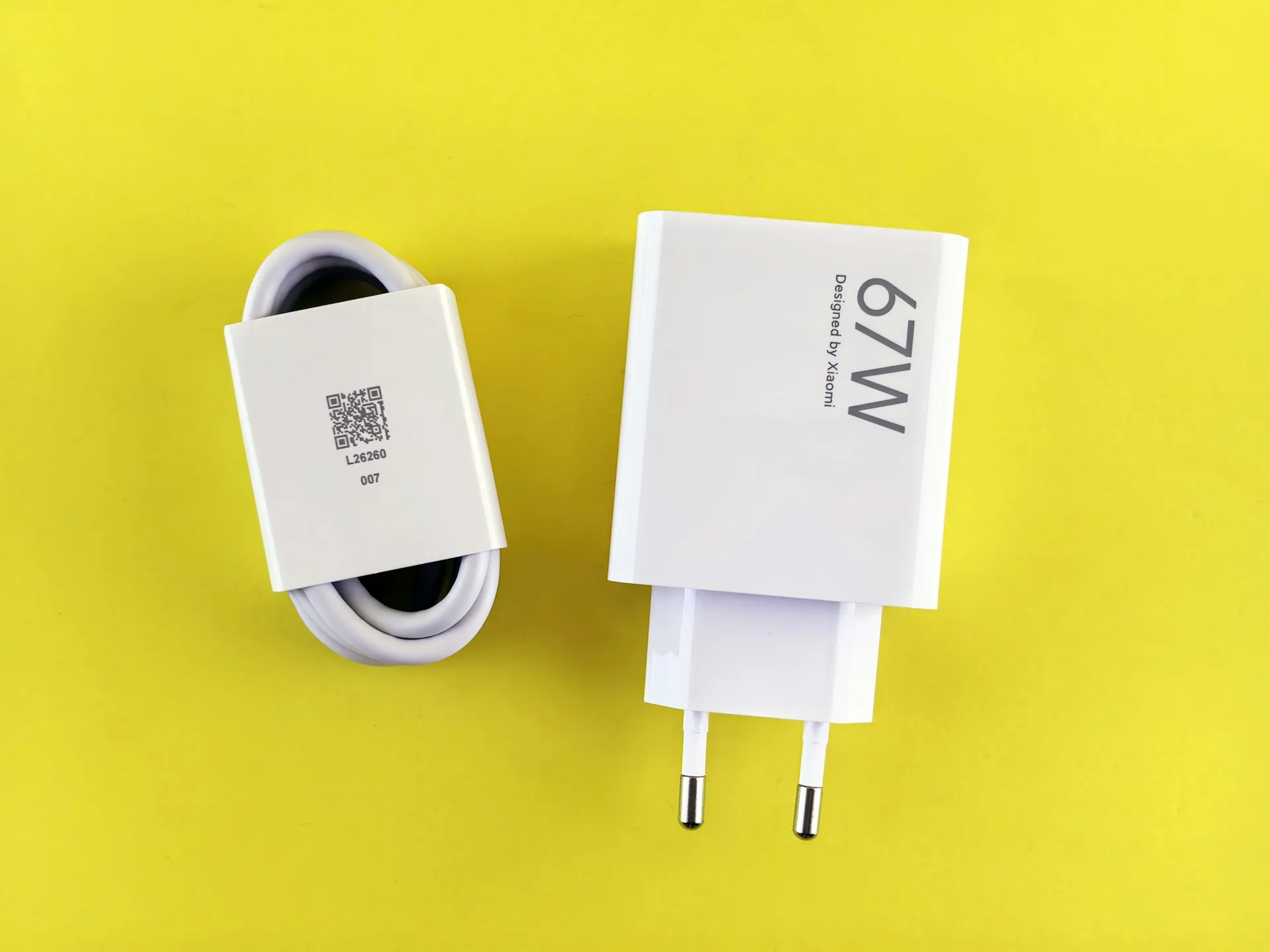
Here's what actually happens when you buy the wrong charger: the phone charges, nothing explodes, and you never realize you're getting half the speed you paid for. The number on the box looked right. The cable fit. The problem was invisible.
That problem, in almost every case, is a protocol mismatch. Wattage tells you how much power a charger can move. Protocol tells you whether your phone and charger are speaking the same language. Get the wattage right and the protocol wrong, and you've bought a charger that works, just not the way you intended.
This guide walks through four checks, in order: your phone's charging protocol, your cable's wattage rating, the charger's safety certification, and how many ports you actually need. By the end, you'll either know exactly what to buy or confirm that what you have is already correct.
Before you start: Pull up your phone's spec page now. You need two values: the maximum charging wattage and the name of the fast-charging standard it supports. Search "[your phone model] specifications" on the manufacturer's site and look under Battery or Charging. You might see something like "45W Super Fast Charging 2.0," "USB PD 3.0 PPS," or "SUPERVOOC 80W." Keep both values visible. Every step below refers back to them.
You may not need a new charger at all. If your current charger explicitly lists the same protocol as your phone and its wattage is at or near your phone's maximum, skip to Step 3 and check the certification. This guide helps you buy the right thing, or confirm you already have it.
Scope: This guide covers USB-C Android phones from roughly the last three to four years. Micro-USB devices use simpler charging logic, and most of the protocol discussion below doesn't apply to them.
Step 1: Match the protocol, not just the wattage
Start with the exact wording on your phone's spec page. Write it down. That string of text is your buying filter, and a direct match against a charger label is the most reliable test you have.
The spec page will show one of two patterns. Either something containing "USB PD," sometimes followed by a version number or additional terms. Or a proprietary brand name tied to the manufacturer: something like "Super Fast Charging 2.0," "SUPERVOOC," or a similar trademarked label. Those two patterns point toward different buying decisions.
If the spec page shows a USB PD entry, look for a charger label that uses the same wording, at or near your phone's rated wattage. The USB Implementers Forum manages the USB PD specification. If your phone's spec page specifically mentions PPS, check whether the charger label does too: "USB PD" and "USB PD 3.0 PPS" are not interchangeable labels, and the manufacturer listed one of them deliberately.
If the spec page shows a proprietary name, the charger label needs to say the same thing. Not approximately. A label reading "65W USB-C Fast Charger" does not match "45W Super Fast Charging 2.0." A charger that doesn't explicitly name your phone's standard may still charge the device safely, often at a reduced rate, but the manufacturer's spec page is telling you what the phone is asking for. Take it at face value.
What a useful charger label looks like: "65W USB PD 3.0 PPS" or "45W [Manufacturer Name] Fast Charging Compatible" gives you both pieces of information. "65W USB-C Fast Charger" gives you one, and leaves the protocol question open.
GSMArena's specification database can help cross-reference protocol details when a manufacturer page is hard to parse. Treat it as a secondary check; the manufacturer's spec page is the authoritative source.
Steps:
Find the charging standard name on your phone's manufacturer spec page. Write it down exactly.
If it lists a USB PD standard: find a charger whose label uses the same wording, at or near your phone's rated wattage. If the spec page specifically mentions PPS, confirm the charger does too.
If it lists a proprietary name: look for a charger whose label names that standard explicitly. Wattage alone is not a substitute.
If a charger listing shows only a wattage number with no protocol name, move on. That's the most common source of mismatch.
Step 2: Check what your cable is actually rated for
Most people grab whatever cable is in the drawer and never check the rating. A well-matched charger running through an underpowered cable still charges slowly. The cable is the part of this setup nobody reconsiders.
The practical check is straightforward: find the wattage rating on the cable's packaging or product spec table. That number tells you what the cable is built to carry. If it meets or exceeds your phone's maximum wattage, it's sufficient. If the cable has no wattage listed anywhere on the packaging, don't rely on it for fast charging. Treat it as adequate for an overnight charge and nothing more.
Per the USB-IF cable specification, any cable intended to carry more than 60W must include an embedded E-Marker chip, a small component that communicates the cable's capacity to the charger and phone. Without one, the connection defaults to a lower wattage ceiling regardless of charger capability. For phones at 65W and above, buy a cable explicitly labeled "100W" or "240W" with E-Marker noted on the packaging.
One thing to avoid: reading the data transfer rating as a proxy for power delivery. USB 2.0, USB 3.2, and similar labels describe how fast data moves, not how much power the cable carries. They measure different things entirely.
On cable length: one meter is a reasonable default for fast charging. If charging speed matters, buy from a brand that prints the wattage rating on the packaging.
Steps:
Note your phone's maximum wattage from Step 1.
Check whether your cable lists a wattage rating on its packaging or product spec table.
If the cable's rated wattage meets or exceeds your phone's maximum, it's sufficient.
At 60W or below, a quality USB-C cable rated 60W or higher works correctly. Above 60W, buy an E-Marked cable explicitly rated at 100W or 240W.
If the cable carries no wattage rating: fine for overnight charging, not for fast charging.
Step 3: Verify the charger's certification before buying
Two separate checks here. They answer different questions, and clearing one tells you nothing about the other.
Check one: regional safety marking. Look for the relevant mark on the charger body or packaging. In the US, that's a UL Listing mark from Underwriters Laboratories. In the EU, CE marking. In the UK, UKCA. These marks indicate the charger has gone through a recognized conformity process for that market. Their absence is a clear signal that an unmarked charger hasn't cleared a formal independent safety process in its target market. When buying through an online marketplace where you can't inspect the physical product, look for explicit certification claims in the listing and verify the model number before purchasing.
Check two: USB-IF certification. This is a separate test, specifically for USB Power Delivery implementation. The USB Implementers Forum oversees this certification process. If your phone uses a USB PD standard and the charger claims USB PD support, confirm the model number appears in a verified certification listing before buying. A regional safety mark and USB-IF certification check for different things. One doesn't substitute for the other.
The check takes two minutes. Established brands Anker, Belkin, Ugreen, Baseus, and manufacturer-native chargers publish certification details and have accountability behind their products. When buying through a marketplace with no model number listed, there's nothing to verify; that's a signal to find a different listing.
Steps:
Locate the relevant regional safety mark (UL, CE, or UKCA) on the charger or its packaging. If it's absent, look for a different option.
If the charger claims USB PD support and your phone requires it: confirm the model number appears in a verified USB-IF certification listing. If it doesn't, USB PD compliance is unconfirmed.
Buying online: requires a model number and explicit certification details in the listing before purchasing. No model number means no way to complete the second check.
Step 4: Decide how many ports you actually need
For most people, one sentence resolves this: one phone, one port, done.
Multi-port matters when you're charging a phone alongside a laptop or tablet at the same time. That's the only scenario that changes anything here, and it's the one where product pages most often omit the detail you actually need.
Multi-port chargers divide total wattage across ports. The front of the box usually shows a combined total. What it often doesn't show is how that total splits under simultaneous load, and that split varies by product. The number you need is the per-port wattage at simultaneous full use. Look for a spec table that breaks this down by port. A listing that shows only a combined total isn't giving you enough information to confirm your phone gets its full speed while the other port is also in use on some chargers; the higher-draw device takes priority, and the phone port steps down. That detail is in the fine print, not the headline number.
GaN (gallium nitride) chargers are worth mentioning here because they're a common multi-port option and often deliver comparable output in a smaller physical footprint than older designs. Whether a specific model is right for your setup still depends on that per-port spec table.
Steps:
Phone only: buy a single-port charger matched to your phone's protocol and wattage from Step 1. Nothing more to decide.
Phone plus laptop or tablet: look for a charger that lists per-port wattage under simultaneous load. Confirm the port for your phone delivers at least your phone's rated wattage while the other port is also active.
Product page shows only a combined wattage total: treat that as incomplete and find a more transparent listing.
Quick decision checklist
Use this to confirm you're done, not to retrace the steps above.
Protocol identified: You have the exact charging standard name from your phone's manufacturer spec page, not just the wattage figure
Charger matches: The charger listing explicitly states support for your phone's charging standard
Cable rated correctly: Cable wattage rating on the packaging meets or exceeds your phone's maximum charging wattage; E-Marked cable in hand if your phone exceeds 60W
Certification verified: Relevant regional safety mark present on the charger; USB-IF certification confirmed for any charger claiming USB PD support
Port count confirmed: Single-port for phone-only use; per-port simultaneous wattage verified for multi-device setups
A charger that clears all five boxes gets your phone to its rated charging speed. One that's certified but misses protocol charges safely, just not at full speed. Both are usable. Only the first is worth paying for if charging time matters to you.
Ignore the biggest number on the box until you've confirmed the protocol. That one habit eliminates most bad charger purchases.











Comments
Be the first, drop a comment!