



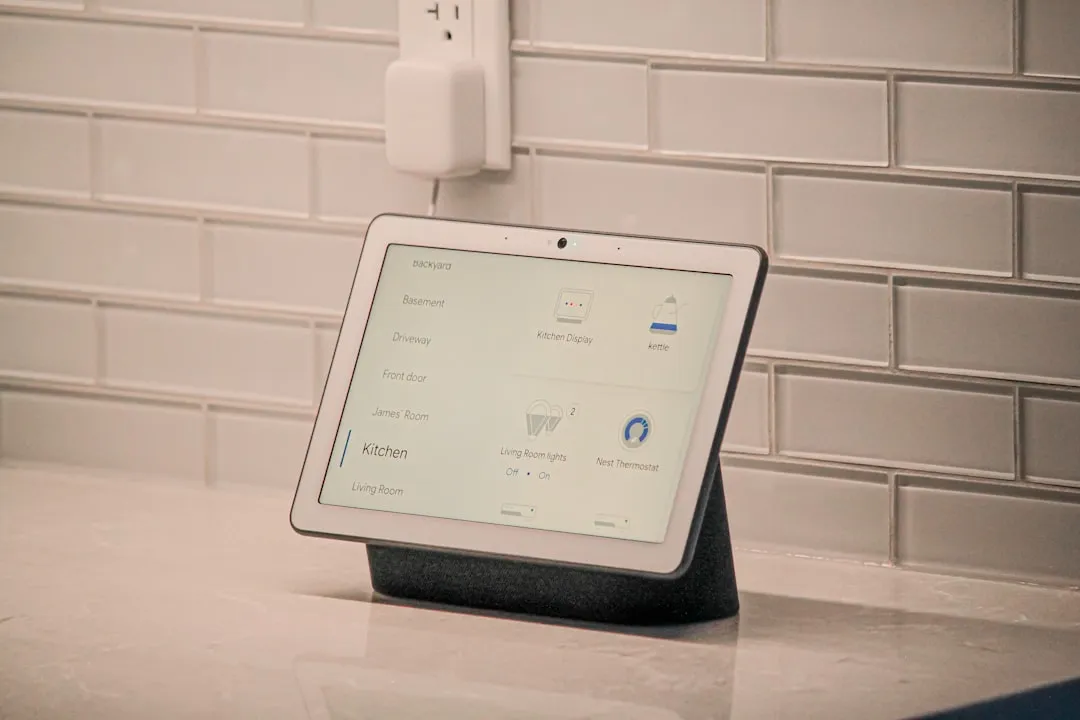
Google Home Workspace Support Update Adds Home Sharing and Nest Migration
Google Home is rolling out a significant update for Google Home Workspace accounts this week, unlocking home sharing, Nest Account Migration, and support for newer hardware that Workspace users previously couldn't access. 9to5Google reported the change Thursday. The practical outcome is straightforward: if you run a self-managed family domain on Workspace, Google Home just became a viable household platform. If your account belongs to an employer or school, this changes nothing about your situation.
Smart-home accounts carry more weight than most Google logins. They determine who can unlock your front door, view camera feeds, and recover device access when something goes wrong. Account ownership is a more consequential question here than it is with most Google products, which is why the dividing line in this update matters so much.
Who the Google Home Workspace support update actually helps
Google draws a clear line between two types of Workspace users, and understanding that distinction is the whole ballgame.
The first group uses Workspace as a personal or family identity: a custom domain like family.com that one person controls entirely. Google acknowledges this use case directly, per 9to5Google, and this update is built for them.
The second group uses accounts tied to an employer or school. For them, Google's guidance is blunt: never use an account you don't fully own or control as the foundation of your home setup. A Workspace administrator can revoke access without warning, and when that happens, every device connected to the home goes with it lights, locks, thermostats, cameras, all of it, 9to5Google reported. There's also a quieter structural problem: getting a Workspace account connected to Google Home in the first place may require a Super Administrator to have enabled Web and App Activity at the organization level, according to Google's Nest support documentation. That's a prerequisite employees and students can't meet on their own.
No feature update resolves those risks. The audience for this rollout is personal and family custom-domain users.
Google Home home sharing for Workspace users finally works
Until this week, a Workspace-based home was a solo operation. No inviting a partner. No adding a family member. No shared access of any kind, not to another Workspace account, not to a personal Gmail. That limitation is now gone.
Workspace accounts can now participate fully in home sharing: send invitations to join a home, accept invitations from others, and assign different access levels to different household members, according to 9to5Google. In practice, a partner can control lights, locks, and thermostats from their own account. A household with multiple people can manage devices together rather than routing everything through a single login.
That was the core practical failure of Workspace on Google Home. Fixing it is what makes the account type genuinely usable as a household identity for the first time.
Google Home Nest migration Workspace support is the quieter win
Two other additions arrived alongside home sharing, and one of them matters quite a bit for anyone with older hardware.
Workspace users can now participate in Nest Account Migration, moving legacy Nest device configurations into the unified Google Home ecosystem, 9to5Google reported. That path was previously closed to them entirely. Before this change, a Workspace user with older Nest gear faced an unpleasant choice: stay on aging infrastructure or create a separate personal Gmail account just to move devices forward. Neither option was good.
The update also adds support for current-generation hardware in the Home app, including the Nest Learning Thermostat (4th gen) and Nest Doorbell (3rd gen), per 9to5Google. Workspace users who wanted newer devices and those who needed to migrate older ones were hitting two separate walls. Both are now gone.
What Workspace accounts still can't do
Google hasn't repositioned Workspace as a first-class account type for Google Home. The update removes blockers; it doesn't close the gap.
Workspace accounts cannot enroll in early access for Gemini for Home, Google's next-generation AI voice assistant for the home platform. Select Google Assistant features and personalized results also remain unavailable, 9to5Google reported. Google's Nest support documentation, last updated in April 2025, states plainly that some Google Home app features simply aren't available for Workspace accounts and continues to direct users toward a linked personal Gmail for full functionality. That guidance hasn't changed.
The Gemini for Home exclusion matters more than it might seem right now. As Gemini becomes more central to how Google Home operates voice control, automation, device intelligence Workspace users will increasingly be running a version of the platform with a ceiling on it. Google has not indicated whether that gap will close.
Google's standing recommendation also remains: personal Gmail accounts are the preferred choice for primary home and device setup, per 9to5Google. That's worth taking at face value.
Should you use a Workspace account as your primary Google Home identity?
The answer depends entirely on which kind of Workspace user you are.
Personal and family custom-domain users: this update resolves the most disruptive limitation the account type had. Home sharing works, current-generation hardware is supported, and Nest migration is available. Running Google Home on a self-managed Workspace account is now a reasonable choice. The caveats are real-no Gemini for Home, some Assistant features missing but they don't break the core use case today.
Employer- or school-managed account users: nothing here changes your situation. The problem isn't features; it's that you don't own the account. An administrator can cut access without notice, and that means losing control of every device in the house instantly. Use a personal Gmail account for your home setup.
All Workspace users: Gemini for Home enrollment and a defined set of Assistant and personalization features remain unavailable, per Google's Nest support documentation. Factor that into any long-term decision about which account anchors your home.
The rollout is underway now, though it may not appear immediately for all users. For the narrow but real group of people who genuinely live inside a Workspace identity custom domain, fully self-managed, nobody else holding the keys this is the update they've been waiting for. But Google hasn't declared Workspace a full equal in Google Home. The signal for that would look different: Workspace accounts gaining Gemini for Home access, feature-availability caveats disappearing from Google's own support documentation, and Google dropping its standing recommendation to use Gmail instead. Until those change, this is a meaningful step forward, not an arrival.















Comments
Be the first, drop a comment!