



Android Desktop Mode Mouse Back Button Problem Explained
Android desktop mode shipped as a stable feature with the March 2026 Pixel Drop, and the first wave of coverage reflected that. Android Authority reported at launch that after months of beta testing, the feature had arrived ready for real use. Pixel 8 and newer can connect to an external monitor via USB-C, pair a Bluetooth keyboard and mouse, and get resizable windows, a taskbar and dock, virtual desktops, and title bar controls. Android Police's hands-on from February 2026 published during the late testing period before the stable rollout described a Pixel 10 Pro driving a 27-inch monitor without overheating, with most apps feeling genuinely usable in windowed form.
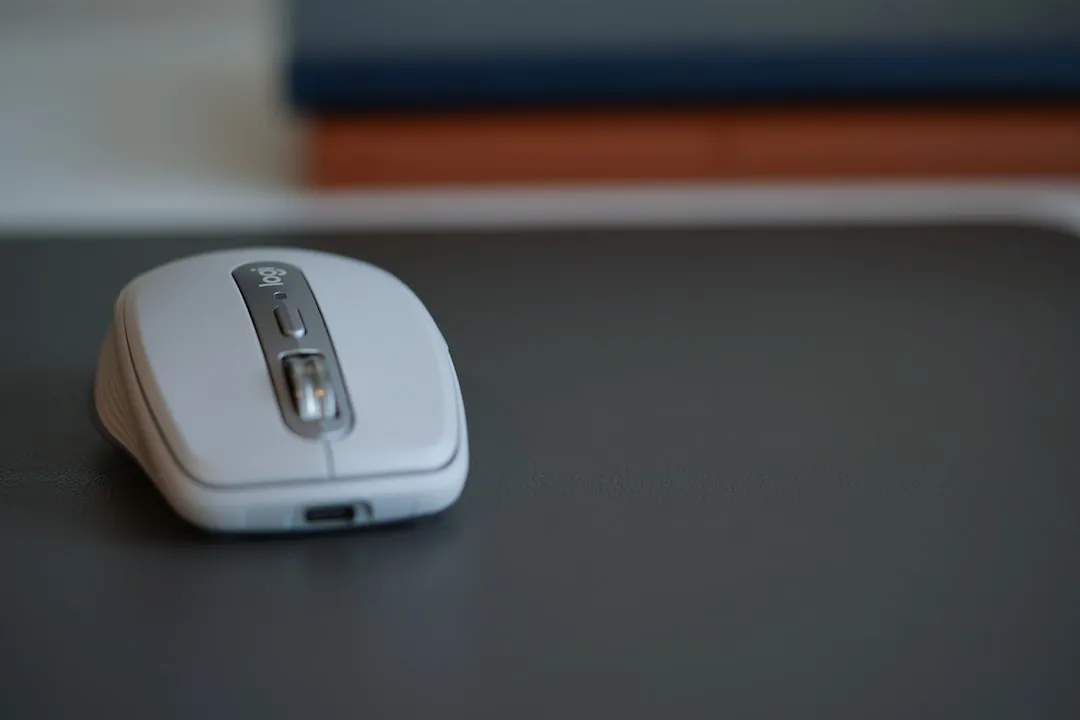
That context matters. This is not a prototype. Google shipped desktop mode as stable, positioned it as a real productivity feature, and the reception matched. Which makes the following problem harder to excuse: connect a standard two-button mouse and try to use the Android desktop mode mouse back button, and nothing happens. Not an imperfect workaround. Nothing. One of the most fundamental actions on the platform has no native mouse input mapped to it by default.
That default is wrong, it is fixable, and until Google fixes it, mouse-only users are working around a gap that should not exist in a release-quality product.
Why Android desktop mode navigation breaks with a standard mouse
The real problem is the default interaction model, not the absence of a Back button on screen.
Back does exist on screen. The Android taskbar in desktop mode includes Home, Back, and Recents buttons. The accurate complaint is that the only way to trigger it with a standard mouse is to aim at a small fixed target on the taskbar. That means either keeping the taskbar pinned and permanently sacrificing screen space, or mousing to the bottom of the display every single time you want to step backward in an app.
On a phone, Back is a full-width swipe from either edge instant, requiring no precision. On a desktop with a mouse, the equivalent should be a single click or a simple input combination. Android Authority's testing two days ago documented what happens when you try the obvious alternatives on stable Android 16 QPR3: simultaneous left-right click does nothing; clicking and holding the scroll wheel causes the interface to hang; click-and-drag or scroll combinations produce the same unreliable behavior.
Compare this to how established desktop platforms handle the same problem. Web browsers put a back button on the toolbar and map it to keyboard shortcuts. Windows and macOS support dedicated side buttons on any mouse that has them. Escape dismisses dialogs and keyboard-navigable menus across the entire OS. The pattern is consistent: mature desktop environments provide multiple low-friction paths to retreat from a view, because users reach for that action constantly and from different input states. Android desktop mode currently offers one path, and it requires deliberate aim at a small target.
The Back action has existed on Android since 2008, surviving three hardware generations physical button, on-screen button, swipe gesture because it is fundamental to how the platform navigates. The desktop version delivers it through a taskbar button that most users will have to hunt for.
Where the workarounds leave users
Hot corners in desktop mode can be assigned to Home and Recents, but Back is not an option. Android Authority confirmed the slot simply does not exist in that menu. Third-party remapping apps Button Mapper, Key Mapper, Button Remapper do not register the relevant mouse inputs as mappable at all. The functional workaround is switching from gesture navigation back to Android's legacy three-button nav mode, which restores a persistent on-screen Back button that can be clicked.
That is the best available solution: abandon the modern navigation model to get Back back.
A workaround requiring users to regress to 2012-era phone UI to perform a core desktop action is not a solution. It demonstrates the problem.
Why this particular gap carries more weight than it appears
Google's own developer documentation treats mouse support as a priority. Android Developers guidance from mid-2024 covering Jetpack Compose keyboard and mouse support for large screens identifies physical keyboards and pointing devices as expected input methods, with framework-level APIs for hover states, scroll wheel handling, and focus management treated as standard requirements. Android 16 QPR2 added a "Universal Cursor" toggle specifically to prevent accidental mouse drift between a phone screen and an external display a detail-level quality-of-life fix Android Authority noted in September 2025. Someone at Google is paying close attention to the mouse experience at the OS level. Back should have been on that checklist.
Consider what Back does in normal desktop-mode use:
- Dismisses a pop-up or dialog
- Closes the soft keyboard after a text field interaction
- Steps back one screen in a settings menu
- Backs out of a photo or document viewer
- Navigates within browser-like app flows
These are not edge cases. A user working through email, documents, or any multi-level app structure will reach for Back constantly, without thinking about it the same way a Windows or macOS user clicks the browser's back arrow or presses Escape. On Android desktop mode with a mouse, each of those moments requires a deliberate aim at the taskbar button or prior knowledge to enable a legacy navigation mode that most users will never find. That friction compounds. It does not crash the session. It just makes the environment feel permanently half-adapted, like a desktop OS with training wheels that will not come off.
The counterargument, and where it runs out
Android desktop mode deserves the positive reviews it received, and that case is worth taking seriously.
Pocket-lint's testing from last year found all the essential components of a proper desktop UI in place: taskbar, floating resizable windows, snap-to-side behavior, virtual desktops, and standard window controls. Kunal Ganglani's March 2026 breakdown described window management with draggable title bars, edge-resize, and snap-to-halves behavior things that "actually mimics what you'd expect from Windows or macOS." The setup is plug-and-play. The multi-window behavior is genuine. FindArticles' head-to-head from mid-March concluded that Samsung DeX is the stronger desktop today a fair verdict, but one that implies Android's Pixel desktop mode is now the product DeX needs to be compared against. Two years ago that comparison would have been laughable.
The strongest version of the counterargument is that the mouse Back issue may be a bug rather than a design decision specific to one mouse model, one build, on Pixel hardware. Trackpad users may never encounter it, since gesture assignment works differently on that surface. That is genuinely unknown.
But the practical consequence for users is identical regardless of cause: connect a standard mouse, use desktop mode, and Back requires a workaround. Bug or omission, it is a release-quality problem on a feature Google shipped as stable. Hot corners include Home and Recents but not Back, which makes this look less like a one-off mouse bug and more like an unfinished navigation model. Something was not finished, and the architecture needed to finish it clearly exists.
What users should do right now: Mouse-only users should expect to either keep the taskbar pinned, enable three-button navigation mode, or work with the friction of taskbar-clicking through apps. Trackpad users are likely better off. Anyone evaluating desktop mode as a serious workflow tool should treat the mouse navigation model as an open issue, not a solved one.
What Google should do, and why it matters beyond Pixel
The fix is specific and not particularly complicated.
Add Back to the assignable hot corner actions Home and Recents already have slots there, so the architecture clearly supports it. Map scroll wheel click-and-hold to Back with a reliable OS-level handler that does not hang. Consider simultaneous left-right double-click as a third path for mice without additional buttons. Android Authority's testing laid out exactly these options. Multiple routes to the same action is not overengineering it is how mature desktop platforms handle navigation on non-standard hardware, and it is the minimum expected behavior for the lowest-common-denominator peripheral: a $20 two-button mouse.
The AOSP implication extends the stakes further. The windowing improvements powering Pixel desktop mode are built into AOSP, meaning Samsung, Motorola, OnePlus, and every other OEM can build on this foundation Ganglani's breakdown confirmed this. What ships as a default in AOSP becomes the interaction model every OEM inherits. If Google's own platform ships with mouse Back navigation unresolved, that becomes the baseline every Android desktop user is handed, on every device, until someone fixes it upstream.
Android desktop mode is close enough to legitimate that its remaining gaps carry more weight now than they would have on an early prototype. The Back button is the clearest example: a gap with a known fix, affecting every mouse user every session. It should not survive the next quarterly release.











Comments
Be the first, drop a comment!