



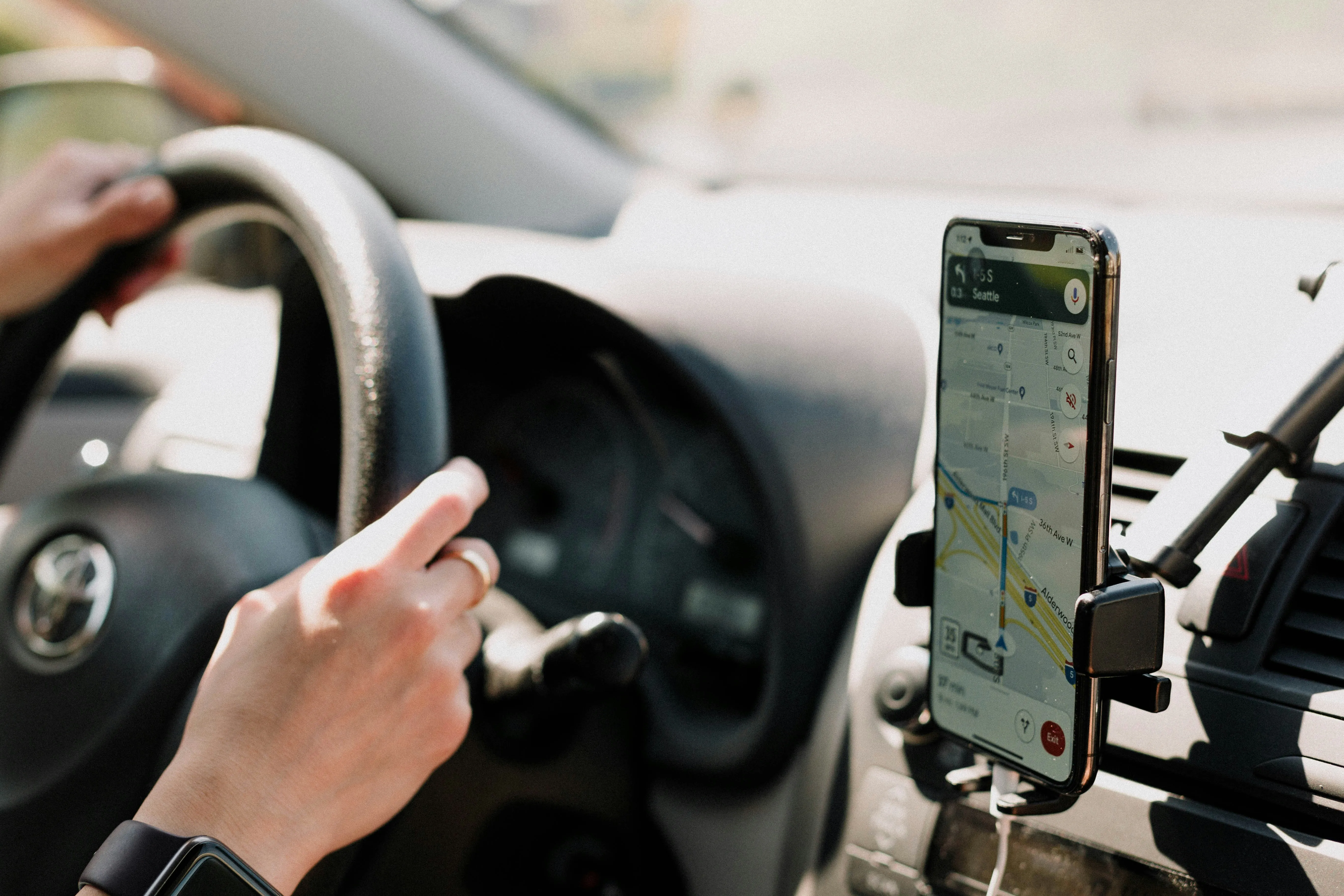
If you're weighing Waze vs Google Maps on Android Auto, one detailed month-long comparison offers a useful starting point: a reviewer who ran both apps side by side on a Galaxy S25 Ultra and an 8-inch Android Auto head unit found Waze more proactive about rerouting and easier to read on a dashboard display, but still reached for Google Maps on longer or unfamiliar trips. The comparison is really about how these two apps behave once you're actually driving with them, not whether either one works on Android Auto at all.
One setup detail is worth knowing before you try Waze in the car: alert preferences live on the phone. Waze's support documentation says to customize them there, and if you're already connected through Android Auto or CarPlay, you need to disconnect first before changing anything.
A separate real-world test that pit both apps against each other on an hour-long trip found another point in Waze's favor: that reviewer preferred how Waze keeps live traffic constantly visible on screen, compared with how Google Maps handles it. Everything below comes from hands-on reviewer testing rather than a controlled lab benchmark, so treat the specifics as a starting point for your own test drive, not a guarantee.
Should I use Waze or Google Maps on Android Auto?
The clearest split to come out of these tests is this: Waze suits a familiar, connected commute where frequent route changes and dense alert data are worth the trade-off. Google Maps suits unfamiliar destinations or trips where signal might drop, since offline maps and broader place data still favor it. The five reasons below each add a different piece to that comparison, followed by where Google Maps still has the edge.
Waze reroutes faster when traffic shifts mid-drive
In XDA's month-long comparison across commutes, highway runs, and unfamiliar routes, Waze was quicker than Google Maps to suggest an alternate road once congestion appeared. Google Maps reroutes too, but the reviewer said Waze felt more willing to pull them off the original path mid-drive.
That aggressiveness paid off during rush hour. Waze's suggested detours down smaller roads sometimes shaved roughly five minutes off the trip, according to the same reviewer's own driving log. That's one person's observation, not a controlled benchmark against a fixed baseline.
There's a trade-off, too. The same tester noted there were times they'd rather accept a slightly longer ETA and stick with a route they already knew than follow Waze into an unfamiliar detour. If your commute has a couple of predictable trouble spots, running Waze against your usual route for a few drives is the only real way to see whether the extra rerouting earns its keep.
Waze's dashboard layout leaves more room to glance at trip details
On XDA's 8-inch Android Auto head unit, Google Maps' navigation panel reportedly filled close to 30% of the screen, while Waze kept ETA and distance details compact enough to read at a glance. On a display that's already tight on space, that difference is easy to feel.
The same reviewer preferred Waze's refreshed icons and smaller interface elements on both the Galaxy S25 Ultra phone and that 8-inch head unit, so the layout preference held on the reviewer's own phone and head unit rather than being a one-off impression from a single screen. A larger or smaller display in your own car could still render things differently.
Voice control didn't change the calculation either way. In the same test, Gemini pulled a destination from Samsung Notes and launched directions successfully with either app running, so switching to Waze didn't cost that particular Assistant function. That's one command tested once, not proof every voice interaction behaves identically, so try your own regular commands before assuming full parity.
Waze keeps live traffic visible at all times
A separate real-world test, where a reviewer ran both apps through an hour-long trip, found that Waze displays live traffic information constantly on screen, a presentation choice they preferred over Google Maps' approach.
The month-long Android Auto comparison landed in a similar place. That reviewer said Waze was better at showing what's happening on the road right now, while Google Maps earned trust for something else entirely: offline reliability.
If most of your driving happens in areas with steady connectivity, an always-on traffic view is one of the more noticeable upgrades from switching to Waze. On routes where you regularly lose signal, it's a smaller factor, since it's just one presentation style among several the apps offer.
Waze offers deeper, hands-free incident reporting
Waze can turn on the microphone automatically when you tap its incident icon, letting you report a hazard by voice instead of typing. Tom Pritchard's test for Tom's Guide found that Waze also accepted voice reports through the steering-wheel voice button and 'Hey Google,' while tapping the incident-report button automatically started listening. That confirms the behavior works on Android, though the source doesn't say whether it was tested through an Android Auto head unit specifically or on the phone alone. Confirm the exact trigger on your own setup before counting on it.
The same testing found Waze's report categories go deeper than what was available in Google Maps: traffic reports split into "heavy traffic" and "standstill," and police alerts break into subtypes like mobile cameras, hidden officers, and activity on the opposite side of the road. "From what I can tell, Google Maps doesn't offer this feature," Pritchard wrote, noting that asking Gemini to report an incident there returned spoken instructions instead of actually filing one.
The bigger caveat is that Waze gives no confirmation delay or undo option once a report goes out, while Google Maps allows about five seconds to cancel before it sends. Confirm the category before tapping, and if you're not confident doing it hands-free while driving, let a passenger report it from the infotainment screen instead.
Waze lets you customize which alerts you see
Alert preferences live on the phone and apply automatically once you're driving, including through Android Auto, but Waze's support page instructs Android Auto and CarPlay users to disconnect the phone first before changing them.
Waze may flag accident-prone segments, road hazards, and significant speed reductions as part of that system, though the company is careful to say these alerts vary rather than appearing the same way every time. To limit distraction, Waze also caps how many alerts show up per route and prioritizes them by how familiar you are with the road, which means, by the company's own admission, drivers may not get alerted about everything and some discretion is still required.
There's also a regional feature worth knowing about. Waze announced a gradual rollout starting in March 2026 that feeds Google Maps' real-time reports into the Waze map when no Waze report already exists for a location, beginning with drivers in Spain, Argentina, Colombia, Poland, and Indonesia and expanding over the following weeks.
It excludes road closures and SOS alerts, and Waze-sourced reports still take priority over ones pulled from Google Maps. That announcement named five initial markets; it doesn't confirm how far the pilot has spread since, so check Waze's app or its announcement page if you're curious whether it's reached your account.
Where Google Maps still wins on Android Auto
Offline navigation is the clearest advantage Google Maps holds, based on the same month-long test. One reviewer downloaded map data ahead of a highway drive through hilly, no-signal terrain and navigated without issue, and noted Google Maps can automatically update downloaded areas when its offline-map auto-update conditions are met. The research doesn't say whether Waze can or can't match that; its offline capability simply wasn't part of the test, so don't assume Waze falls short until someone actually checks.
The same reviewer also said Google Maps offered broader place information and felt more dependable overall for unfamiliar destinations and long drives. For a road trip through areas with no signal, or a destination you've never visited, that dependability is the harder thing to give up.
What to do next
There's no single best navigation app for Android Auto that wins on every drive, according to this reviewer testing. Waze earned points for connected, familiar driving; Google Maps was the more dependable choice for long or unfamiliar trips, according to the XDA reviewer's own conclusion.
Three things worth doing before your next drive:
Test Waze on a familiar commute for a week or so, paying attention to how it reroutes and whether the layout reads well on your own head unit.
Set your Waze alert preferences while disconnected from Android Auto, since Waze instructs Android Auto and CarPlay users to disconnect the phone before changing those settings.
Download Google Maps offline areas before any trip leaving reliable signal or familiar roads, since that's the one advantage this testing found no equivalent for in Waze.
Pick based on the specific trip ahead of you rather than whichever app happened to open last.











Comments
Be the first, drop a comment!