



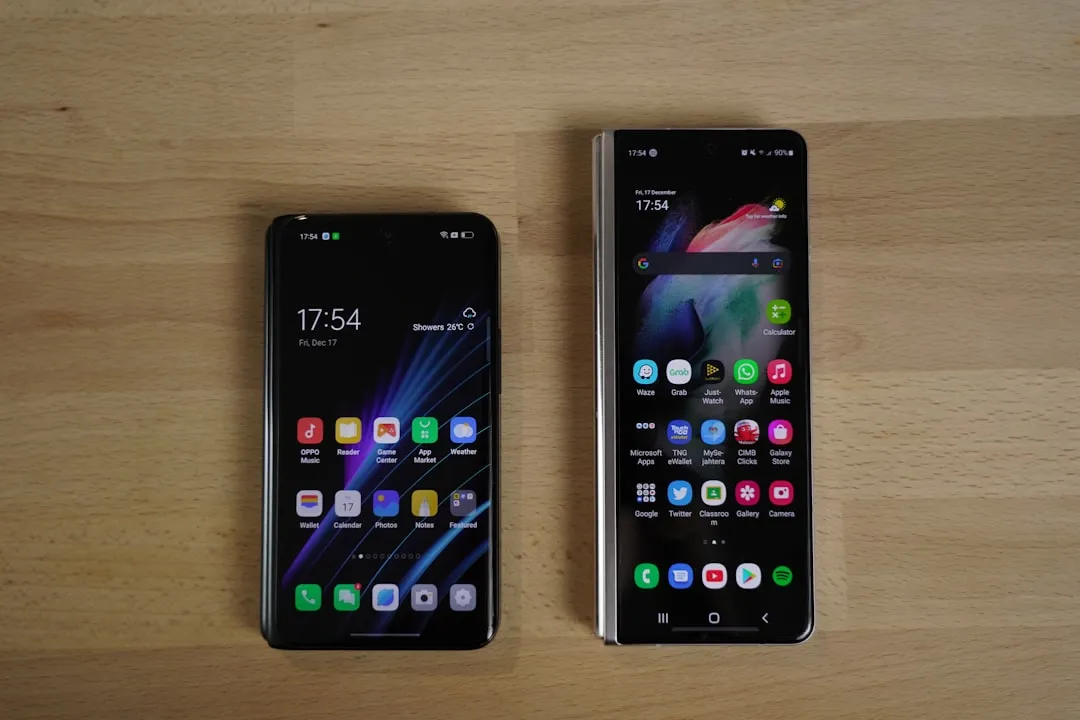
The theft of my beloved Pixel phone forced me into an unexpected experiment: living in Samsung's Android world after years of Google's pure vision. What started as an emergency phone replacement turned into a fascinating deep dive into how two interpretations of Android can feel worlds apart, even when running the same underlying operating system.
You know that feeling when you're forced out of your comfort zone? That's exactly what happened when my trusty Pixel 6 Pro disappeared one evening in downtown Seattle, leaving me scrambling for a replacement. I ended up with a Samsung Galaxy S22 Ultra, thinking "Android is Android, right?" Wrong. So very wrong.
This unplanned six-month migration revealed surprising truths about ecosystem lock-in, feature priorities, and those tiny details that either make your day smoother or drive you absolutely crazy. What I discovered completely changed how I think about Android fragmentation—and it's not just about update schedules.
The camera story: when "different" doesn't mean "better"
Here's where things got interesting right from day one. Samsung's camera system represents a completely different photography philosophy than Google's computational approach, and the difference hits you immediately when you start taking your first shots.
Where Pixel phones rely heavily on AI processing to create stunning images from modest hardware, Samsung throws multiple lenses and aggressive processing at every shot. It's like comparing a master chef who can make magic with simple ingredients to someone who just piles on every spice in the cabinet.
The Samsung photos consistently felt oversaturated and artificially enhanced compared to Pixel's more natural color science. Everything looked like it had been automatically run through a vivid Instagram filter—which some people absolutely love, don't get me wrong. But after years of Pixel's more realistic rendering, Samsung's approach felt overwhelming, especially in outdoor daylight shots where blues became almost electric and greens turned unnaturally vibrant.
Portrait mode became particularly frustrating. Samsung's edge detection struggled with complex backgrounds like curly hair or wire-frame glasses, creating those telltale blurry artifacts that immediately scream "phone photo." The Pixel's computational photography handles these edge cases with remarkable consistency.
What genuinely surprised me was Samsung's pro mode, though. Those manual controls that Pixel users never get? They're genuinely useful if you know photography fundamentals. Being able to adjust ISO, shutter speed, and focus manually opened up creative possibilities that Google's point-and-shoot philosophy simply doesn't allow.
PRO TIP: Samsung's pro mode shines in challenging lighting conditions where you need precise control, but the learning curve is steep if you're coming from Pixel's automated excellence.
The bottom line: Samsung gives you more camera versatility and manual control, while Pixel delivers more consistent automatic results. It's a trade-off between creative flexibility and reliable simplicity.
One UI vs. stock Android: the customization trade-off
Let's talk about One UI, because this is where Samsung either wins you over completely or drives you to the brink of insanity. Samsung's interface overlay transforms Android into something that feels simultaneously more feature-rich and more cluttered than Google's clean implementation.
The customization options run incredibly deep—we're talking about changing everything from icon packs to system-wide color themes that automatically adjust based on your wallpaper. You can modify animation speeds, customize the always-on display with widgets, and even change fundamental navigation behaviors. It's customization paradise if you love tweaking every detail of your phone's appearance and functionality.
However, this flexibility comes at the cost of visual consistency. Samsung's design language often conflicts with Google's Material Design principles in ways that become jarring once you notice them. You'll have Google apps following one design philosophy while Samsung's native apps march to an entirely different drummer, creating visual discord that stock Android users find unsettling.
Simple tasks became exercises in relearning muscle memory built over years of Pixel usage. Accessing quick settings required swiping from a different screen edge. Managing notifications involved different gesture patterns. Even finding basic system settings meant navigating Samsung's reorganized menus where Google's logical groupings had been reshuffled.
The notification system particularly highlighted these philosophical differences. Samsung's approach gives you granular control over notification channels, custom sounds per app, and detailed scheduling options. But this granularity means spending time configuring settings that "just worked" on Pixel devices with their more opinionated but streamlined approach.
The Google services integration gap
This is where moving away from Pixel really stings, and it's something you don't fully appreciate until it's gone. The seamless integration between Pixel hardware and Google's expanding AI services ecosystem isn't just marketing fluff—it represents genuinely useful functionality that simply vanishes when you switch manufacturers.
Call Screen became my most painful reminder of what I was missing. This feature automatically handles spam calls and can even take messages from legitimate callers while you're busy. On Samsung devices, that intelligence simply doesn't exist, leaving you back in the dark ages of either answering every unknown number or letting everything go to voicemail.
Car Crash Detection, Hold for Me, and features like Magic Eraser aren't just nice-to-haves when you're accustomed to them—they become integrated into your daily routines. Hold for Me alone probably saved me hours over the years by monitoring customer service hold queues and alerting me when a human representative picked up.
Google Assistant felt noticeably less responsive and capable on Samsung hardware. Instead of performing device-specific actions that worked flawlessly on my Pixel—like "turn on Do Not Disturb until my next alarm" or "show me photos from last weekend's hiking trip"—it would often default to web searches or claim it couldn't help with tasks I knew it could handle.
Then there's the timing issue that really impacts daily experience. Pixel devices receive exclusive access to new Google features, often months before other Android devices. When you're waiting for capabilities you previously took for granted, you realize how much Google uses Pixel as a testing ground and showcase for their latest AI innovations.
What Samsung gets surprisingly right
Now, before this sounds like a complete Samsung takedown, let me tell you what genuinely impressed me about their approach to Android. Because there are areas where Samsung's philosophy produces objectively better results than Google's sometimes stubborn design decisions.
The hardware quality feels more premium in ways that matter for daily use. Better build materials, more thoughtful physical design choices, and innovations like the S Pen integration on the Ultra series that genuinely transform how you interact with your device. Google's hardware, while steadily improving, often feels like it's designed by software engineers who prioritize internal specs over user experience details.
Samsung's multitasking implementation absolutely surpasses Google's efforts. True split-screen functionality that actually works intuitively, floating app windows that keep messaging apps accessible while working in other applications, and the ability to run three apps simultaneously—it's productivity functionality that transforms how you use your phone for actual work tasks.
PRO TIP: Samsung's DeX mode turns your phone into a legitimate desktop computing experience when connected to a monitor, something Google has never attempted with Pixel devices.
Here's what really impressed me: Samsung's commitment to features that Google abandoned in their push toward "simplification." Expandable storage means never worrying about cloud subscription costs or managing local storage limits. Superior battery capacity and optimization delivered noticeably longer daily usage compared to my Pixel's more aggressive background processing.
These aren't just spec sheet victories—they address practical daily frustrations that Google often ignores in favor of pushing users toward their cloud services and wireless accessory ecosystem. Sometimes the "traditional" approach actually serves users better than the cutting-edge vision.
The bottom line: choosing your Android philosophy
After six months of this unplanned experiment, I realized that choosing between Pixel and Samsung isn't really about picking the "better" Android phone. It's about selecting which set of compromises align with your priorities and daily usage patterns.
Google's Pixel approach prioritizes software elegance, AI integration, and photographic excellence through computational processing. If you want an Android phone that feels like it anticipates your needs and gets out of your way, Pixel delivers that experience better than anyone else. The trade-off is accepting Google's decisions about hardware features and customization limitations.
Samsung offers superior hardware variety, extensive customization capabilities, and a comprehensive feature set that ensures you'll rarely lack options. If you're someone who loves tweaking settings, wants manual control over your camera, or needs specific hardware features like expandable storage, Samsung probably has a device that fits your exact requirements.
The key insight from my forced migration: both approaches represent valid interpretations of what Android can be. Do you value Google's curated, AI-first experience that prioritizes seamless integration over user choice? Or do you prefer Samsung's approach that provides every possible option and lets you decide what matters?
My theft-induced experiment taught me that there's no objectively correct choice—just different paths through the Android ecosystem that serve different types of users. The real question isn't which approach is better, but which one matches how you actually use your phone every day.
For me? I'm back on Pixel, but with a much deeper appreciation for what Samsung brings to Android. And next time someone asks me about switching between these ecosystems, I'll have real-world experience to share instead of just specifications and reviews.








Comments
Be the first, drop a comment!