





Pixel 11 Pro 120x zoom review: what AI camera can do
Google's 120x Pro Res Zoom on the Pixel 11 Pro sounds like a spec-sheet gimmick, and in a literal sense, it is one. Point the camera at something far enough away, and the image increasingly reflects AI reconstruction rather than resolved lens detail. Reviewers who spent real time with the mode landed in a similar place: it's a genuinely useful way to inspect distant, static subjects, but the AI-enhanced output shouldn't be treated as proof of what's actually there (Android Authority, yesterday; PCMag, two months ago). This Pixel 11 Pro 120x zoom review digs into where that distinction holds up and where it doesn't.
Only the Pixel 11 Pro and Pro XL support the feature, and it isn't switched on out of the box. You need to download a 1.14GB generative AI package before the zoom slider will go past 30x; skip that step, and the phone caps out at 30x without it (PCMag, two months ago). That ceiling is itself a jump from the Pixel 10 Pro's 100x limit (Android Authority, yesterday).
One naming quirk worth clearing up before anything else: Google and reviewers don't all use the same term for this feature. Google's marketing calls it Pro Res Zoom, the camera interface itself labels it Pro Zoom, and PCMag's testing refers to it as Super Zoom. All three describe the same 120x generative pipeline. This article sticks with Pro Res Zoom when referencing the branded feature, matching the coverage it draws from (MobileTech, seven weeks ago; PCMag, two months ago).
How Pixel 11 Pro's Pro Res Zoom actually works
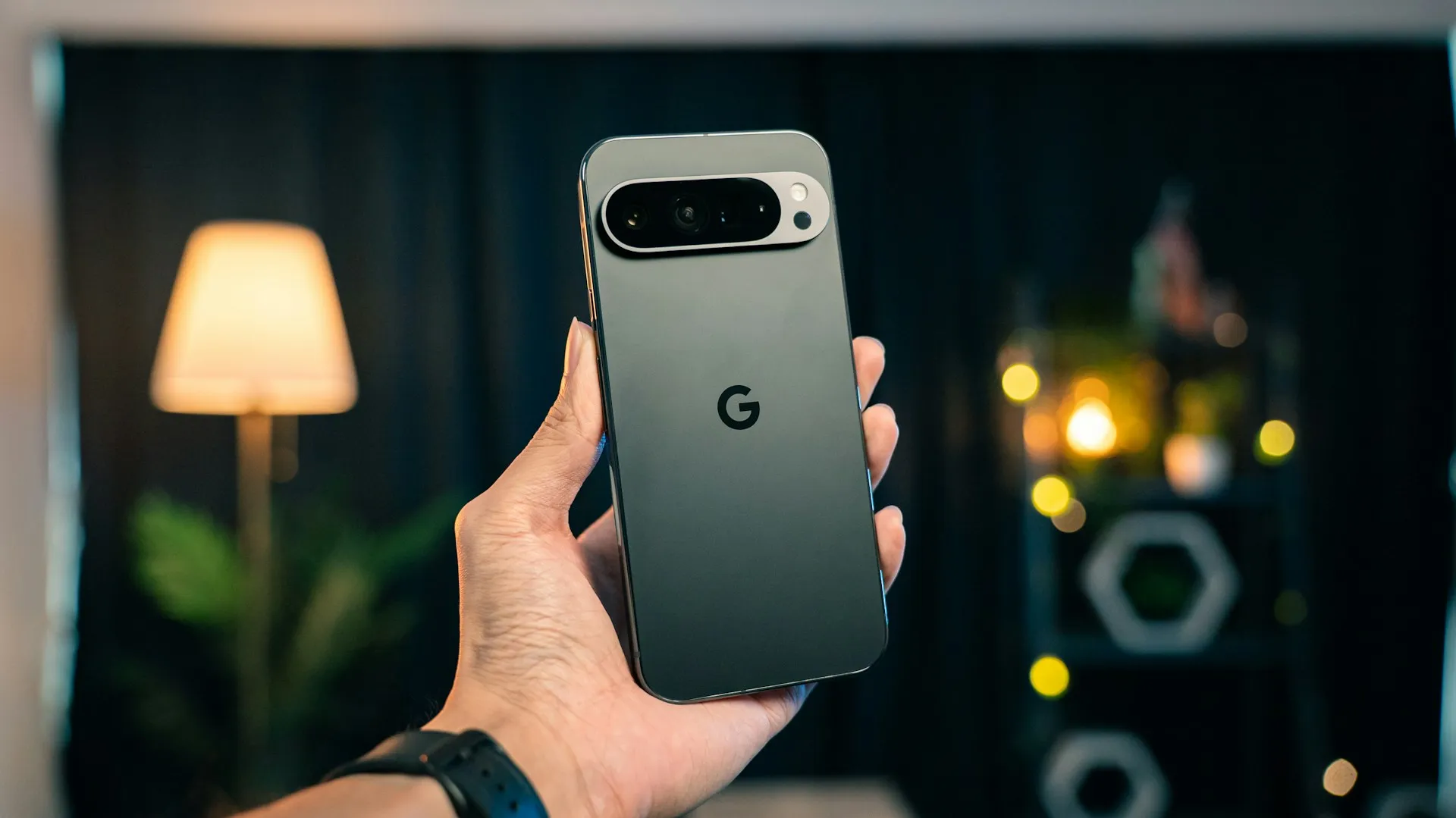
The telephoto hardware underneath all this is real, and it's improved. The Pixel 11 Pro's 5x camera uses a 48MP sensor behind an f/2.8 lens that MobileTech reports is roughly a third larger than the Pixel 10 Pro's equivalent, paired with phase-detect autofocus and optical stabilization (GSMArena, six weeks ago; MobileTech, seven weeks ago).
MobileTech cites Google's own spec sheet as claiming optical quality only at 0.5x, 1x, 2x, 5x, and 10x. Past that, everything running to 120x belongs to Pro Zoom, a separate generative AI system rather than an extension of the lens itself (MobileTech, seven weeks ago).
That pipeline requires the 1.14GB download before it activates (PCMag, two months ago). MobileTech also reports the reconstruction runs on-device, with no internet connection needed and no noticeable heat buildup, though a batch of 10 to 20 shots took roughly three minutes to finish processing (MobileTech, seven weeks ago). Google discloses the trade-off after the fact, too. PCMag found that photos shot with Super Zoom carry a warning stating the mode "enhances quality using generative AI, which may be inaccurate" (PCMag, two months ago).
Hold onto this split, because it explains most of the inconsistency in the testing below: optical quality ends at 10x, by Google's own claim. Everything past that is a prediction, not a capture.
Pixel 11 Pro 120x zoom camera test: where it actually works
Architecture turned out to be one of the strongest results in Android Authority's testing. Pointed at an 800-year-old minaret that looked like a thin strip of sandstone from a distance, the Pixel 11 Pro XL's 120x mode pulled out stone brackets and calligraphy around the upper balcony that were invisible to the naked eye (Android Authority, yesterday). A 500-year-old stepwell produced similar results, though the tester noted that even around 90x, AI denoising and sharpening were doing a lot of the visible work (Android Authority, yesterday).
Large, static subjects with clear structural edges seem to give the system more to work with than small text does, a pattern that shows up again in the failures covered further down. That's the useful distinction: 120x is better suited to inspecting a subject, getting a closer look at something you couldn't otherwise see, than to documenting it with any guarantee of accuracy.
Android Authority also pointed the camera at a stray dog resting across a park and got a result that was surprisingly detailed, if a little uncanny, in testing described as exploratory rather than conclusive (Android Authority, yesterday).
Credit the underlying camera separately from the AI layer. MobileTech reports that PetaPixel's Chris Nichols called the telephoto improvement substantial, with noticeably cleaner noise and shadow behavior than the Pixel 10 Pro's (MobileTech, seven weeks ago). MobileTech also cites The Tech Chap, another reviewer, who said the 120x results look better thanks to a lot of generative AI, while admitting he wasn't sure how often anyone actually uses the mode in practice (MobileTech, seven weeks ago). Some of what looks good at 120x comes from genuinely better hardware, not just AI polish.
PCMag frames the realistic use case narrowly, reserving 120x for situations like nosebleed seats at a concert, where getting a usable look at something far away matters more than documenting it with precision (PCMag, two months ago). That's a fair way to think about the feature: a tool for getting a better look, not a telephoto lens replacement.
Pixel 11 Pro extreme zoom quality: when it starts to invent details
Text is where results get shakiest. Android Authority found that signage was often legible at 120x in good lighting, but once font size or resolution dropped too low for the model to work with, the output turned into what the reviewer called absolute gibberish (Android Authority, yesterday). MobileTech reports a similar threshold from a separate tester, NL Tech, who shot signage at night in Kuala Lumpur: lettering large enough for the model to recognize came back sharp even at 120x, but a Malay signboard still partly readable at 100x had its characters fully replaced once pushed further. NL Tech's conclusion, as relayed by MobileTech, was blunt: the phone did not degrade gracefully, it invented (MobileTech, seven weeks ago).
PCMag's repeat-shot test raises a separate concern about consistency. Photographing the same stationary Android figurine from the same spot on two different days produced two different results: a wonkier leg, smaller arm notches, and noticeably larger eyes the second time (PCMag, two months ago). The test wasn't controlled for lighting or framing, so it doesn't prove the AI alone caused every difference, but it's a reminder that an enhanced result may not repeat even when the subject hasn't moved.
PCMag connects this back to Samsung's "moon gate" controversy, where the Galaxy S20 Ultra's Space Zoom was criticized for adding lunar detail the camera hadn't actually captured, a dispute over whether generated detail counts as captured reality (PCMag, two months ago). Google's disclaimer makes the Pixel 11 Pro more upfront about what's happening under the hood, but the same basic tension sits underneath its 120x mode.
People get handled differently than everything else in this pipeline. Android Authority found that the Pixel 11 Pro skips generative upscaling when it detects a human in the frame, and MobileTech reports that the fallback, described by Nichols as weird edge enhancement, looks noticeably worse than the reconstruction applied elsewhere (Android Authority, yesterday; MobileTech, seven weeks ago).
Low light adds another layer of trouble. Smart Watch Life's testing found that using the telephoto in dim conditions doesn't stop the camera from trying, but fine detail dissolves as zoom climbs (Smart Watch Life, last month). Android Authority also noted that results which look convincing on a phone's small screen often look less convincing on a bigger display, so apparent sharpness doesn't always survive a larger viewing surface (Android Authority, yesterday).
The riskiest cases, based on this testing, are small or unfamiliar text, anything you'd need a repeatable result from, people, and low light. That's a narrower list than "everything above 30x," and worth keeping in mind before trusting whatever the slider shows you.
Is the Pixel 11 Pro 120x zoom actually useful for buyers?
Judged purely on image quality, before any AI reconstruction enters the frame, the telephoto camera holds up well at moderate zoom and wobbles past it. GSMArena's image-quality assessment found the 5x telephoto produces very good photos on its own. Push to 10x, and pixel-level quality already drops, with GSMArena calling the results fine but not particularly great (GSMArena, six weeks ago).
MobileTech's buying advice lines up with that pattern. Its recommendation is to buy the Pixel 11 Pro for the bigger telephoto sensor and faster Night Sight, and to treat anything above 30x as, in its words, a party trick that is occasionally, unnervingly, indistinguishable from a photograph (MobileTech, seven weeks ago). Android Authority lists an MSRP of $1,099 for the phone, a flagship price that makes it worth weighting the purchase decision toward the confirmed 5x and 10x gains rather than the 120x headline (Android Authority, yesterday).
There's one practical safeguard built into the phone. Google separates the AI-processed frame from the original capture in the Gallery app, letting you compare both after the fact, though that comparison isn't available while you're still framing the shot at the zoom slider (Smart Watch Life, last month; MobileTech, seven weeks ago).
What to check before you trust it
Confirm the basics before relying on 120x for anything. You need a Pixel 11 Pro or Pro XL: the comparison available shows the standard Pixel 11 topping out at 30x, while the Pro models reach 120x once the required package is installed (Smart Watch Life, last month). You also need the Pro Zoom package downloaded, since skipping it leaves even the Pro models capped at 30x (PCMag, two months ago).
To check a shot after capture, open it in Gallery and look for the option to compare the AI-enhanced version against the original frame. Pay closest attention to the details reviewers flagged as unreliable: text edges and lettering, repeated patterns like fencing or brickwork, and fine features on animals or people, since those are where the model's guesswork tends to show most (Smart Watch Life, last month; MobileTech, seven weeks ago).
A rough way to sort what's worth trusting, based on this testing:
- Better suited for visual inspection: large static subjects like buildings and monuments, and well-lit signage with large lettering. Worth trying on a distant trail marker or a building detail across a park.
- Use with caution: small or unfamiliar text, dim or mixed lighting, and any shot you might want to retake and compare later.
- Don't rely on it: identifying a person, verifying text for anything official, or documenting an event where accuracy matters.
If you already own a Pixel 11 Pro, install the Pro Zoom package and use 120x for exploration: reading a distant sign, checking a building detail, getting a better look at something across a park. Pull up the original frame in Gallery before trusting any detail the zoomed version shows, and skip the mode entirely where accuracy actually matters.
If you're still deciding whether to buy one, don't pay the premium for the camera on the strength of 120x alone. The confirmed gains sit at 5x and 10x, and the extreme end of the zoom range hasn't been tested under controlled conditions, fixed distances, consistent lighting, repeated shots of the same subject, only in scattered reviews and field tests. Wait for that kind of standardized comparison before assuming the headline number behaves the same way twice.









Comments
Be the first, drop a comment!