



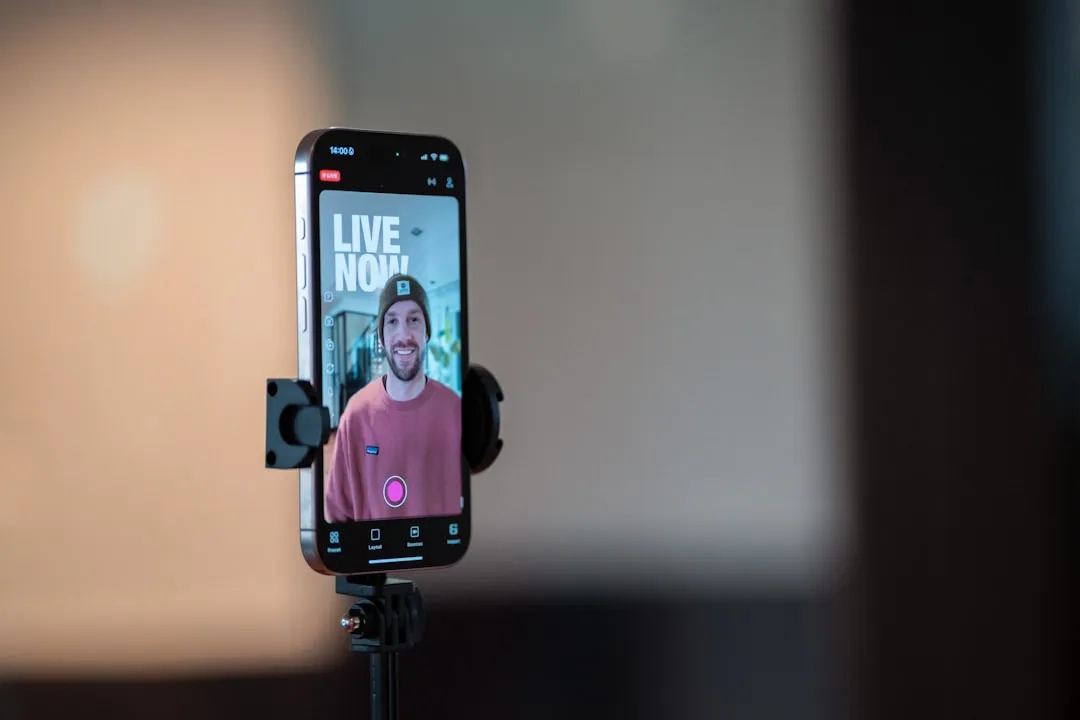
When your phone buzzes with an emergency call, the stakes couldn't be higher. Now imagine being able to show rather than just tell first responders exactly what's happening around you. Google has made this scenario a reality with Android Emergency Live Video, launching today across the United States and select regions in Germany and Mexico. This groundbreaking capability transforms how emergency responders assess critical situations by providing real-time visual context that could mean the difference between life and death.
Here's what makes this so powerful: we've all been in situations where describing something over the phone just doesn't cut it. Now multiply that challenge when you're dealing with a medical emergency, car accident, or natural disaster while your adrenaline is pumping and every second counts. The technology builds on Android's existing emergency features like Car Crash Detection and Emergency Location Service, but takes situational awareness to an entirely new level. Emergency dispatchers can now request live camera feeds during crisis calls, allowing responders to quickly assess the situation and get you the right help in the moment. This visual information helps first responders understand exactly what they're walking into before they arrive on scene, enabling them to bring the right resources and prepare for specific challenges they'll encounter.
How Emergency Live Video actually works
The mechanics are surprisingly straightforward, which is exactly what you want during a crisis. When you place an emergency call from your Android device, dispatchers now have the option to request visual access to your situation. During an emergency call or text, a dispatcher can send a request to your phone to share live video, which appears as a simple prompt on your screen. The process couldn't be more straightforward - you maintain complete control and can approve or decline the request with a single tap.
Once you agree to share, your phone begins streaming encrypted video directly to the emergency operations center. The feature is encrypted by default, and you are always in control of whether your video is shared, and can stop sharing instantly at any time. The interface is designed specifically for crisis situations - you can minimize the video feed while taking other important actions on your device, flip between front and rear cameras to show dispatchers the optimal angle, and access that prominent "Stop sharing" button whenever you need to end the stream immediately.
What's impressive about the rollout is its broad compatibility across the Android ecosystem. Any Android phone running Android 8 or later, with Google Play Services installed, will be able to access the feature once it's available in their region. This means we're talking about potentially millions of devices that can immediately benefit from this technology without needing hardware upgrades or special equipment.
Why visual context changes everything for first responders
Let's break down why this capability represents such a fundamental shift in emergency response. Emergency dispatchers have traditionally relied solely on voice descriptions to assess situations, which creates significant challenges when callers are stressed, injured, or in chaotic environments. Think about trying to describe a car accident scene while you're shaken up, or explaining a medical emergency when you're not sure what you're looking at. Live video eliminates much of this uncertainty by providing immediate visual confirmation of what's actually happening.
First responders get one complete view of an emergency in seconds before they arrive on scene. This isn't just about satisfying curiosity - it's about making life-saving decisions with significantly better information. The visual context helps dispatchers make more informed decisions about resource allocation, determining whether to send police, fire, or medical personnel based on what they can actually see rather than potentially incomplete verbal descriptions.
But here's where it gets really compelling: The video feed can help responders guide you through providing CPR or administering basic first aid until help arrives. Imagine a scenario where someone's unconscious and you're not trained in first aid. A dispatcher who can see the victim's positioning, breathing patterns, and overall condition can provide much more specific, actionable guidance than they could with voice-only communication.
This visual advantage proves especially critical during large-scale emergencies where resource allocation decisions have widespread impact. The result is enhanced system resilience, especially during large-scale incidents like natural disasters where traditional phone networks can be strained and call volumes spike by as much as 12,500%. When every second counts and emergency services are stretched thin, visual confirmation helps ensure the right help reaches the right place with the appropriate level of response.
Security and privacy: your safety, your control
Now, I know what you're thinking - sharing video during an emergency sounds incredibly helpful, but what about privacy and security concerns? Google has built Emergency Live Video with these concerns as foundational design principles rather than afterthoughts. The feature requires explicit consent from users, and only a verified emergency responder can trigger the request for a live video. This means you'll never receive unexpected video requests from unauthorized sources or random people trying to access your camera.
The technical implementation prioritizes security at every transmission layer. Google states that all video feeds are encrypted by default, and users can decline or stop sharing live video at any time. The encryption ensures that sensitive visual information remains protected during transmission, while the instant stop feature gives users complete control over their privacy even in high-stress situations where quick decisions are necessary.
The feature also addresses practical concerns about data storage and retention policies. Google says the video isn't meant to be kept on the device; any given agency will be able to keep the video based on its own policies and legal obligations. This approach balances the legitimate need for emergency documentation with user privacy concerns, allowing local agencies to follow their established protocols for evidence handling while ensuring the video doesn't create additional privacy burdens for users.
The bigger picture: Android's emergency ecosystem
Emergency Live Video represents the latest evolution in Google's comprehensive approach to mobile safety technology. Android Emergency Live Video builds on our work to make it easier to get help and provide users peace of mind through features like Emergency Location Service, Car Crash and Fall Detection, and Satellite SOS. These interconnected safety features create a robust safety net that can automatically detect emergencies, pinpoint precise locations, and now provide visual context - all working together to create a more complete emergency response picture.
What's particularly smart about Google's strategy is how these features create data synergies rather than operating in isolation. Your phone can detect if you've been in a car crash, automatically determine your precise location, contact emergency services, and now show them exactly what happened - all without requiring you to be conscious or able to operate your device normally. This integrated approach transforms your smartphone into a comprehensive emergency communication hub.
The rollout strategy reflects Google's commitment to expanding emergency capabilities through collaborative partnerships rather than go-it-alone deployment. Google is working with public safety organizations to expand availability to more regions. This collaborative approach ensures that the technology integrates smoothly with existing emergency response infrastructure rather than creating additional complexity for first responders who are already managing multiple systems during critical incidents.
The feature also puts Android on competitive footing with Apple's emergency capabilities. It mirrors a similar feature on iOS, Emergency SOS Live Video, which launched in 2024 and allows iPhone users to share either a live video feed or photos and videos from their Photos app. This cross-platform availability of emergency video streaming represents a significant step forward in mobile safety technology, ensuring that these potentially life-saving capabilities aren't limited to users of a particular device ecosystem.
What this means for your safety going forward
The launch of Emergency Live Video marks a pivotal moment in how technology can save lives during critical situations. The feature allows Android users to securely share live video at the request of 911 during an emergency, transforming situational awareness for public safety. This represents more than just adding another feature - it fundamentally changes the quality and richness of information available to emergency responders when making life-or-death decisions under extreme time pressure.
The technology's impact extends beyond individual emergencies to drive systemic improvements in emergency response capabilities. RapidSOS' integration of Android's Emergency Live Video to 911 transforms a legacy voice-only call into a rich, real-time data stream. This evolution from voice-only communication to multimedia-rich emergency calls represents the future of emergency services - one where first responders have access to the same rich, real-time information we take for granted in our daily digital interactions.
PRO TIP: Since Emergency Live Video is enabled by default, and requires no manual setup, take a moment to familiarize yourself with your phone's emergency features now, before you need them. Practice accessing your emergency contacts and understand how to quickly flip between cameras, so these actions become second nature during an actual crisis.
For Android users, the message is clear: your phone just became a more powerful tool for protecting yourself and others in emergency situations. The next time you face a crisis, you'll have the ability to provide emergency responders with immediate visual context about what's happening - and that real-time information could be the key to getting the help you need as quickly as possible, with the right resources and level of response.
Bottom line: this isn't just another tech feature to get excited about. It's a fundamental improvement in how we can get help when we need it most. In those critical moments when every second counts and clear communication can mean the difference between life and death, having the ability to instantly share what you're seeing with trained professionals who can respond appropriately isn't just convenient - it could genuinely save your life or the life of someone you care about.



Comments
Be the first, drop a comment!